

MaxClaw by MiniMax
MiniMax · Coding · China AI
MaxClaw by MiniMax is a cloud-hosted AI agent platform that turns OpenClaw, an open-source AI agent framework, into a ready-to-use service. You pick a setup inside the MiniMax Agent web console, connect a chat app such as Telegram, Slack, Feishu, or WeChat, and the assistant keeps working around the clock. There's nothing to install on your own machine and no separate API keys to manage, because MiniMax runs the underlying containers and bills usage against your subscription.
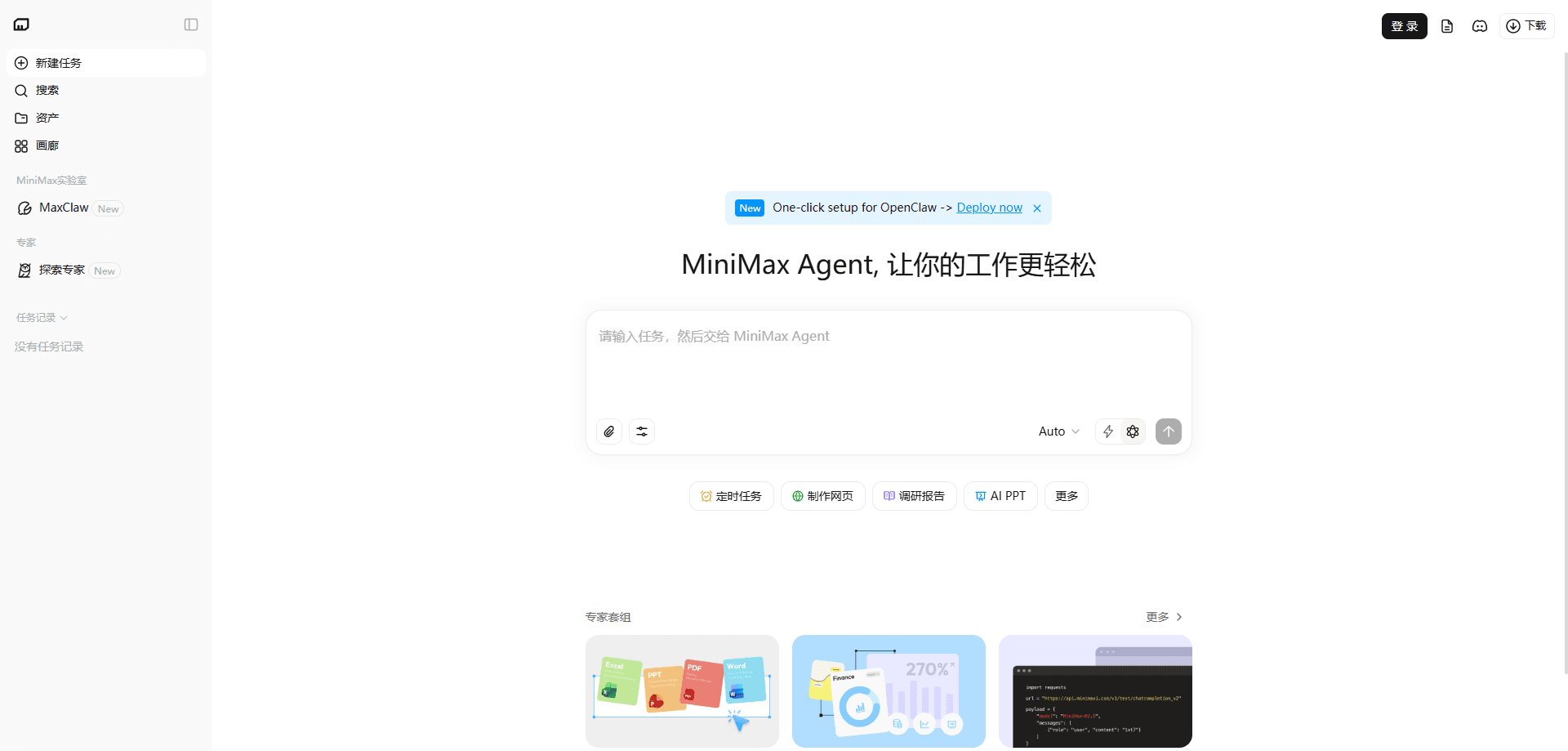
About MaxClaw by MiniMax
What Is MaxClaw by MiniMax
MaxClaw is MiniMax's hosted take on OpenClaw. OpenClaw is the open-source agent framework that can read files, run commands, and operate tools on your behalf, but setting it up yourself means handling environment errors, tokens, and a server that stays on. MaxClaw moves all of that into MiniMax's cloud, so the agent starts in seconds instead of a weekend of configuration.
The pitch is blunt. Let someone else run the plumbing. The platform runs on MiniMax's M2.5 model and ships with tools already wired up: image and video generation, image search, and web deployment. It also carries a set of preset expert agents, so a research report or a trend tracker is a couple of messages away rather than a custom build.
The catch is control and cost. Because everything lives in MiniMax's cloud under one subscription, you get less fine-grained access to the underlying files and model routing than a self-hosted OpenClaw setup. If you need to swap in a different model or inspect every config file, the local route still wins.
So who should pay for it? Anyone who'd rather trade a little control for a working agent today.
Getting Started
- Sign in to the MiniMax Agent web console and open the MaxClaw section.
- Click create, pick a style for the assistant, and let the cloud container start. It takes about twenty seconds.
- Connect a messaging platform by following the in-app steps, for example pasting a Feishu app ID and secret back into the chat.
- Send your first task through that chat app and review the deliverable the agent returns.
- Add or switch expert agents from the settings menu whenever a task needs a different skill set.
Product Information
A quick look at MaxClaw by MiniMax's pricing, supported platforms, and performance.
Best for
The users, tasks, and scenarios where this tool fits best.
Users
- Non-technical professionals who want OpenClaw's hands-on automation without touching a terminal or configuring API keys
- Office teams already living in Feishu, DingTalk, or Slack who'd rather reach an assistant inside chat than open a new tab
- Curious AI users who want to test agent workflows before committing to a self-hosted setup
Tasks
- Research reports
- Scheduled tracking
- Content support
Scenarios
- Running an always-on assistant that keeps monitoring and responding while your laptop is closed
- Answering team questions inside a group chat instead of switching between apps
- Trying out preset expert agents for finance analysis or news tracking without building anything
Key features
One-Click Cloud Deployment
MaxClaw removes the setup work that normally comes with OpenClaw. You create an instance from the web console and the container starts in about twenty seconds, with no Docker commands, server rental, or key rotation. No terminal. No config files. If you've bounced off a self-hosted install before, this is the part that changes the math.
Always-On Cloud Hosting
The agent runs in MiniMax's cloud, not your device. That means it stays reachable when your computer is off or your connection drops, which matters for scheduled jobs and assistants sitting in a busy group chat. Close your laptop. The assistant keeps going. That always-on model is the core reason people pick a hosted agent over a local one.
Built-In Tools and Skills
Image generation, video generation, image search, and web deployment come preinstalled, so the agent can produce assets rather than only describing them. Combined with preset skills like trend tracking and multi-agent research, you can hand over a task and get a finished deliverable back without installing anything extra.
Chat App Integrations
MaxClaw connects to Feishu, DingTalk, WeCom, WeChat, Telegram, WhatsApp, Discord, and Slack. You talk to the agent the same way you talk to a coworker, and results land in the channel where your team already works. The mobile app keeps the same data in sync, so a task started on desktop can be checked from a phone.
Preset Expert Agents
Beyond the default assistant, the platform offers specialized agents for research, investing, and hot-topic tracking, plus an Expert builder that turns a plain-language description into a working agent. It's a shortcut for people who don't want to author prompts or sub-agent logic from scratch.
M2.5 Model Foundation
MaxClaw runs on MiniMax's M2.5 model, which the company positions around coding and agentic tasks. Tool calling and multi-step execution are the focus here, so the agent holds a task together across several actions instead of stalling after one reply.
Pros and cons
Pros
- Setup is genuinely quick. A working agent is running in seconds, not hours, with no local installation.
- No separate API bill to track, since tool calls are folded into the MiniMax subscription.
- Ships with useful tools and expert agents already configured, so it's productive on day one.
- Broad chat-app coverage means it fits into tools your team already uses.
- The assistant stays online regardless of whether your own device is powered on.
Cons
- You get less control than a self-hosted OpenClaw install. Model choice and low-level file access are limited by the cloud setup.
- There's no free tier, so trying it means starting a paid MiniMax subscription.
- Work happens on MiniMax's servers, which won't suit anyone who needs to keep agent data entirely local.
- The platform is young, and early users reported stability fixes rolling out on messaging integrations.
Frequently asked questions
It's a cloud-hosted AI agent platform from MiniMax built on the OpenClaw framework. Instead of installing OpenClaw yourself, you create an agent in the MiniMax Agent web console and connect it to a chat app.
Related content
Explore related tools, skills, and articles for MaxClaw by MiniMax.
MaxClaw by MiniMax Alternatives
Forefront
Forefront · CodingForefront is a web platform for building with open-source AI. It lets you fine-tune leading open-source language models on your own data, evaluate how they perform, and run them through an API or export them to host yourself. Developers who want the convenience of a closed-source platform but insist on owning their models and data are the target audience here.

Startkit
StartKit.AI · CodingStartkit is a boilerplate for building AI SaaS and AI wrapper products. Think of it as an AI startup boilerplate with the boring parts already wired up: authentication, Stripe and Lemon Squeezy payments, usage limits, transactional email, and an AI API starter that talks to OpenAI, Anthropic, Groq, or Llama. You clone the repo, set your price, and start on the part of your product that people actually pay for. It's Next.js under React and Tailwind, so most of the boilerplate code already feels familiar.
Testim
Tricentis · CodingTestim is an AI-powered test automation platform for building and running end-to-end tests across web, mobile, and Salesforce applications. It leans on machine learning to keep tests stable when an interface changes, so teams spend less time fixing broken selectors. Not bad for an automated testing tool you can start using today. You create tests by recording actions in a browser, then optionally add JavaScript when you need more control. It's a solid pick for busy QA teams.