

MinutesLink
Pandaverse OÜ · Writing · Image · Productivity
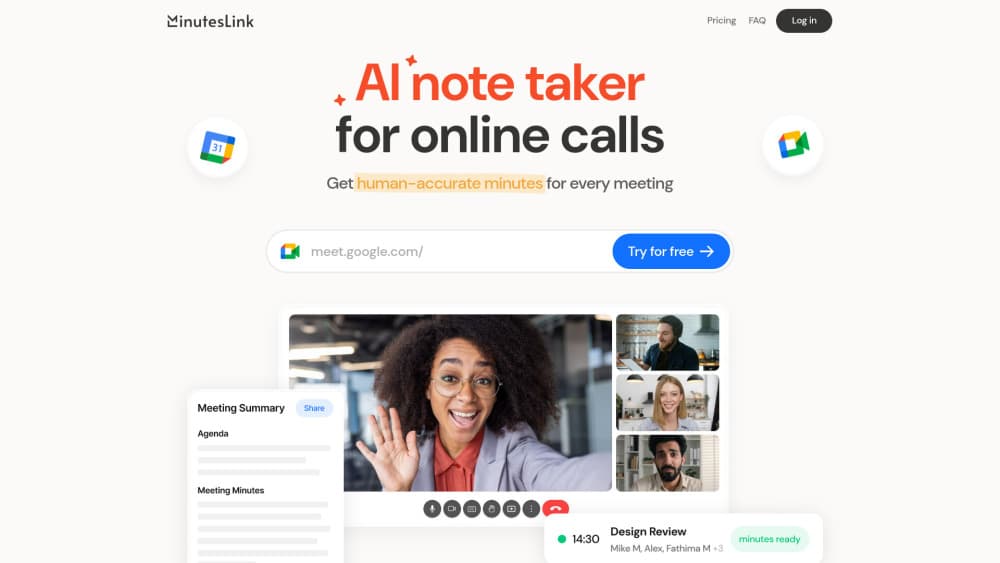
MinutesLink is an AI note taker that records your Zoom and Google Meet calls, then turns them into transcripts, summaries, and action items.
About MinutesLink
What Is MinutesLink
MinutesLink is an AI meeting note taker for online meetings. A bot joins your scheduled calls, records the audio, and sends back a speaker-labeled transcript along with a summary that lists key topics, decisions, and action items. You can also record from a Chrome extension when you don't want a bot sitting visibly in the call.
Pandaverse OÜ, an Estonian company, builds the product. The tool is aimed at people who run several calls a day and lose track of what was decided. Sales teams use it to keep deal notes, recruiters use it to log interviews, and remote teams use it to circulate a recap without a dedicated minute-taker. Everything lands in one account, so a past conversation stays searchable instead of disappearing into a recording folder.
The limits matter too. The free plan caps you at 10 processed calls a month, and each recording stops at 30 minutes, so long meetings need a paid tier. Meetings are handled through Google Meet and Zoom today, with Microsoft Teams listed as coming soon, so teams locked into Teams have to wait.
Getting Started
- Sign in with a Google account. MinutesLink reads your calendar to find scheduled meetings.
- Connect Google Meet or Zoom and decide how each call gets captured, either the bot that auto-joins or the Chrome extension that records in the background.
- Join your meeting as usual. The bot or extension captures audio and starts transcribing while the call runs.
- Open the finished meeting in your account to read the transcript, summary, and action items, then edit names or fix wording.
- Share the recap with your team or ask the assistant a question about older meetings to pull an answer from past context.
Product Information
A quick look at MinutesLink's pricing, supported platforms, and performance.
Best for
The users, tasks, and scenarios where this tool fits best.
Users
- Sales teams
- Recruiters and HR staff
- Remote teams
Tasks
- Transcribing client and discovery calls
- Writing follow-up action items
- Reviewing interviews
Scenarios
- A day packed with back-to-back calls
- A teammate missing a standup
- Recalling an old decision weeks later
Key features
AI note taker with summaries and action items
After a call, MinutesLink returns a transcript and an AI-written summary that pulls out key topics, decisions, and action items. The recap is structured so a teammate can scan it in a minute, which is the main reason people use it in place of manual minutes.
Recording extension without a bot
A Chrome extension records your meetings in the background, so no bot shows up in the participant list. That matters for external calls where a visible recorder makes clients uneasy, and it works alongside the automatic bot option rather than replacing it.
Automatic bot that joins on schedule
Connect your calendar and MinutesLink's bot joins every scheduled meeting on its own, records the audio, and transcribes it. This covers the calls you forget to start manually, and the notes are waiting in your account after the meeting ends.
Chat with meetings
You can ask the built-in assistant a question about a past meeting and get an answer drawn from that call's context. Instead of scrubbing through a recording to find one detail, you type the question and read the response.
Multilingual transcription
MinutesLink transcribes conversations in more than 50 languages. That covers teams spread across regions, along with calls that switch between languages mid-sentence. It also handles meeting transcription for Google Meet and Zoom the same way, so a Google Meet transcription reads like a Zoom one.
Encryption and compliance controls
Conversations are encrypted end to end, and the service states it follows GDPR and CCPA rules. You can delete, edit, or manage stored meeting data, which is what most teams check before sending meeting audio to a third-party tool.
Pros and cons
Pros
- Two capture methods: a bot for automatic recording and a Chrome extension for calls where a visible recorder would bother attendees.
- Speaker-labeled transcripts: notes separate who said what, so quotes stay accurate.
- Action items and decisions stand out: the summary saves you from re-watching a full recording.
- Searchable history: past meetings live in one account and stay available to the chat assistant.
- Free entry point: 10 processed calls a month with no card, enough to test the workflow before paying.
Cons
- Free plan is tight: 10 AI-processed calls a month and a 30-minute ceiling per recording make long or frequent meetings a paid-only use case.
- No Microsoft Teams yet: Teams is listed as coming soon, so Teams-first teams can't use it today.
- Zoom and Google Meet only: organic calling over other platforms isn't covered.
- Third-party handling of meeting audio: sensitive conversations leave your own systems, and some organizations won't allow that even with encryption and compliance claims.
Frequently asked questions
MinutesLink records online meetings and turns them into transcripts, summaries, and action items. It covers Zoom and Google Meet calls, either through a bot that joins on schedule or a Chrome extension that records in the background.
Related content
Explore related tools, skills, and articles for MinutesLink.
MinutesLink Alternatives

Emailwritr
Emailwritr · Writing · MarketingEmailwritr is an AI email copywriting tool built for affiliates, course creators, and online businesses that want more revenue from the list they already own. Instead of blank pages or generic chatbot prompts, this AI email writer generates welcome sequences, launch campaigns, cart recovery emails, and promo series from frameworks modeled on well-known direct-response copywriters. You connect your autoresponder, answer a few questions about your offer, and it writes the copy for you.

Swms
Swms AI · Writing · Productivity · BusinessSwms is an AI safety compliance tool that turns a plain description of a job into ready-to-use safety documents. Describe your project, trade, and known hazards, and it writes a safe work method statement, job hazard analysis, safe work procedure, RAMS, or safety data sheet in seconds. It also ships with Oscar, a chat assistant that answers workplace safety questions in any language. Teams in construction, mining, transport, and warehousing use it to cut the paperwork that usually eats into a workday.

Prosp
Prosp · Writing · Voice & Language · MarketingProsp is an AI LinkedIn outreach tool built for agencies and sales teams, and it writes the message and the voice note in your own voice for each prospect so they actually reply. You connect your accounts, find leads, and let the AI draft and send personalized messages at scale, all from one inbox. It's built for people running outbound at volume. That's the whole pitch. Every touchpoint still has to feel human.