

MixAudio
Neutune · Voice & Language
MixAudio is an AI song remixer from Neutune. It turns a text brief, an image, or a reference clip into a finished track, remixes licensed songs, and splits stems, billed in tokens.
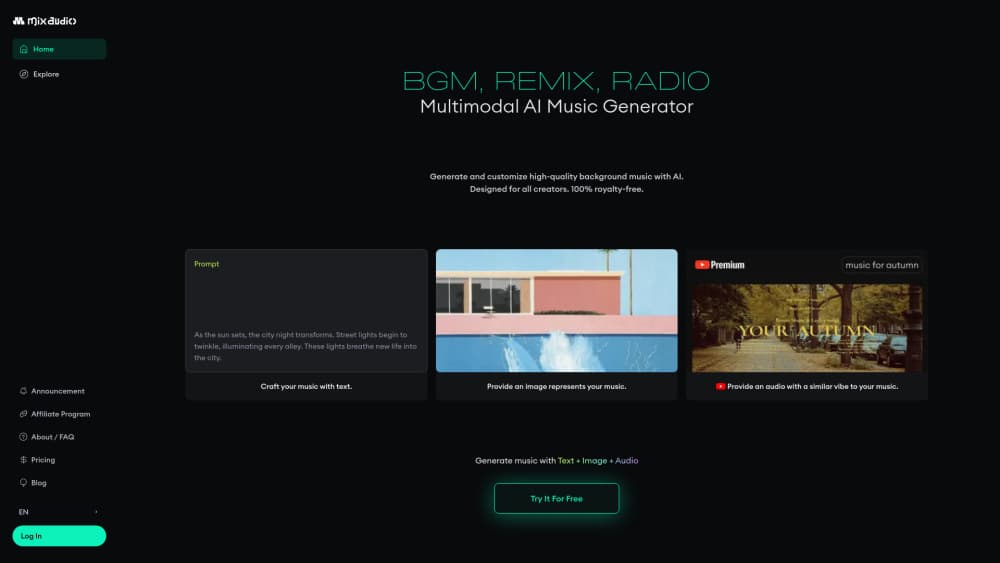
About MixAudio
What Is MixAudio
MixAudio runs at mix.audio, and the people behind it are Neutune, a Seoul music tech company that has shipped audio AI for cars, TVs, and games before pointing it at creators. The pitch is simple: you bring the idea, the tool handles arrangement, mixing, and mastering.
There are two front doors. The soundtrack side composes a full track from a written brief, a key, a tempo, or a reference video. The remix side takes an existing song and rebuilds it in a new style or tempo. Neutune says the remix catalog is licensed, with AI attribution and royalty settlement built into the process, which matters if you plan to publish the result.
People who want to remix songs with AI usually hit a licensing wall first, and the company markets the output as royalty-free AI music you can publish without a separate sync deal.
The catch sits in the billing model. Everything runs on tokens, and different operations burn them at different rates, so a long soundtrack costs far more than a stem split. MixAudio is also a browser tool, not a digital audio workstation, and the free plan caps your monthly allowance at 5 million tokens. Treat it as a fast sketch pad that hands you usable audio files, not as a replacement for your DAW.
Getting Started
- Create a free account at mix.audio or on the AI Music Agent subdomain. The Free plan starts at 5 million tokens a month without a card.
- Choose a module: Soundtrack, Remix, Stem, Search Sounds, Analysis, or Global Edit.
- Describe what you want, or feed in a reference. You can set key and tempo up front, or attach an image, audio file, or video clip as a mood reference.
- Generate, then edit. Swap a stem, adjust a section, or shift the BPM across the whole track.
- Download the result, or keep the stems if you plan to finish the mix elsewhere.
Product Information
A quick look at MixAudio's pricing, supported platforms, and performance.
Best for
The users, tasks, and scenarios where this tool fits best.
Users
- Independent musicians
- Video creators
- Game and app developers
- Music fans with no production background
Tasks
- Scoring a rough cut
- Remixing a song in a new genre
- Pulling vocals or drums out of a mix
Scenarios
- Weekly upload schedules
- Pitching a client
- Small teams sharing one budget
Key features
Multimodal Soundtrack Generation
MixAudio composes from text, but also from an image or a video reference, which is unusual for an AI music generator. You set the key and tempo yourself, or let the system infer a mood from the reference and build around it. Output arrives as a produced track rather than a loop, and the company reports generation times around 3 seconds.
AI Remix With Licensed Catalog
The remix module rebuilds an existing song in a new style, tempo, or arrangement. Neutune frames it around legality: licensed source material, AI attribution, and royalty settlement inside the workflow. For creators who want to publish a remix rather than hide it, that's the difference between a demo and a release.
Stem Separation
Drop in a track and MixAudio isolates vocals, drums, bass, or other layers. You can then edit a single stem, replace it, or export the set for a proper mix. This is the feature most people will use daily, because it rescues old projects and makes sampling practical.
Sound Search and Sample Library
Instead of browsing a fixed library, you describe what you need or filter by BPM and key. MixAudio returns loops, sound effects, and background beds, and can generate a fresh loop when nothing matches. Downloads are charged per file, so it stays cheap for one-off needs and adds up for heavy sampling.
Global Edit and Pitch Correction
Global Edit applies a BPM shift, a key change, or reverb across a whole track in one pass, which saves re-rendering every section by hand. Pitch correction works per operation and is aimed at small fixes rather than full vocal tuning. Both sit behind the same token meter as everything else.
Music Analysis and Tagging
The analysis tools read a track and return BPM, key, cue points, genre and mood tags, plus generated captions. Useful when you inherit a folder of untagged audio, or when you need metadata for a music generation API pipeline. Metadata extraction and tagging are priced separately from generation.
Pros and cons
Pros
- Accepts text, images, and audio as starting points, so you don't need to write a perfect prompt.
- Remix workflow is built around licensed material with attribution and royalty handling, which removes a real legal headache.
- Token pricing maps to actual work: a 3-minute soundtrack and a stem split don't cost the same.
- Team seats share one token pool, which suits small studios more than per-seat subscriptions.
- Public API and enterprise volume rates exist for developers who need music inside an app.
Cons
- The token table is hard to price in advance. Eleven features, each with its own per-minute rate, means you'll estimate wrong the first few times.
- It's a browser tool with no timeline editor, so anything beyond arranging and light editing goes back to your DAW.
- Free plan runs on 5 million tokens with basic features only, which disappears quickly on soundtrack work.
- Unused monthly tokens don't roll over, so a quiet month is money you can't recover.
Frequently asked questions
It generates original music from a description, an image, or a reference audio or video file. It also remixes existing licensed songs, separates stems, and tags or analyzes audio you upload.
Related content
Explore related tools, skills, and articles for MixAudio.
MixAudio Alternatives

Off the Record
Weird Machines · Voice & Language · ProductivityOff the Record is a macOS app from Weird Machines that reshapes your voice in real time to block AI transcription, so people hear you normally and notetakers get nothing usable.
Cekura Bench
Cekura · Voice & Language · BusinessCekura Bench is a public benchmark that runs speech-to-speech models and deployed voice agents through 82 simulated phone calls, three times each, then publishes pass rates, latency and cost.
Griffin by Tavus
Tavus · Voice & Language · Video · ChatbotGriffin by Tavus is the first Human Interaction Model: a full-duplex, video-to-video system that watches, listens, and answers during a live video call in real time.