

Modaal
Modaal · Coding
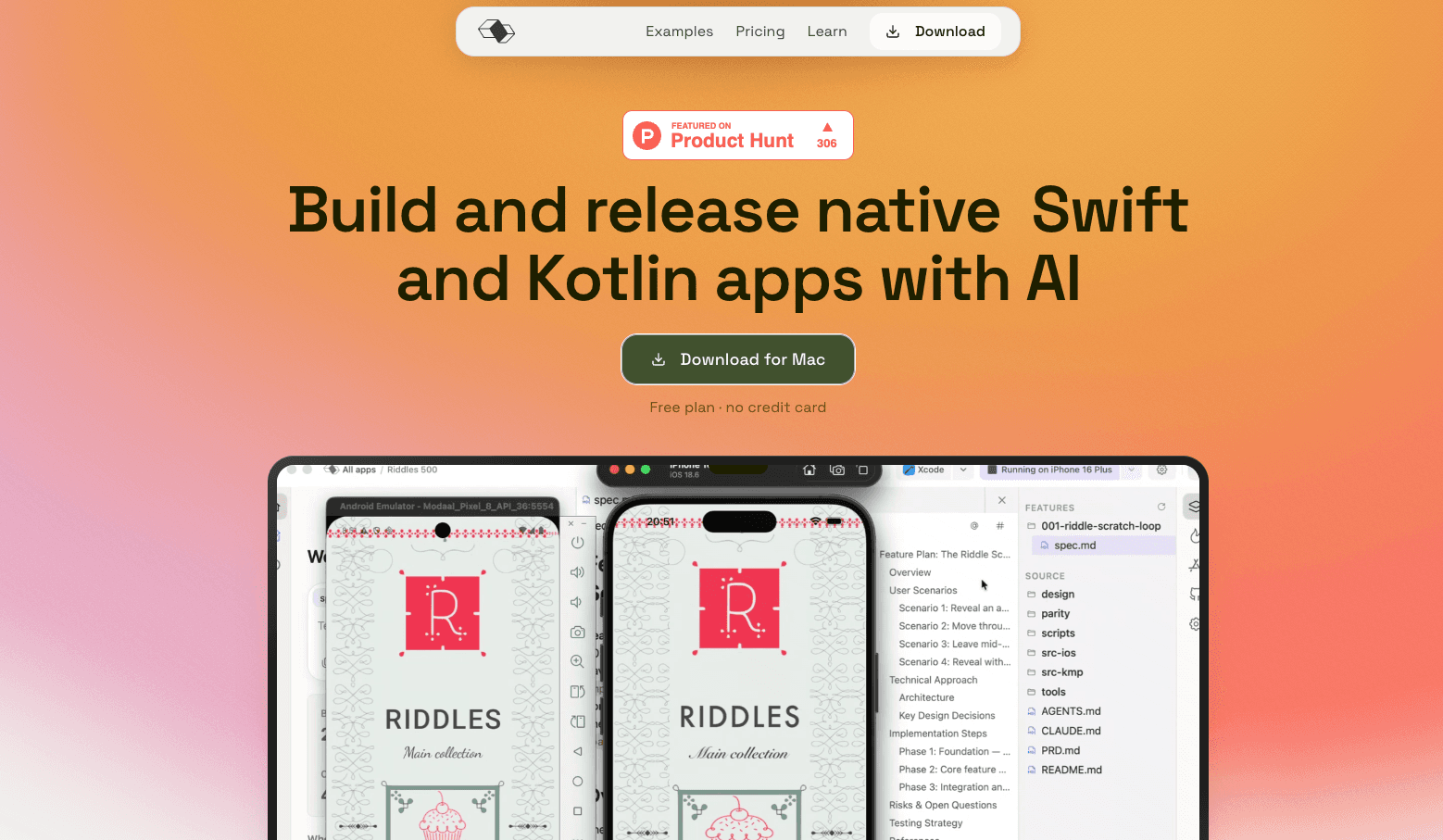
Modaal is an AI mobile app builder that turns a plain-language description into native Swift and Kotlin apps for iOS and Android, from a single project. It's built for AI app development that ends in real code, not a web view in a native shell. It writes Swift and Kotlin that talk to the phone directly. It also orchestrates the coding agent you already pay for. Claude Code, Codex, Cursor and about ten other agents feed into a build-and-fix loop, so a prototype can reach the App Store and Google Play.
About Modaal
What Is Modaal
Modaal is a desktop tool for building native mobile apps with AI. You describe what you want, and it scaffolds an Xcode or Android project, generating real Swift and Kotlin code rather than wrapping a website in a native frame. Device features like widgets, the watch, live activities, sensors and wallet access work because the code is genuinely native. That's the whole point.
So why not just use a coding agent on its own? Because Modaal doesn't compete with it. Modaal runs on top of whatever agent you use, and it supports Claude Code, Codex, Cursor and ten others, authenticating with your existing subscription. A raw coding agent writes decent Swift. But it can't register a new file in an Xcode target, read a build error in a structured way, drive the simulator, or keep an architecture straight across a context reset. Modaal handles that middle layer: it scaffolds the project, runs a build-and-fix loop through Xcode after every step, and keeps your module structure on disk so it survives a context clear or an agent switch.
The main limit is scope. Modaal targets native iOS and Android, so a web-first or Flutter-first product is outside its lane. It also expects you to already have a coding agent subscription for the best experience, and the heavy lifting still happens on a Mac with Xcode installed. No Mac, no build.
Getting Started
- Download Modaal and install the desktop app.
- Connect the coding agent you already pay for, such as Claude Code, Codex or Cursor, using your existing subscription.
- Describe the app you want to build and let Modaal scaffold the project structure.
- Run the build-and-fix loop, watching it compile through Xcode and resolve errors step by step.
- Test on the simulator, then add device features and release to the App Store and Google Play.
Product Information
A quick look at Modaal's pricing, supported platforms, and performance.
Best for
The users, tasks, and scenarios where this tool fits best.
Users
- Solo developers who want native apps without hand-writing every line
- Agencies shipping client apps on both stores
- Product managers and designers testing an idea
Tasks
- Building cross-platform mobile apps
- Adding device features like widgets, watch apps, live activities or wallet access
- Releasing to both app stores from one project
Scenarios
- A weekend project you want on the App Store
- Client work with a fixed deadline
- Keeping momentum across a long build
Key features
Native Swift and Kotlin Output
Modaal generates real Swift and Kotlin, not a web view in a native wrapper. That matters for performance and for anything that touches the hardware directly. Widgets, the watch, live activities, sensors and wallet access all work because the code runs as a true native app. No bridge. No compromise.
Works With Your Existing Coding Agent
Modaal doesn't replace your agent, it orchestrates it. It supports Claude Code, Codex, Cursor and about ten others, and you authenticate with the subscription you already have. The value sits in everything between a terminal agent and a shipped app: project scaffolding, error handling and architecture memory.
Automated Build-and-Fix Loop
After each step, Modaal compiles through Xcode and reads build errors in a structured way, then feeds fixes back into the loop. You're not copying terminal output by hand. It just runs. The result is a steadier path from a prompt to a build that actually runs on the simulator.
Persistent Project Structure
Modaal keeps your module structure on disk instead of only in the model's context. That means a context reset or a switch between agents doesn't cost you the architecture you just built. Big deal for long builds. For longer projects, this is the difference between steady progress and starting over.
Native Device Feature Access
Because the output is native, Modaal apps reach platform features without a bridge. Widgets, Apple Watch support, live activities, device sensors and wallet integration are available from the start. A web-view app simply can't match that reach.
Release to Both Stores From One Project
Modaal builds for iOS and Android together, so one project covers both stores. You describe the app once and generate the platform code for each. That skips the usual routine of maintaining two separate codebases.
Pros and cons
Pros
- Output is genuinely native Swift and Kotlin, so performance and device features are full-strength.
- Reuses the coding agent subscription you already pay for instead of charging for an extra model.
- The build-and-fix loop catches errors through Xcode automatically, cutting manual debugging.
- One project targets both the App Store and Google Play.
- Free plan with no credit card, and Pro starts at just €9 a month.
Cons
- You need your own coding agent subscription, so Modaal isn't a standalone AI service.
- Native iOS and Android is the whole focus, so a web or Flutter product isn't a fit.
- The build loop depends on Xcode and a Mac, which rules out a Windows-only workflow.
- Pricing and roadmap details aren't all spelled out on the site, so enterprise questions need a direct ask.
Frequently asked questions
Modaal turns a plain-language description into native iOS and Android apps, generating real Swift and Kotlin code. It also runs the build-and-fix loop through Xcode and manages your project structure so the work survives context resets.
Related content
Explore related tools, skills, and articles for Modaal.
Modaal Alternatives
Forefront
Forefront · CodingForefront is a web platform for building with open-source AI. It lets you fine-tune leading open-source language models on your own data, evaluate how they perform, and run them through an API or export them to host yourself. Developers who want the convenience of a closed-source platform but insist on owning their models and data are the target audience here.

Startkit
StartKit.AI · CodingStartkit is a boilerplate for building AI SaaS and AI wrapper products. Think of it as an AI startup boilerplate with the boring parts already wired up: authentication, Stripe and Lemon Squeezy payments, usage limits, transactional email, and an AI API starter that talks to OpenAI, Anthropic, Groq, or Llama. You clone the repo, set your price, and start on the part of your product that people actually pay for. It's Next.js under React and Tailwind, so most of the boilerplate code already feels familiar.
Testim
Tricentis · CodingTestim is an AI-powered test automation platform for building and running end-to-end tests across web, mobile, and Salesforce applications. It leans on machine learning to keep tests stable when an interface changes, so teams spend less time fixing broken selectors. Not bad for an automated testing tool you can start using today. You create tests by recording actions in a browser, then optionally add JavaScript when you need more control. It's a solid pick for busy QA teams.