

Modelia
Modelia Inc. · Coding
Modelia is an AI fashion model generator that turns flatlays, mannequins, and product shots into on-model photos and short videos, with C2PA credentials on every generation.
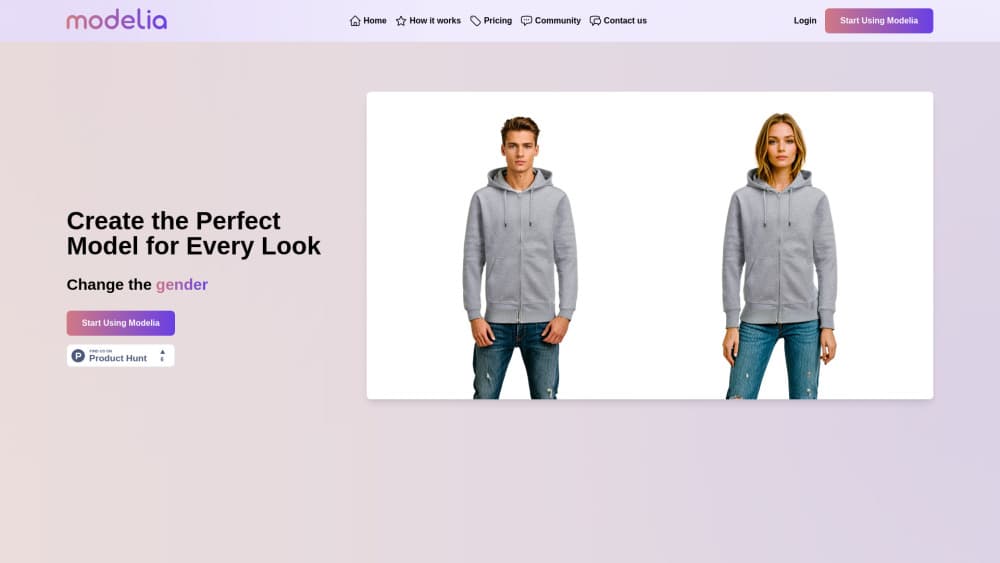
About Modelia
What Is Modelia
Modelia is a browser based studio for fashion brands that need product images without booking a shoot. You upload a flat garment photo, a mannequin shot, or an existing model photo, and the tool returns the same piece worn by a generated model with believable fit, drape, and lighting. The output lands in the resolution your channel needs, from a 2K web crop to a 16K print file on the higher plans.
The problem it solves is the cost and calendar of catalog production. A brand with 200 SKUs usually shoots in batches, waits a week or two for retouching, and then re-shoots when a colorway changes. Modelia compresses that loop into an afternoon of uploads, which matters most for stores that refresh listings weekly.
Two limits shape who should sign up. It's built for apparel, accessories, and footwear, so a furniture or cosmetics catalog won't get much from it. And it's a subscription with credits and fair use caps, not a pay once tool, so heavy volume pushes you up the plan ladder fast. The company also states that uploads, references, and generations are never used to train its models, which is the answer most brand legal teams ask for first.
Getting Started
- Create an account at modelia.ai and pick the free Starter plan to test the output before paying.
- Upload a product image: a flatlay, a mannequin, or an on-model photo. Crops with the full garment visible and even lighting convert best.
- Choose or cast a model, then style the shot. You can add accessories, swap the pose, and drop the figure into a scene.
- Generate and review. Each run costs credits, so check fit and fabric detail at full size before you export a whole catalog.
- Download, or push the images straight to a connected sales channel such as Shopify, and keep the C2PA credentials attached if your team needs a record of how the image was made.
Product Information
A quick look at Modelia's pricing, supported platforms, and performance.
Best for
The users, tasks, and scenarios where this tool fits best.
Users
- Small fashion labels
- Ecommerce teams at growing brands
- Accessory and footwear sellers
Tasks
- Turning flatlays into catalog photos
- Producing colorway variants
- Making short social clips
- Building a seasonal lookbook
Scenarios
- A drop lands late and the shoot can't be moved
- A marketplace rejects images for background or model quality
- A freelance retoucher needs a clean base for fashion ecommerce visuals
Key features
Flatlay To Model
This is the core workflow. You upload a flat apparel photo or a mannequin shot, and Modelia returns the piece worn by a model, keeping the fabric texture and print placement intact. It's the practical route for a catalog shot on a table with a phone, and the closest thing to an AI clothing generator that keeps your actual garment rather than inventing one. Expect better results from a clean, evenly lit source than from a crumpled item on a bed.
Model To Model And Pose Changes
You can take one on-model photo and produce several poses of the same person in the same outfit. Modelia keeps the face, styling, and garment consistent across the set, which is the part that usually breaks when you try this with a general image generator. Read it as a model pose changer with memory: same person, same outfit, new angle. For a product page that needs three angles, this saves a second booking.
Image To Video
A single image plus a written prompt becomes a short clip, with the prompt describing camera move, motion, or mood. It's aimed at social and paid placements rather than hero film. Don't expect dialogue or a storyline, but for a six second loop on a feed it works.
Accessory Styling
Hats, shoes, bags, and glasses can be placed on a model with adjustments for fit, angle, and proportion. Hand and body pose matter more than most people expect here, and the tool handles them automatically. This is where small accessory sellers get the most value, since a single SKU can carry a whole campaign.
Scene And Channel Scaling
Beyond the model, Modelia builds scenes so the same shot can run across a homepage banner, a marketplace listing, and a paid ad, which is where AI fashion photography stops looking like a studio stand in and starts fitting a campaign. Shopify is a native connection, and the higher plans add more channel slots and PIM or DAM connectors. The pitch is create once, adapt everywhere, and it holds up as long as your source images are good.
C2PA Credentials And Data Policy
Every generation carries Content Credentials, a signed record of how the image was made that anyone can check. The company says this meets the Article 50 marking rules in the EU AI Act, and it offers a checker tool for verification. The other half of the trust story is training: prompts and uploads stay out of model training, stated as a contractual term. For brands selling into the EU, that paperwork matters as much as image quality.
Pros and cons
Pros
- Fashion specific tooling, so garment fit, drape, and print placement get attention that general image generators skip.
- Free Starter plan with 20 credits a month makes it cheap to test on a real product before committing.
- C2PA credentials on every output, plus an EU AI Act marking claim, which eases legal review for European stores.
- Same credits cover the API from the Creator plan up, so you don't buy a separate developer bucket.
- Shopify connection and multi channel output cut the manual resizing that eats production time.
Cons
- Credit metering means a large catalog gets expensive, and each failed generation still burns credits.
- Free tier output is capped at 2K and carries a watermark, so it can't be used for a live listing.
- The higher plans rely on fair use limits that aren't spelled out as a fixed generation count, which makes budgeting harder.
- Quality depends on your source photos, so a bad flatlay still produces a bad on-model shot.
Frequently asked questions
Modelia makes product photos for fashion stores without a photo shoot. You upload a garment or accessory image and it returns the item worn by an AI model, plus pose variations and short videos for social and ads.
Related content
Explore related tools, skills, and articles for Modelia.
Modelia Alternatives

Base Code
Base44 (Wix) · Coding · ProductivityBase Code is a shared cloud development environment from Base44. Teammates describe changes to an existing GitHub codebase in chat, preview them live and send them back as pull requests.

Google EmbeddingGemma 2
Google DeepMind · Writing · Image · CodingGoogle EmbeddingGemma 2 is a 740M-parameter open model that turns text, code, images, audio, and video frames into vectors in one 768-dimension space, running on phones and laptops.

GitGlow
GitGlow · Coding · ProductivityGitGlow is a local-first desktop Git client that lets independent developers review their own code and their AI agents' changes in one place before shipping.