

Moises: The Musician's AI App
Moises AI (Moises Systems Inc.) · Voice & Language · Other
Moises is an AI music practice tool that separates tracks, detects chords, and changes pitch or tempo for musicians.
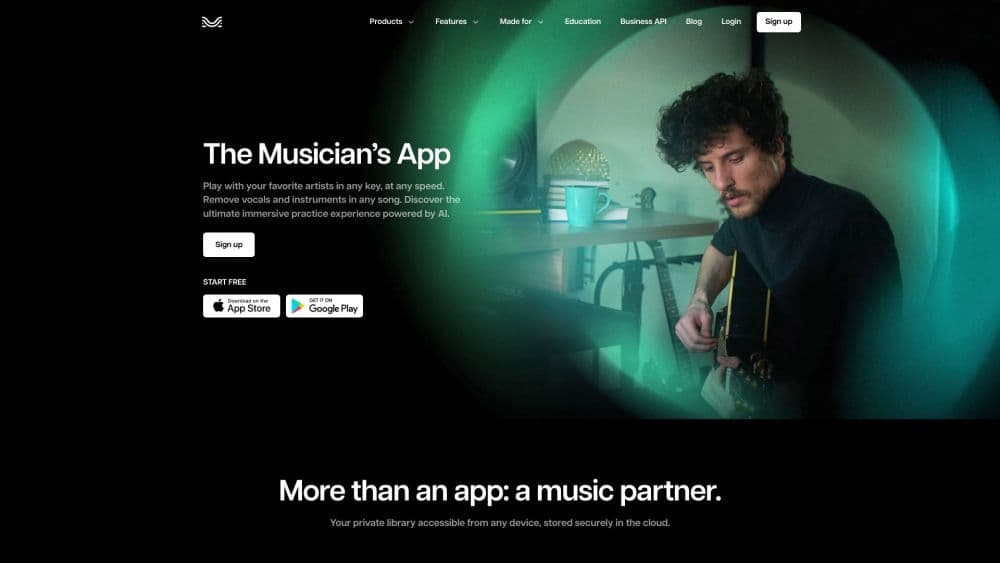
About Moises: The Musician's AI App
What Is Moises
Moises is an AI-powered music platform for musicians, producers, and anyone who wants to work with songs in new ways. It runs a process called stem separation, which uses machine learning to pull a finished track apart into individual parts like vocals, drums, bass, guitar, piano, and keys. You upload a song. Seconds later, you get separate files. You can mute, solo, or slow any of them on their own.
The company behind Moises is Moises AI. The platform works on the web, iOS, Android, macOS, and Windows. According to Moises, the app separates songs into up to 27 stem types, and its Mobile Studio has won a Microsoft Store Award in 2025 for Best Music App. It's widely used by guitarists practicing solos, vocalists training pitch, drummers chasing grooves, and producers who want clean loops without waiting on a full studio session or a paid engineer.
Getting Started
- Create a free account at moises.ai, or install the app from the App Store, Google Play, or the Microsoft Store.
- Upload a song from your device or link a track from a supported source.
- Let the AI separate the track into stems, which usually takes a few seconds.
- Mute or solo individual parts, then change the pitch, tempo, or key to match your practice needs.
- Save your mix, add a metronome or chord view, and export stems when you're ready to share.
Product Information
A quick look at Moises: The Musician's AI App's pricing, supported platforms, and performance.
Best for
The users, tasks, and scenarios where this tool fits best.
Users
- Guitarists and bassists
- Singers
- Drummers and percussionists
- Producers and audio engineers
- Music teachers
Tasks
- Stem separation
- Pitch and tempo changes
- Chord detection
- Lyrics transcription
- Performance capture
Scenarios
- Practicing a difficult solo slowly, then speeding it up as you improve.
- Building a custom backing track by muting the part you play.
- Learning a cover song in a new key that fits your vocal range.
- Writing and arranging with bandmates in a shared browser session on Moises Studio.
- Creating clean acapellas and instrumentals for remixes or DJ sets.
Key features
AI Stem Separation
This is the feature that put Moises on the map. You upload any audio file, and the AI splits it into separate tracks for vocals, drums, bass, guitar, piano, keys, strings, and winds. Moises supports up to 27 stem types with its Hi-Fi models, according to the company, which means even less common instruments like winds and strings can be pulled out on their own for closer study. Once separated, each stem plays as its own file. What's the payoff? You can mute the guitar and play it yourself, or solo the drums to study a rhythm.
Pitch and Tempo Control
Moises lets you shift the pitch of a song up or down and change its tempo without distorting the sound. That means you can learn a song in a key that suits your voice. You can also slow a fast passage to half speed and still hear it clearly. The changes apply to the whole mix or to individual stems, so you get real control. This is the pitch and tempo changer most players reach for first.
Chord Detection
The app listens to your track and shows the chords as they change, which is a huge help if you're learning a song by ear. Follow the chord strip while you play. Check whether you heard a progression right. It pairs well with the pitch and tempo tools, since you can slow a section down and read the chords at the same time.
AI Lyrics Transcription
Moises can transcribe the words in a song automatically, then let you edit the result. This saves a lot of time if you want a lyrics sheet or you're checking a line you can't quite catch. Line the lyrics up with the audio. Fix any mistakes by hand. Handy for covers and language practice.
Metronome and Backing Tracks
A built-in metronome keeps you on tempo while you practice, and you can build a custom backing track by muting the part you play. Both features turn a finished song into a personal practice tool. Drummers often keep everything but the drums. Guitarists mute the guitar and play over the rest of the band. Simple idea, big payoff.
Moises Studio
Moises Studio is a browser-based space where you arrange, record, and edit the same session in real time with bandmates, producers, or co-writers. According to Moises, there's nothing to install and no file handoffs, which makes remote collaboration simpler. One session. Everyone on the same version at once. It's a clean way to write together when you can't share a room.
Video Recording and Social Export
Moises can film your performance with studio-quality audio and video in a single app. You then export and share to your social channels if you teach, perform, or want to build a following. No separate camera. No messy recording setup. It's aimed at creators who want a clean capture without the hassle.
Cross-Platform Access
The platform runs on the web, iOS, Android, macOS, and Windows, so your projects follow you across devices and you never have to rebuild a session from scratch when you switch machines. Start a session on a phone at band practice. Keep working on a laptop later. That flexibility is a big part of why it fits casual players and working musicians alike.
Pros and cons
Pros
- Stem separation is fast and clean enough for real practice and remixing work.
- Pitch and tempo changes stay clear, so slowed-down songs are still easy to follow.
- A free plan lets you test the core features before you pay anything.
- It works across phones, tablets, desktops, and the web with one account.
Cons
- Stem quality drops on dense or low-quality recordings, so old live bootlegs, phone recordings, or heavily compressed files can start to sound muddy and full of artifacts after separation.
- The free plan limits how many songs you can separate and caps upload length, which gets frustrating fast for regular use and pushes most active players toward a paid tier sooner than they expected.
- The best stems and higher upload limits sit behind the paid tiers, so casual users hit a paywall sooner than expected.
- Automatic chord and lyric detection still needs manual fixes on complex songs, so you can't fully trust it for jazz, dense mixes, or anything with layered vocals and quick key changes.
Frequently asked questions
Moises takes a finished song and pulls it apart into separate tracks using AI. You can then mute, solo, slow down, or change the key of any part, which turns a normal recording into a flexible practice tool.
Related content
Explore related tools, skills, and articles for Moises: The Musician's AI App.
Moises: The Musician's AI App Alternatives

Prosp
Prosp · Writing · Voice & Language · MarketingProsp is an AI LinkedIn outreach tool built for agencies and sales teams, and it writes the message and the voice note in your own voice for each prospect so they actually reply. You connect your accounts, find leads, and let the AI draft and send personalized messages at scale, all from one inbox. It's built for people running outbound at volume. That's the whole pitch. Every touchpoint still has to feel human.

Wordly AI Translation
Wordly · Voice & Language · ProductivityWordly AI Translation is a real-time AI translation and captioning platform built for meetings, conferences, and events. It delivers live translation, captions, transcripts, and summaries in more than 60 languages, and attendees join by scanning a QR code or opening a link instead of using dedicated headsets. The platform works with Zoom, Microsoft Teams, Google Meet, and Webex, and it's designed for organizations that want multilingual access without hiring human interpreters for every session. Simple as that.
Musicful
Musicful AI · Voice & Language · VideoMusicful is an AI music generator and AI music video maker that turns text to music in minutes. Give it a text prompt, a set of lyrics, or a hummed melody and it returns a finished track with vocals and instruments. It also doubles as an AI song generator, produces music videos from the songs you create, and offers an AI cover tool plus a developer API. The platform runs in a web browser and through an Android app, so you can start a song on desktop and pick it up on your phone.