

Momen AI
Momen Technologies Inc. · Coding
Momen AI is a no-code app builder that covers the full stack: visual UI design, a built-in database, Actionflow automation and AI agents, all hosted from one project.
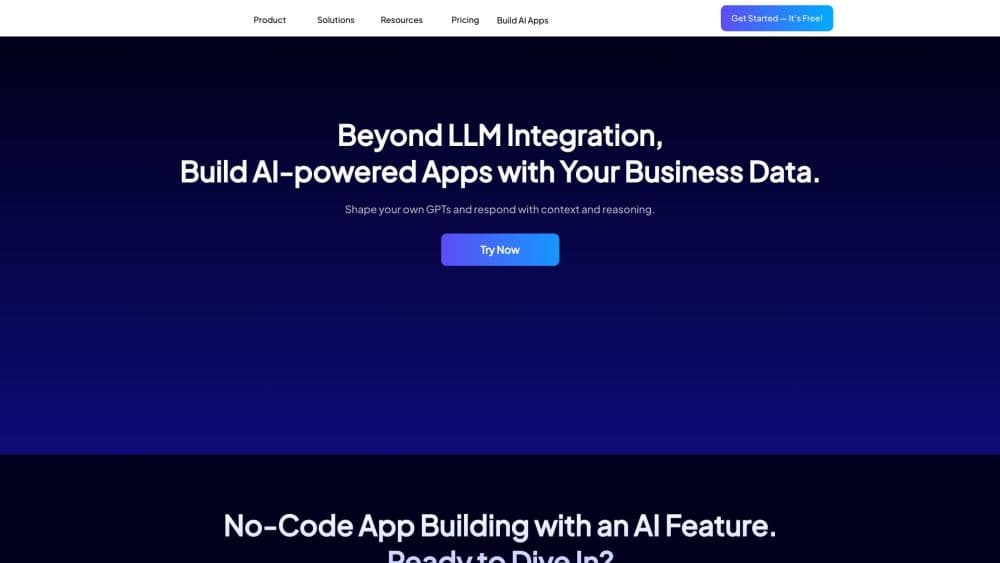
About Momen AI
What Is Momen AI
Momen is a no-code platform for building and hosting complete web applications, mobile apps, and AI agents. You design screens in a visual editor, model data in a built-in database, wire up logic with a visual workflow tool called Actionflow, and publish to Momen's cloud with one click. The front end and back end ship together, so there's no separate server or deployment step to manage.
The product grew out of a small engineering team's frustration with writing the same database and API code over and over. Momen Technologies started in 2019 with a no-code mini program builder, moved to the web in 2022, and now runs on AWS out of the United States. Sequoia, MiraclePlus, and Linear Capital are among the backers.
Two things shape who this fits. The default path is visual, so people who don't code can get a working app out fast, but the ceiling is a curated set of components and logic blocks rather than arbitrary code. Escape hatches exist: custom React components, JavaScript for logic, and a self-documenting GraphQL API. The other limit is money, because every project has resource caps on database, storage, bandwidth, and AI usage, and heavy apps pay for add-ons.
Getting Started
- Create a free account at momen.app and open a new project. Choose web app, mobile app, or backend only, depending on what you're building.
- Design the screens in the visual editor. Drag components onto a responsive canvas, or let the AI describe-and-build flow draft the first version for you.
- Define the database. Add tables, fields, and relations, or ask the AI Copilot to propose a schema from a plain-language description of your app.
- Build the logic with Actionflow. Set triggers on a schedule, a database change, or a button tap, then chain the actions you need.
- Preview with test data, add any AI agent steps, and publish. The project goes live on Momen's cloud, where you can attach a custom domain on a paid plan.
Product Information
A quick look at Momen AI's pricing, supported platforms, and performance.
Best for
The users, tasks, and scenarios where this tool fits best.
Users
- Non-technical founders
- Freelancers and small studios
- Operations teams inside bigger companies
- Students and educators
Tasks
- Building an AI agent app
- Shipping a customer portal
- Automating back-office steps
- Prototyping a SaaS product
Scenarios
- Validating an idea before investing in engineering
- Running a small marketplace
- Bringing AI into an existing workflow
Key features
Full-Stack Visual Builder
Momen combines a front-end editor and a back-end runtime in a single project. You lay out pages with atomic components on a responsive canvas, and the database, API layer, and hosting come attached. That's the main difference from page builders that stop at the interface. When your app needs to store and serve data, you're already inside the same system.
Built-In Database with AI Copilot
The database is part of the builder, not a bolt-on. You define tables, fields, and connections visually, and an AI Copilot helps draft the structure from a description of what the app does. According to Momen, the platform handles data volumes in the billions and supports up to 1 million daily active users. Each project still starts with a much smaller storage allowance that you raise in add-ons. For most small apps, the real question is how far you get before paying extra.
Actionflow Automation
Actionflow is Momen's logic layer, and it runs on four kinds of triggers: a component action, a schedule, a database change, or an incoming API call. You chain actions into a flow, so a sign-up can fire an email, update a status, and call an external service in one sequence. Every plan has a monthly run allowance. The free plan covers 1,000 automated runs, enough for small tests but tight for a live app with frequent updates.
AI Agent Builder with Bring Your Own Model
Agents in Momen combine a model, a prompt, tools, memory, and structured output. You can use the models Momen has already connected, or plug in your own key through Bring Your Own Model. The agent builder is visual, so the flow of context into the model and the handling of its output are set up with the same logic blocks you use elsewhere. AI usage draws from a monthly points balance instead of a separate invoice.
Custom Code When You Need It
The platform doesn't lock you out of code. You can drop in custom React components, write JavaScript for logic, and use the generated GraphQL API to connect outside services. Server logs are searchable, and the log history depends on your plan: one day on Free, seven days on Basic, thirty on Pro. For a team with at least one developer, that's the difference between a tool that tops out and one that keeps going.
Publishing, Domains, and Payments
One click publishes the front end and the back end together. The free plan runs on a momen.app subdomain with Momen branding; Basic adds a custom domain and white labeling, and Pro adds single sign-on, multiple clients, and ten collaborators. Stripe is available for payments and subscriptions once you're ready to charge users, which saves building checkout logic yourself.
Pros and cons
Pros
- One project covers the UI, database, logic, and hosting, so a small app doesn't need a separate back-end service.
- The free plan is genuinely usable for building and previewing, not just a trial view.
- Bring Your Own Model lets you keep an existing OpenAI, Gemini, or Claude account instead of buying points from a reseller.
- Custom React components, JavaScript, and GraphQL mean the app can grow past the visual editor when it needs to.
- Basic at $33 per project per month includes a custom domain, white labeling, SEO, and unlimited APIs, which is a fair price for a live app.
Cons
- Resource limits are low on the entry plans. Basic gives 200 MB of database storage and 2 GB of transfer, which a growing app will exhaust quickly.
- Billing is per project, so running five client apps means five subscriptions rather than one account fee.
- Runs and AI points are metered. A chat-heavy app can burn through 1,000,000 monthly points on Basic and start buying add-on packs.
- The visual ceiling is real. Complex interactions eventually need code, and a non-technical user can't finish those parts alone.
Frequently asked questions
Momen AI builds and hosts full-stack applications without code, which means you can build an app without code across the front end and the no-code backend. You design the interface visually, model the data in a built-in database, set up automation and AI agent steps, and publish the whole thing to Momen's cloud. It covers web apps, mobile app shells, and backend-only projects.
Related content
Explore related tools, skills, and articles for Momen AI.
Momen AI Alternatives

Base Code
Base44 (Wix) · Coding · ProductivityBase Code is a shared cloud development environment from Base44. Teammates describe changes to an existing GitHub codebase in chat, preview them live and send them back as pull requests.

Google EmbeddingGemma 2
Google DeepMind · Writing · Image · CodingGoogle EmbeddingGemma 2 is a 740M-parameter open model that turns text, code, images, audio, and video frames into vectors in one 768-dimension space, running on phones and laptops.

GitGlow
GitGlow · Coding · ProductivityGitGlow is a local-first desktop Git client that lets independent developers review their own code and their AI agents' changes in one place before shipping.