

Moxie Docs
jackalope.digital · Coding
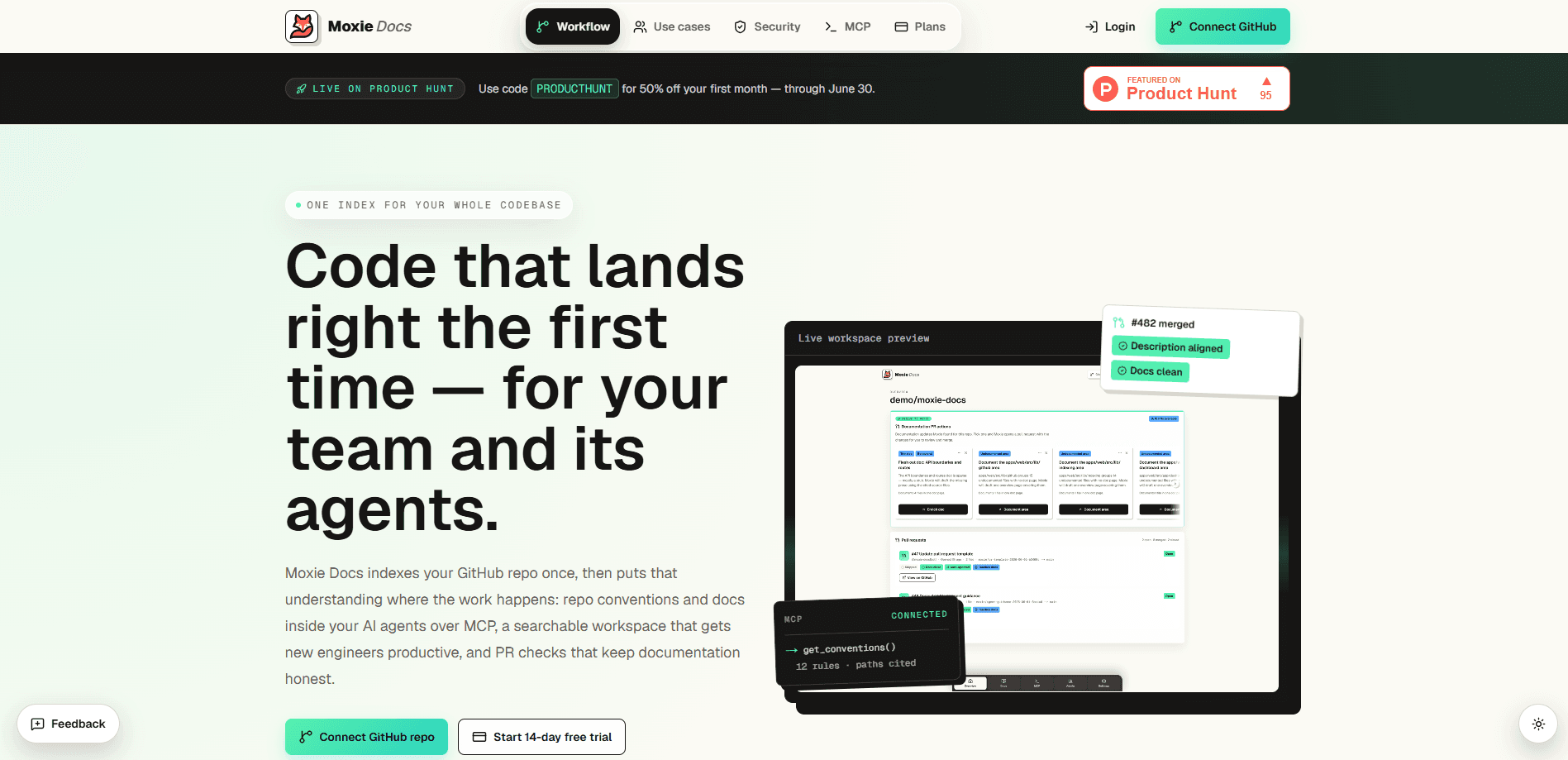
Moxie Docs is a hosted documentation service for GitHub repositories. Connect a repo and it indexes your code into a searchable knowledge base, keeps that knowledge base in sync on every merge, and serves the same context to AI coding agents over MCP. It also runs PR checks that flag doc gaps and opens weekly Friday Cleanup PRs so the wiki doesn't quietly rot. Why bother with automated code documentation at all? Because the manual kind always loses.
About Moxie Docs
What Is Moxie Docs
Moxie Docs is automated codebase documentation for teams that ship on GitHub. It reads your repository, writes source-cited docs about how the code actually works, and keeps those docs current as the code changes. Instead of a static wiki nobody updates, you get a living set of documents that get re-checked every time you merge. That's the pitch, and on the evidence of the product pages it holds up reasonably well.
The bigger idea is AI agent context. Coding agents like Cursor, Claude Code, Codex, and Windsurf make worse edits when they have to guess at your conventions and architecture. Moxie Docs exposes your repo's docs, conventions, and doc gaps over the Model Context Protocol, so an agent pulls compact, accurate context instead of burning tokens on exploratory file reads. One setup command after you connect GitHub, and you're done. No manual context packing.
The limits matter too. It's GitHub only, so if your team lives on GitLab or Bitbucket this isn't for you. It's a hosted service, meaning your code and docs live on someone else's infrastructure, which some teams simply won't accept. And the pricing beyond the free tier isn't clearly published, so budget-conscious buyers should confirm costs with the vendor before committing.
Getting Started
- Sign up at moxiedocs.com with your GitHub account. The free tier covers one repository and needs no card.
- Connect the repository you want documented and grant read access so the service can index it.
- Let the first indexing run finish. Moxie Docs generates architecture notes, module boundaries, and cross-file flows with Mermaid diagrams, all cited back to source.
- Wire the MCP server into your coding agent with the provided setup command so agents query live docs instead of guessing.
- Turn on PR checks, and optionally make them required in branch protection, so doc gaps get flagged on every pull request.
Product Information
A quick look at Moxie Docs's pricing, supported platforms, and performance.
Best for
The users, tasks, and scenarios where this tool fits best.
Users
- Backend and platform engineers
- Engineering teams onboarding new hires
- Developers using AI coding agents
Tasks
- Generating codebase documentation
- Keeping docs in sync with code
- Feeding AI agents repo context
- Auditing documentation on pull requests
Scenarios
- A fast-moving repo where the README drifted months ago and nobody noticed
- Onboarding a new engineer who needs the lay of the land fast
- A team already using AI coding agents that keep missing project conventions.
- Weekly documentation housekeeping
Key features
Automated Codebase Documentation
Moxie Docs indexes your GitHub repository and writes searchable automated code documentation covering architecture, module boundaries, conventions, and cross-file flows. Every claim is cited back to the source file it came from, so you can verify it rather than trust it. The docs get re-checked on each merge instead of being written once and forgotten.
MCP Context for AI Coding Agents
The service exposes your repo's docs, conventions, and open doc gaps over the Model Context Protocol. Agents like Cursor, Claude Code, Codex, and Windsurf can then pull compact context instead of doing exploratory reads, which means fewer wasted tokens and edits that respect how your project is actually built. Setup takes one command after you connect GitHub.
Documentation Drift Detection
Because docs are checked on every merge, Moxie Docs can flag the moment they fall out of step with the code. Instead of a wiki that rots quietly, you get a signal that a specific doc no longer matches what shipped. It's the difference between noticing drift on a Friday and noticing it six months later. That gap is where trust in docs dies.
PR Documentation Checks
On each pull request, Moxie Docs runs an advisory check that flags documentation gaps, convention breaches, and PR descriptions that skip your template. You can leave it advisory or require it in branch protection when you want a hard gate. Teams that care about docs being part of the definition of done will get the most from this.
Friday Cleanup PRs
Each week the service can open a pull request bundling documentation fixes generated from GitHub activity. You review it like any other PR, keep what's good, and drop what isn't. It turns the vague chore of "update the docs" into a concrete, reviewable change.
Hosted Public Knowledgebases
Moxie Docs hosts public knowledgebases, which suits open-source projects that want documentation visible without maintaining a docs site by hand. It's also a clean way to publish architecture notes for external contributors.
Pros and cons
Pros
- Docs are cited to source, so you can check claims instead of trusting them
- Living docs get re-checked on every merge, which is where most wikis fail
- MCP context cuts down the exploratory reads AI agents do, saving tokens and improving edits
- Free tier covers one repo with no card, low risk to try
- Friday Cleanup PRs turn documentation upkeep into a normal review workflow
Cons
- GitHub only, so GitLab and Bitbucket teams can't use it
- Hosted service means your code and docs sit on third-party infrastructure, which some teams won't allow
- Pricing beyond the free tier isn't clearly published, so you'll need to ask before budgeting
- It documents what your code does, not whether the design is good, so it won't replace architecture review
Frequently asked questions
It connects to your GitHub repository, generates source-cited documentation about the codebase, keeps it current on every merge, and serves that context to AI coding agents over MCP. Think of it as automated, always-fresh docs with an agent-friendly API on top.
Related content
Explore related tools, skills, and articles for Moxie Docs.
Moxie Docs Alternatives
Forefront
Forefront · CodingForefront is a web platform for building with open-source AI. It lets you fine-tune leading open-source language models on your own data, evaluate how they perform, and run them through an API or export them to host yourself. Developers who want the convenience of a closed-source platform but insist on owning their models and data are the target audience here.

Startkit
StartKit.AI · CodingStartkit is a boilerplate for building AI SaaS and AI wrapper products. Think of it as an AI startup boilerplate with the boring parts already wired up: authentication, Stripe and Lemon Squeezy payments, usage limits, transactional email, and an AI API starter that talks to OpenAI, Anthropic, Groq, or Llama. You clone the repo, set your price, and start on the part of your product that people actually pay for. It's Next.js under React and Tailwind, so most of the boilerplate code already feels familiar.
Testim
Tricentis · CodingTestim is an AI-powered test automation platform for building and running end-to-end tests across web, mobile, and Salesforce applications. It leans on machine learning to keep tests stable when an interface changes, so teams spend less time fixing broken selectors. Not bad for an automated testing tool you can start using today. You create tests by recording actions in a browser, then optionally add JavaScript when you need more control. It's a solid pick for busy QA teams.