

muku.ai
Muku AI · Writing · Video · Marketing · Other
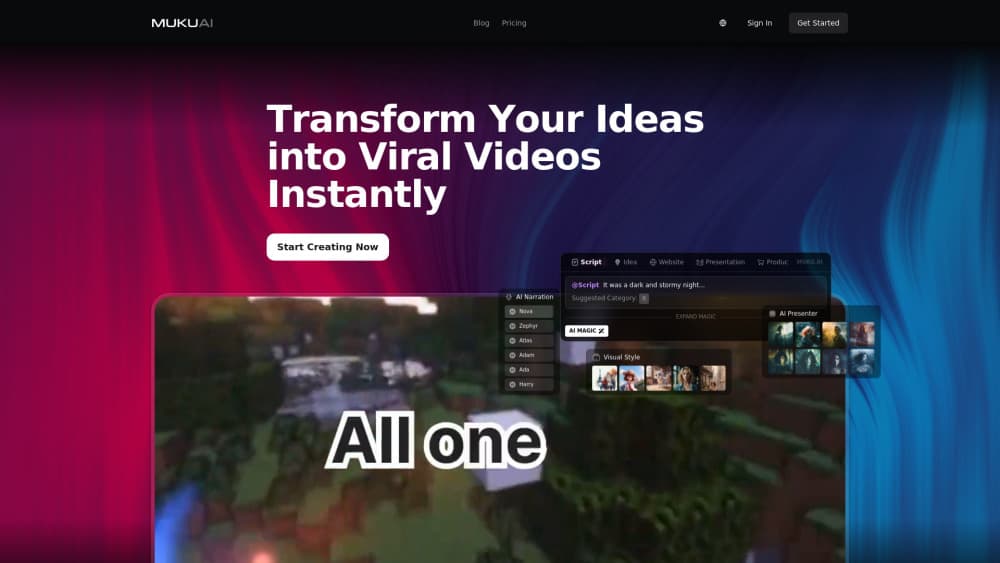
Muku AI is an AI influencer agency that turns a script, a product listing, a website, or a rough idea into UGC style video ads, complete with AI avatars and voiceovers.
About muku.ai
What Is Muku AI
Muku AI bills itself as the world's first AI influencer agency, and the pitch is narrower than that phrase suggests. You hand it source material you already have, such as a product page, a website, a written script, or a one line idea. It hands back a short vertical video with a synthetic presenter talking about your product. No camera, no actor, no studio booking.
The problem it targets is the cost of testing ad creative. A single UGC style ad normally means paying a creator, shipping a product, and waiting a week for footage. Muku AI compresses that loop so you can produce dozens of variants and find out which hook survives a paid test. The company says more than 5,000 advertisers use the platform for AI video ads, which is its own claim rather than an audited figure.
Two limits matter more than the feature list. Output is template shaped, so ads from different products tend to share a rhythm and a shot pattern. And the platform sells annual plans, so trying it properly costs a few hundred dollars rather than a single month's fee. If you need cinematic brand films or a human face the audience already trusts, this isn't the tool.
Getting Started
- Create an account at muku.ai. The free plan needs no credit card, and it allows 2 UGC ad videos so you can see the output quality before paying.
- Pick a source. Paste a store link from Amazon, Shopify, or Etsy, drop in a website address, paste your own script, or describe the product in a sentence.
- Choose or generate an avatar. You can pick from the built in presenter library or create a custom avatar by uploading a short clip or letting the system generate a face for you.
- Generate the video. Muku AI writes or adapts the script, adds a voiceover, and assembles the vertical video with on screen captions and product shots.
- Edit and export. Trim scenes, swap the voice, remove the watermark on paid plans, and download the file in a format ready for TikTok, Reels, or Meta placements.
Product Information
A quick look at muku.ai's pricing, supported platforms, and performance.
Best for
The users, tasks, and scenarios where this tool fits best.
Users
- Small ecommerce sellers
- Performance marketers running paid social
- Agencies producing ads for clients
Tasks
- Turning a product listing into a product to video ad
- Converting a blog post or landing page copy into script to video output
- Producing localized variants for testing
- Filling a weekly posting schedule
Scenarios
- Testing hooks before spending on media
- Launching a product with no footage yet
- Running an agency sprint for a new client
Key features
Script to Video
This is the core path. Paste a written script and Muku AI assigns an avatar, reads the lines with a synthetic voice, and cuts the result into a vertical video with captions. Long paragraphs get shortened to speech length automatically, which matters because a blog intro read aloud sounds nothing like an ad. You can edit lines before rendering, so the final cut stays under your control.
Product to Video
Give it a product URL from Amazon, Shopify, or Etsy and it reads the listing, then writes a UGC style pitch around the item. The output leans on problem and solution framing, the format that performs in short feed placements. Product images get pulled into the edit, so you don't need a separate asset library. This is the fastest route from a live store to a running ad.
Website to Video
Point it at a site and it converts the page into a short video walkthrough of what the business does. It works best on a single product or service page with clear headings. On a sprawling site the model has to guess what matters, and the result reads generic.
Idea to Video
Describe the concept in a sentence and the platform builds a script, picks a presenter, and generates the footage. This is the loosest entry point and the one that needs the most editing afterwards. It's useful for moodboard stage work, less so for a finished campaign.
Custom Avatars and Voiceovers
Paid plans include a pool of custom avatars, 36 on Standard and 60 on Pro. You can build one from an uploaded clip or let the system design a presenter to match your audience. Voiceover generation covers the narration, and you can change the voice per video without rebuilding the avatar. Reusing one face across a campaign is what makes a series feel like a channel instead of a pile of ads.
Editing Tools and Watermark Free Export
Built in tools handle trimming, caption styling, and scene order, so you can fix a weak middle section without regenerating the whole clip. Paid plans remove the watermark and unlock fast track generation, which shortens the render queue. The free plan keeps the watermark and caps you at 2 videos, which is enough to judge quality and not much else.
Pros and cons
Pros
- Four input routes cover most situations: an existing script, a store link, a website, or a bare idea.
- Output is built for vertical feeds, so the framing and captions already fit TikTok, Reels, and Meta placements.
- Custom avatars can be reused across campaigns, which keeps a consistent presenter without booking a creator.
- The free plan needs no card and gives you 2 videos, enough to judge whether the avatar quality works for your category.
- Voiceover generation and watermark removal are included on paid plans rather than sold as extras.
Cons
- Plans are annual only, so the real entry cost is $383.9 for Standard, not a monthly fee you can cancel after a test.
- The API is listed as coming soon, which rules out automated bulk generation inside your own tooling for now.
- Ads produced from the same template family can look alike, and viewers scrolling a feed notice repeated delivery patterns.
- Avatar limits are tied to the plan, so an agency running many client brands will hit the avatar ceiling before the video quota.
Frequently asked questions
Muku AI produces short UGC style video ads without filming anything. You supply a script, a product link, a website, or an idea, and it returns a vertical video with an AI presenter, a synthetic voiceover, and captions, ready for paid social or organic posting.
Related content
Explore related tools, skills, and articles for muku.ai.
muku.ai Alternatives

Google EmbeddingGemma 2
Google DeepMind · Writing · Image · CodingGoogle EmbeddingGemma 2 is a 740M-parameter open model that turns text, code, images, audio, and video frames into vectors in one 768-dimension space, running on phones and laptops.

MePersona
MePersona, Inc. · Writing · Productivity · MarketingMePersona is an AI unified inbox for creators. It learns your voice, drafts replies to fan messages from 12 platforms, and sends only what you approve.

Fluence
Yay Software (Yannick Huchard) · Writing · Voice & Language · ProductivityFluence is an Android app that reads PDFs, EPUBs, Word files and web articles aloud, follows each sentence as it speaks, and answers questions about the text on the phone itself.