

Mureka
Kunlun Tech · Writing · Voice & Language · China AI
Mureka is an AI music generator from Kunlun Tech. Describe a song in plain text and it writes the melody, lyrics and vocals, then lets you split and export the parts.
About Mureka
What Is Mureka
Mureka is the music arm of Kunlun Tech's AI lineup. You type what you want, pick a genre and mood, and the model returns a finished track with verse, chorus and bridge already arranged. Vocals come with it, in ten languages.
That last part matters more than it sounds. Most generators hand you a loop and wish you luck. Mureka hands you a song, then gives you the faders: separate the drums from the vocal, stretch a section, swap an instrument.
The limits are real too. Credits burn quickly when you iterate, and dense lyrics can trip up pronunciation. Expect to rewrite a line or two before a track is release ready.
Getting Started
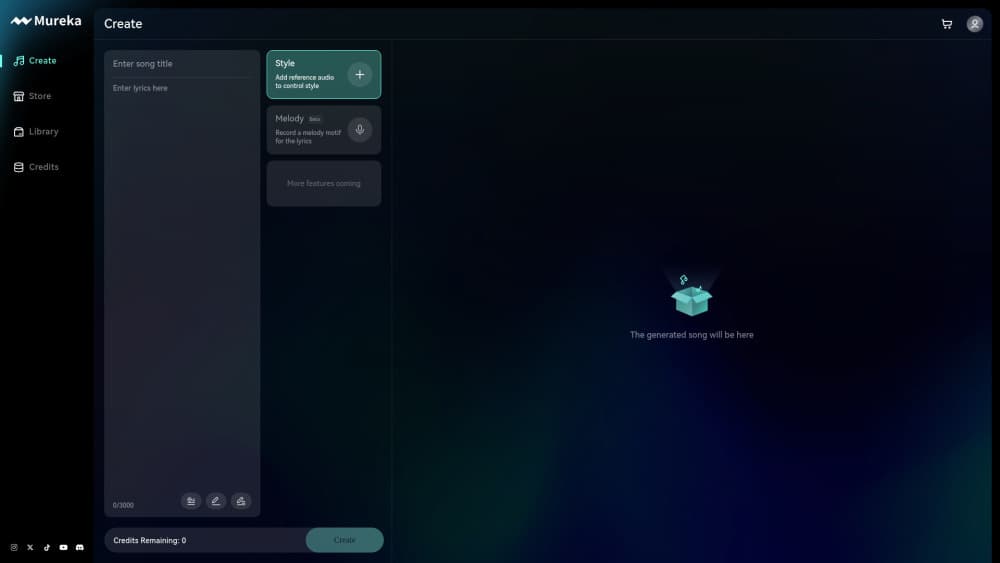
- Sign up at mureka.ai with Google, Apple or Discord, or download the mobile app.
- Pick Simple mode for a one line prompt, or Custom mode to write your own lyrics and title.
- Add a reference track or a vocal style if you want the model to follow a specific sound.
- Generate, then compare the two versions it returns and keep the better one.
- Open Studio to crop, extend, split stems or export audio and rights documentation.
Product Information
A quick look at Mureka's pricing, supported platforms, and performance.
Best for
The users, tasks, and scenarios where this tool fits best.
Users
- Independent musicians
- Video creators
- Lyricists
- Small studios and ad agencies
Tasks
- Drafting a scratch track
- Making background beds
- Cross-language releases
- Jingle and loop production
Scenarios
- Working with no recording budget
- Fast revision cycles
- Teaching and workshops
Key features
Text to Song With Vocals and Lyrics
Type a description such as "melancholic indie folk, fingerpicked guitar, breathy female vocal" and Mureka returns a complete song with singing, not a sample pack. The arrangement arrives with intro, verse, chorus and bridge in place. You can also paste your own lyrics and let the model fit them to a melody.
Instrumental and Soundtrack Mode
Strip the vocals out and the same prompt produces background music for video, games or a storefront. There's a dedicated soundtrack path where you describe the scene rather than the song, and the model aims for mood over hooks. Handy when you need something that stays out of the way.
Reference Tracks and Style Matching
Prompt words are a blunt tool. Mureka lets you upload an audio file or paste a video link as the reference, and the model borrows tempo, instrumentation and production feel from it. That's closer to how a producer briefs a session player: "like this, but slower."
Custom Singer Voices
The platform ships with a set of singer voices you can pick per track, and it accepts your own recorded sample so the model can imitate that timbre. Voice Design goes further and builds a voice from a written description. For a demo that needs an AI vocal generator, it removes the booking and the studio fee. Just don't expect a specific famous singer, legally or otherwise.
Stem Separation and Studio Editing
Finished tracks open in Studio, where you can crop, extend a section, adjust tempo and pull instruments apart. Vocals, drums, bass and other parts come out as separate files. For anyone who mixes their own work, this is the feature that turns a generator into something usable.
API Access for Developers
Mureka runs a separate API platform with music generation, vocal and text to speech endpoints, plus model fine-tuning on your own catalog. Pricing works on credits per call. Teams building a product around AI music generator output get an AI music API with per call credit pricing, so they can skip the browser and call the model directly.
Pros and cons
Pros
- Full songs, not loops: verse, chorus and bridge arrive arranged, so a usable draft exists within minutes.
- Ten languages of vocals, including English, Spanish, Portuguese and Japanese, which helps when a release needs localization.
- Stem separation puts vocals, drums and bass in separate files, so a mix engineer still has something to work with.
- Reference upload beats prompt guessing, because the model follows mood, tempo and instrumentation from a real track.
- Commercial rights ship with paid plans, which matters for monetized video, ads and client deliverables.
Cons
- Credits disappear fast: every generation spends them, and a song plus a few retries can drain a month's allowance.
- Dense lyrics still break: long lines and fast phrasing slip on pronunciation, so plan on rewriting verses.
- The interface is crowded: Simple mode is friendly, but Studio, stem tools and MV options take an evening to learn.
- Nothing works offline: generation and downloads both need a live connection, and a weak network stalls the whole session.
Frequently asked questions
Mureka generates original songs and instrumentals from text. A song comes with lyrics, a sung vocal and a full arrangement. An instrumental skips the vocal and lands closer to score than single.
Related content
Explore related tools, skills, and articles for Mureka.
Mureka Alternatives

Google EmbeddingGemma 2
Google DeepMind · Writing · Image · CodingGoogle EmbeddingGemma 2 is a 740M-parameter open model that turns text, code, images, audio, and video frames into vectors in one 768-dimension space, running on phones and laptops.

MePersona
MePersona, Inc. · Writing · Productivity · MarketingMePersona is an AI unified inbox for creators. It learns your voice, drafts replies to fan messages from 12 platforms, and sends only what you approve.

Fluence
Yay Software (Yannick Huchard) · Writing · Voice & Language · ProductivityFluence is an Android app that reads PDFs, EPUBs, Word files and web articles aloud, follows each sentence as it speaks, and answers questions about the text on the phone itself.