

Murmell
Murmell · Coding
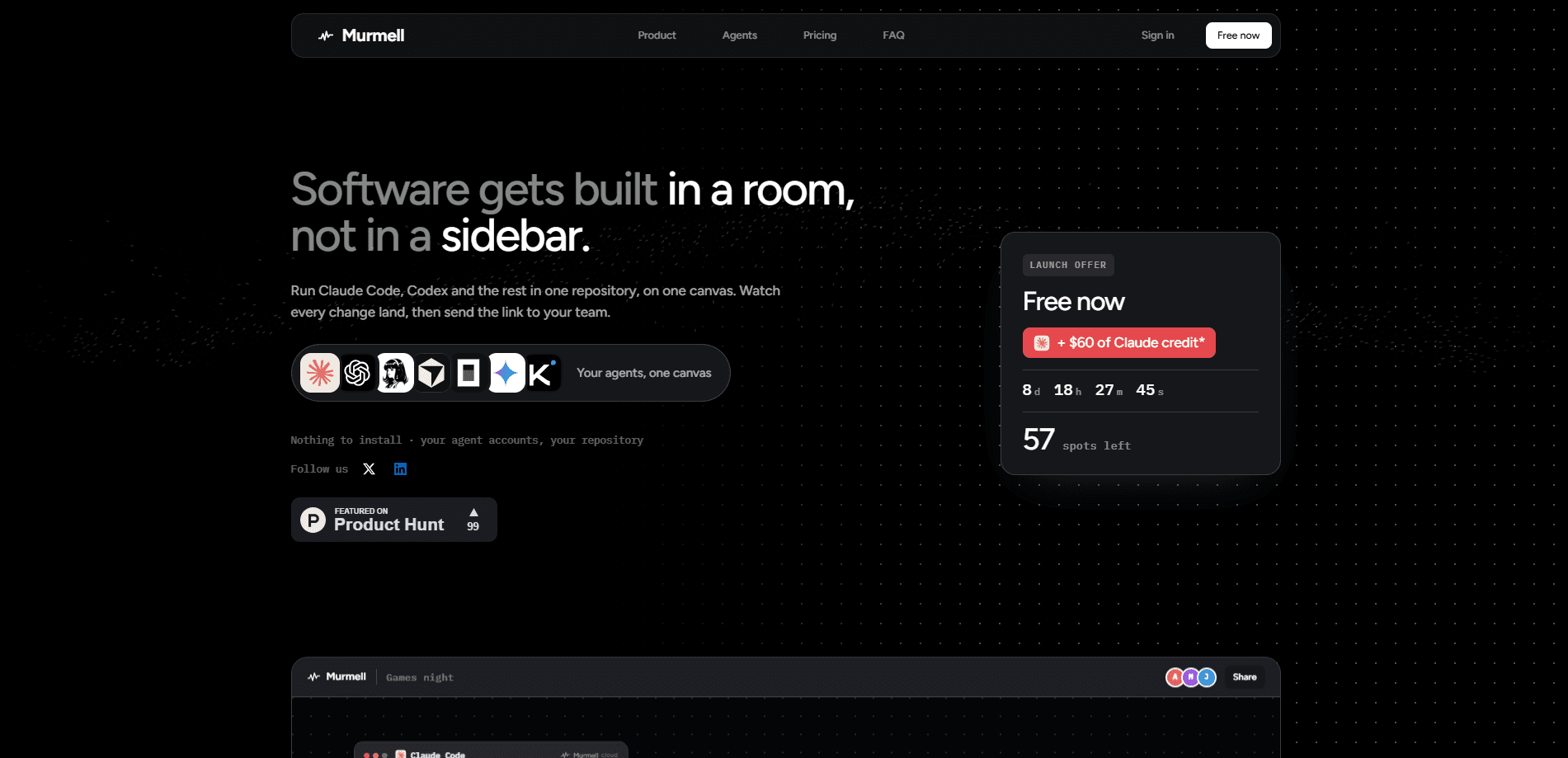
Murmell is a browser-based cloud canvas where several AI coding agents, including Claude Code, Codex, Kimi, Cursor Agent and OpenCode, run inside one shared project directory. Instead of juggling four terminal windows, you watch every agent work on the same live screen, with built-in file-level write protection so they don't overwrite each other's code. It fits developers who already use AI coding agents and want a calmer way to run multiple coding agents side by side.
About Murmell
What Is Murmell
Murmell is a cloud workspace for people who run more than one AI coding agent at a time. Each agent still does its normal job: reading files, editing code, running tests. What changes is the setting. You open a canvas in the browser, import a repo, and every agent you launch shares one project directory rather than its own isolated copy. That single choice does most of the work.
The project lives in the cloud, so you can close your laptop and come back hours later to find the session still where you left it. Teammates can join the same canvas and watch the same terminals, cursors and previews while the work happens.
The biggest thing it solves is collisions. When two agents reach for the same file, Murmell lets one edit and makes the other wait. No silent overwrites. No manual referee work on your side.
The catch is scope. Murmell is a control surface for agents you already have access to, not a replacement for them. You bring your own Claude, OpenAI or Kimi accounts, and it's a paid subscription with no free tier, starting at $0.99 per month.
Getting Started
- Create a Murmell account at murmell.com and pick a plan. Starter is the cheapest entry point.
- Import a project from GitHub into a new canvas.
- Connect your own provider accounts, then launch the agents you want, such as Claude Code and Codex, into the shared directory.
- Give each agent a task and watch them work on the same canvas; when two touch one file, the second waits its turn.
- Invite teammates to the live room if the work needs more than one pair of eyes.
Product Information
A quick look at Murmell's pricing, supported platforms, and performance.
Best for
The users, tasks, and scenarios where this tool fits best.
Users
- Developers already paying for Claude Code, Codex or Kimi
- Small engineering teams
- Solo builders who leave work running for hours
Tasks
- Running several agents on one repo at once
- Refactoring work that spans multiple files
- Reviewing what agents actually did
Scenarios
- Picking up a build after a long break
- Pairing with a teammate on an agent-driven task
- Switching between models mid-task
Key features
Multi-agent canvas
Murmell puts every agent on one screen. You see each terminal, cursor and preview side by side, which makes parallel work readable in a way a stack of separate windows never is. Agents from different vendors can share the same project directory at once. Why does that matter? You stop guessing which window is ahead.
File-level write protection
When two agents target the same file, Murmell lets one edit and holds the other until the first is done. It calls these file reservations, and they turn parallel editing from a gamble into something controlled. You stop losing code to a race between agents.
Cloud sandboxes with persistent sessions
Projects run in cloud sandboxes rather than on your machine. That means you can close the tab and return later to a session that's exactly where you left it, with files and conversation state intact. No local install of the agents themselves is needed to get going.
Live collaboration
A canvas can be shared as a live room. Teammates open the same view and see the same agents, cursors and results while work is in progress, so coordinating a multi-agent run doesn't depend on screenshots or recordings.
Bring your own provider accounts
Murmell connects to the coding agents you already pay for instead of reselling model access. You hook up your Claude, OpenAI or Kimi credentials, and Murmell just gives them somewhere to run together. It supports every agent on its supported list, including OpenCode and Cursor Agent.
Concurrent agent windows
The entry plans allow 20 simultaneous agent windows, so a single canvas can host a fleet of agents rather than a pair. For heavier parallel workloads you move up the storage tiers, which go from 1 GB to 5 GB to 20 GB shared across canvases.
Pros and cons
Pros
- Runs Claude Code, Codex, Kimi and others together in one shared project directory, so you don't pick a single vendor.
- File reservations prevent one agent from overwriting another's edits, which removes the main risk of parallel coding agents.
- Cloud sessions persist, so you can close the laptop and resume the same build later.
- Live rooms let a team watch and type into the same canvas instead of exchanging terminal recordings.
- Lets you use provider accounts you already have, rather than locking you into Murmell's own model billing.
Cons
- No free plan. The cheapest tier is $0.99/month, so you can't try it without entering card details.
- One canvas open at a time on the Starter and Go plans, which limits how many projects you can run in parallel.
- It only orchestrates agents you already have access to, so it adds cost on top of your existing AI subscriptions.
- Storage caps on lower tiers (1 GB and 5 GB) can be tight if your repos carry large histories or assets.
Frequently asked questions
Yes. Murmell doesn't resell model access. You connect your own provider accounts, and Murmell gives those agents a shared cloud place to run.
Related content
Explore related tools, skills, and articles for Murmell.
Murmell Alternatives
Forefront
Forefront · CodingForefront is a web platform for building with open-source AI. It lets you fine-tune leading open-source language models on your own data, evaluate how they perform, and run them through an API or export them to host yourself. Developers who want the convenience of a closed-source platform but insist on owning their models and data are the target audience here.

Startkit
StartKit.AI · CodingStartkit is a boilerplate for building AI SaaS and AI wrapper products. Think of it as an AI startup boilerplate with the boring parts already wired up: authentication, Stripe and Lemon Squeezy payments, usage limits, transactional email, and an AI API starter that talks to OpenAI, Anthropic, Groq, or Llama. You clone the repo, set your price, and start on the part of your product that people actually pay for. It's Next.js under React and Tailwind, so most of the boilerplate code already feels familiar.
Testim
Tricentis · CodingTestim is an AI-powered test automation platform for building and running end-to-end tests across web, mobile, and Salesforce applications. It leans on machine learning to keep tests stable when an interface changes, so teams spend less time fixing broken selectors. Not bad for an automated testing tool you can start using today. You create tests by recording actions in a browser, then optionally add JavaScript when you need more control. It's a solid pick for busy QA teams.