

murmur
Drobinin Limited · Voice & Language · Business
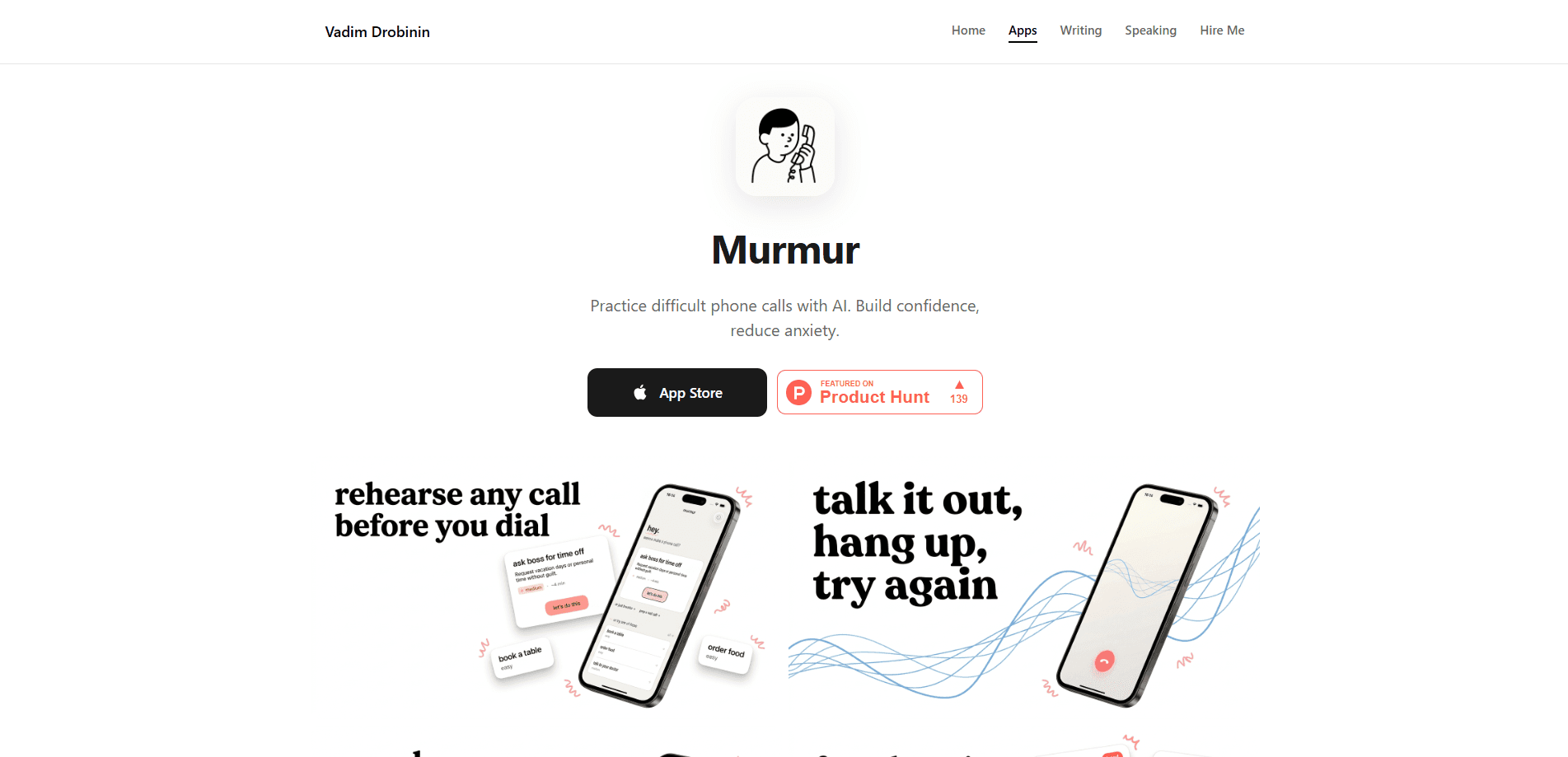
murmur is an AI phone call practice app for anyone who freezes when a real call starts. You talk out loud to a voice AI that answers, pushes back, and switches tone as the conversation moves, so the scary call becomes your second or tenth attempt instead of the first. It ships with 40+ built-in scenarios, from mock interviews to doctor appointments and salary talks, plus custom scripts you write yourself. Calls run live on your iPhone or iPad, and your voice is never recorded or stored.
About murmur
What Is murmur
murmur is a phone anxiety app built by Drobinin Limited for people who'd rather text than dial. The core idea is simple: most of us grew up texting, so when a real call comes up, the words vanish. murmur lets you run the whole conversation first. You speak out loud, the AI speaks back with natural intonation and pauses, and you rehearse the exact call you're dreading.
It isn't a scripted chatbot. The voice coach can be interrupted, pushed back against, and hung up on mid-sentence, which is closer to how a real person behaves on the phone. After every call you get notes on what worked and what to try next time. Progress tracking then shows which scenarios still make you nervous. Think of it as phone call rehearsal you can repeat as often as you like.
The biggest limit is scope. It's a practice tool, not a call assistant, and it only makes sense if you're willing to speak out loud. Nobody can rehearse for you. If you want something that handles calls for you, this isn't it.
Getting Started
- Download murmur from the App Store and open the app.
- Pick a scenario from the 40+ built-ins, or write a custom one that matches your situation.
- Choose a difficulty level, since each one changes the AI's personality and tone.
- Start the call and talk out loud. Interrupt, correct yourself, and try different answers.
- Read the post-call notes, then run the same scenario again until it feels routine.
Product Information
A quick look at murmur's pricing, supported platforms, and performance.
Best for
The users, tasks, and scenarios where this tool fits best.
Users
- People with phone anxiety
- Job seekers
- Non-native speakers
Tasks
- Mock job interviews
- Booking appointments and calling a clinic
- Handling customer service, returns, and refunds
Scenarios
- The night before a call you've been putting off for weeks
- Practicing a difficult conversation with a landlord or recruiter
- Pre-call nerves on the day itself
Key features
A voice coach that sounds human
murmur runs on ElevenLabs voice AI, so the coach speaks with intonation, pauses, and emotion instead of flat text-to-speech. You can interrupt it, disagree with it, and hang up mid-sentence, and it responds the way a person would. That's the whole point for interview roleplay, where a passive bot would teach you nothing. It talks back. That's the point.
40+ scenarios plus custom ones
The app ships with scenarios across hiring, healthcare, housing, and customer service, with room for more. You can also write your own script for the situations that only apply to your life, such as a specific dispute with a specific company. Why bother with a generic script? Because the call you're dreading rarely matches one. It means you're never stuck rehearsing someone else's conversation.
Three difficulty levels with different personalities
Each level changes how the AI behaves and sounds, from patient and easygoing to blunt and impatient. Raising the difficulty is how you pressure-test answers, because a calm interviewer and a hostile one will pull very different things out of you. It's the closest thing to a rehearsal partner who won't go easy on you.
Post-call notes and progress tracking
After every conversation, murmur gives you notes on what worked and what to try next time, covering tone, word choice, and where you lost your thread. Progress tracking then shows which scenarios still make you nervous, so you know what to drill next. This turns practice into something you can measure instead of guess at.
Live streaming with no stored audio
Your voice is streamed live during the call and never recorded or stored. That matters for people who are self-conscious about practicing, since nobody is building a library of your awkward attempts. Nothing is saved. It also makes the app easier to justify for calls involving health or money.
Multilingual rehearsals
The coach picks up your language and switches with you, so you can rehearse in French, Spanish, German, and more. If your real call is going to happen in a second language, practicing in that language is the part no textbook prepares you for. Breathing exercises are built in for the nerves before you dial for real.
Pros and cons
Pros
- Real, interruptible voice AI that behaves like a live caller rather than a scripted bot.
- 40+ scenarios plus custom scripts cover hiring, health, housing, and customer service.
- Three difficulty levels let you scale up the pressure as your answers get stronger.
- Post-call notes and progress tracking point you to the scenarios that still trip you up.
- Your voice streamed live and never recorded, which lowers the barrier to practicing out loud.
Cons
- It's a practice tool only and won't place or handle calls for you, so it can't replace a real assistant.
- iPhone and iPad only, so Android users can't run it.
- Unlimited calls, interview prep, and advanced roleplay sit behind the paid subscription.
- The AI's replies depend on the voice model, so an occasional response can feel slightly off from a real caller.
Frequently asked questions
murmur is for rehearsing phone calls you're nervous about. You speak out loud to a voice AI that answers and pushes back, so you can run the conversation before the real one. Interview practice, doctor calls, and salary talks all fit.
Related content
Explore related tools, skills, and articles for murmur.
murmur Alternatives

Foley
Hanamori Labs, LLC · Voice & Language · Productivity · AI AssistantFoley is a voice to-do list that turns a spoken sentence into a filed task, complete with project, date and time, then helps you plan the day around what is already there.

HireKey
HireKey · Voice & Language · Productivity · LeaningHireKey is an AI job search copilot built by a former tech recruiter. It checks role fit, tailors resumes, runs interview practice and tracks every application.

Fluence
Yay Software (Yannick Huchard) · Writing · Voice & Language · ProductivityFluence is an Android app that reads PDFs, EPUBs, Word files and web articles aloud, follows each sentence as it speaks, and answers questions about the text on the phone itself.