

Music.AI
Music AI · Voice & Language
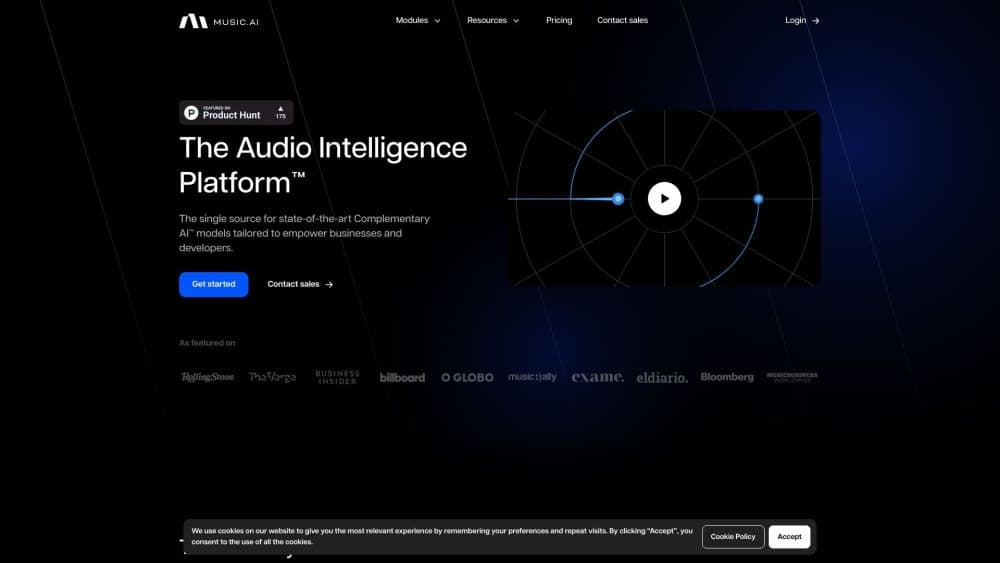
Music.AI is a B2B audio platform from the Moises team, with 50+ AI modules for stem separation, transcription, voice transfer and mastering via a visual studio, an API and an embedded SDK.
About Music.AI
What Is Music.AI
Music.AI is the business-facing arm of the company behind Moises, the practice and rehearsal app that has signed up tens of millions of musicians. The platform packages the same audio models as building blocks: isolate a guitar part, pull lyrics out of a recording, master a mix, or scan a catalog for AI-generated voices. Each block runs on its own, and you can chain several into a workflow.
The pitch is practical: it's an audio intelligence platform rather than a single tool. Most studios and media companies stitch together three or four vendors to get separation, metadata and transcription, then maintain the plumbing in between. Music.AI puts more than 50 modules under one account, with one billing page and one job queue. Third-party tools such as Cyanite metadata and Audible Magic content ID sit alongside the in-house models.
The trade-off is scope. This isn't a songwriting or text-to-music product. You won't find a prompt box that writes a chorus. It's an operations platform for people who already have audio files and need them processed, labeled or cleaned up at volume. Individual buyers also work by the credit, so small experiments stay cheap, but per-minute module prices add up fast on long catalogs.
Getting Started
- Sign up on music.ai and open the dashboard. The free pay-as-you-go account includes 48-hour temporary storage and two concurrent jobs.
- Generate an API key from the Settings page under Applications, or skip the key and build the first job visually in Orchestrator.
- Point a job at a file: a public signed URL, an upload, or a cloud storage link. The platform accepts most standard audio and video formats.
- Pick a template workflow such as music-ai/stems-vocals-accompaniment, or assemble your own chain of modules.
- Submit the job, poll it by ID, then download the output stems, transcripts or metadata files.
Product Information
A quick look at Music.AI's pricing, supported platforms, and performance.
Best for
The users, tasks, and scenarios where this tool fits best.
Users
- App developers
- Labels and catalog owners
- Broadcast and post-production teams
- Independent producers
Tasks
- Splitting a mix into vocals, drums, bass, guitars, keys and strings for remixing or practice tracks.
- Pulling lyrics, chords and song sections out of finished recordings with word or syllable level alignment.
- Detecting AI-generated or synthetic voices before publishing a recording.
- Mastering a release-ready track or matching a reference master on loudness and tone.
- Translating lyrics and speech into more than 80 languages for localized releases.
Scenarios
- A video platform screening user uploads for copyrighted music and synthetic vocals before they go live.
- A music school building a slow-down and loop tool where students mute their own instrument on any song.
- A post house prepping a film's soundtrack for dubbing and subtitle work in several territories.
Key features
Stem Separation Across 17+ Parts
The company reports signal-to-distortion scores 15.8% above its nearest competitor on stem separation. You can pull a full mix apart into vocals, drums, bass, guitars, keys, piano, strings and wind, then go deeper with drum-level splits for kick, snare, toms, hi-hat and cymbals. A cinematic mode handles dialogue, music and effects in film audio.
API and No-Code Orchestrator
Every module runs through the same REST endpoint, so a job you tested by dragging blocks in Orchestrator can move to code without rebuilding it. The API takes a public URL, returns a job ID, and hands back output links when processing finishes. Accounts get API access from day one, including the free tier.
Transcription With Word and Syllable Alignment
Lyrics and speech can be transcribed separately, which matters because sung and spoken audio need different models. Output includes timestamps, speaker separation, and alignment down to the syllable for subtitle work. Music.AI says its word error rate is 27.49% lower than OpenAI's transcription.
Voice Transfer and Synthetic Voice Detection
Voice transfer resamples one voice onto another performance, and the platform can build custom voice sets for a business. On the detection side, separate modules flag AI music, AI voice and synthetic speech, which gives rights teams a screening step before content goes public.
Mixing, Mastering and Cleanup Modules
Mixing and mastering run as individual modules, from a basic audio mixer at about half a cent per minute to an AI mastering pass at $0.20 per minute. Effects include limiting, normalization, pitch shift, reverb removal and noise suppression, so a raw recording can come out at release level without a separate DAW session.
Embedded SDK for On-Device Processing
The Embedded SDK runs stem separation models locally on phones, TVs and other hardware, cutting latency and keeping audio off the network. It can work fully offline or in a hybrid setup where heavy jobs go to the cloud. This is the option for product teams shipping audio features into consumer devices.
Pros and cons
Pros
- More than 50 modules in one account, so teams stop juggling several audio vendors and separate invoices.
- Granular pay-as-you-go pricing per module, which keeps a test job under a dollar.
- The free tier includes API access, so developers can evaluate real output before paying.
- Alignment and speaker separation are built into transcription, which saves manual subtitle work.
- On-device SDK covers privacy-sensitive deployments where audio can't leave the hardware.
Cons
- Per-minute module fees stack quickly on long catalogs. Processing a thousand hours through several modules runs into four figures.
- No text-to-music or songwriting features, so creative generation needs another tool entirely.
- The free tier keeps outputs for 48 hours only, which means you must download results promptly or lose them.
- Chords and lyrics work best on clear recordings. Heavily distorted or lo-fi material needs manual review afterwards.
Frequently asked questions
It processes audio at scale. You send a file through a workflow of AI modules and get back separate stems, transcripts, metadata, mastered mixes or voice conversions. The company behind it also makes the Moises app for musicians.
Related content
Explore related tools, skills, and articles for Music.AI.
Music.AI Alternatives

Foley
Hanamori Labs, LLC · Voice & Language · Productivity · AI AssistantFoley is a voice to-do list that turns a spoken sentence into a filed task, complete with project, date and time, then helps you plan the day around what is already there.

HireKey
HireKey · Voice & Language · Productivity · LeaningHireKey is an AI job search copilot built by a former tech recruiter. It checks role fit, tailors resumes, runs interview practice and tracks every application.

Fluence
Yay Software (Yannick Huchard) · Writing · Voice & Language · ProductivityFluence is an Android app that reads PDFs, EPUBs, Word files and web articles aloud, follows each sentence as it speaks, and answers questions about the text on the phone itself.