

MusicCreator AI
MusicCreator AI · Voice & Language
MusicCreator AI is a web-based AI music generator that turns text prompts, lyrics or photos into royalty-free songs of up to 8 minutes, with editing and cover tools in one place.
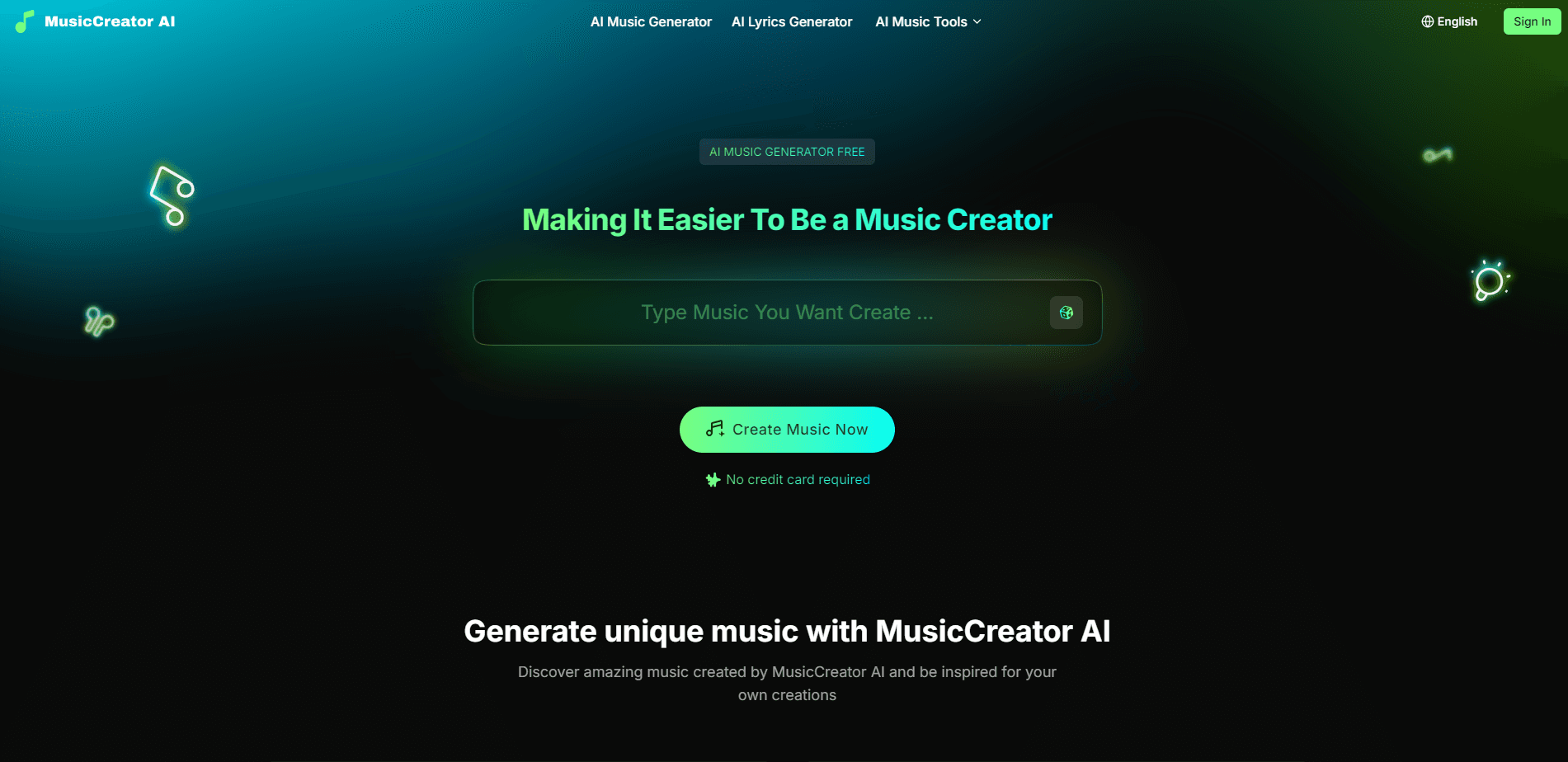
About MusicCreator AI
What Is MusicCreator AI
MusicCreator AI is a browser-based music generation platform. You describe a song in plain text, paste your own lyrics, or upload a photo, and the tool composes a finished track with vocals, melody and arrangement. It sits in the same space as Suno and Udio, but it leans harder on a suite of separate song maker tools than on a single generator box.
The site lists six ways to start: Text to Music, Lyrics to Music, Photo to Music, Text to Rap Music, an Online Midi Editor and an AI Song Cover Generator. One built-in generator, several ways in. That's the pitch, and it's aimed at people who don't play an instrument and don't read music.
The catch is quality control. A generator writes what you describe, not what you hear in your head, so expect to regenerate a few takes before one lands. The free tier also caps how much you can do, and the paid plans bill yearly with no monthly option.
Getting Started
- Sign up for a free account on the website with an email address
- Pick a mode: type a prompt, paste lyrics, upload a photo, or switch to rap mode
- Choose a genre and vocal style, then hit generate and wait for the track
- Play the result, split stems or remove vocals in the editor if you want to remix it
- Download the track, or design a cover for it with the cover generator
Product Information
A quick look at MusicCreator AI's pricing, supported platforms, and performance.
Best for
The users, tasks, and scenarios where this tool fits best.
Users
- Content creators who need background music
- Beginner songwriters
- Small brands and marketers
- Hobbyists exploring AI music
Tasks
- Making royalty-free background music
- Turning lyrics into a song
- Building a track from an image
- Making rap or a vocal cover
- Editing audio
Scenarios
- A video needs a soundtrack fast
- A podcast wants a custom intro
- A quick idea needs a demo
- An ad needs original audio
- Trying AI music for the first time
Key features
Text to Music
This is the main entry point. You write a description of the song you want, name a genre and mood, and pick a vocal type, then the generator composes a full track with singing. The site lists it for musicians, storytellers and idea makers, and the point is that no instrument or music theory is needed. It's the default mode most people will start with.
Lyrics to Music
If you already have words, this mode sets them to music instead of generating lyrics for you. You paste your lyrics and the tool builds melody, rhythm and mood around them. That's useful when the words matter and you don't want the AI rewriting them, which is the usual weak point of a text-only prompt.
Photo to Music
Photo to Music, one of the photo to music modes, takes an image as the input and generates a track that matches its mood. It's the least predictable of the modes because a picture carries no explicit musical instruction, but it fits quick projects where you want a vibe rather than a specific arrangement.
Text to Rap Music
Rap mode steers generation toward rap instead of sung vocals. It's a narrower setting than the general generator, and it's there for people who want a rap track without hunting through style prompts to get there.
AI Song Cover Generator
The cover generator reworks the vocal on an existing song, along with its style, rather than starting from a blank prompt. It's a different workflow from generating a new track: you feed in a song and ask for a new vocal take on it.
Online MIDI Editor
The MIDI editor lets you open a generated or imported piece and edit its notes directly. Combined with the audio-to-MIDI tool, it means a track isn't a dead end. You can pull the melody into editable notes, change them and reuse them somewhere else. This is the part that makes MusicCreator AI more than a one-shot generator.
Editing Tools Inside the Workflow
The site groups a set of edit tools alongside generation: stem splitting to separate tracks, a vocal remover, audio-to-MIDI conversion and a Lofi converter for restyling. The workflow the site describes is generate, then edit, then download or share, so you don't leave the platform to clean up a track.
Pros and cons
Pros
- Six separate ways to start a song, from a text prompt to a photo, in one platform
- Tracks run up to 8 minutes, longer than many AI music tools allow
- Generated music is royalty-free, and the site states it's clear for commercial use
- Free plan lets you test the generator before paying
- Built-in edit tools, including stem splitting and vocal removal, keep the workflow in one place
Cons
- Paid plans bill yearly only, starting at $10.49 per month billed annually, so there's no cheap monthly pass
- Quality depends on the prompt, and generated audio often needs a second try
- The free plan is capped, so heavier use runs out of credits quickly
- No public API, so you can't wire generated music into your own app
Frequently asked questions
MusicCreator AI is a web tool that generates music with AI. You turn text, lyrics or a photo into a song of up to 8 minutes, then edit it, download it or design a cover for it. It sells itself as an all-in-one AI music generator for people without musical training.
Related content
Explore related tools, skills, and articles for MusicCreator AI.
MusicCreator AI Alternatives

Foley
Hanamori Labs, LLC · Voice & Language · Productivity · AI AssistantFoley is a voice to-do list that turns a spoken sentence into a filed task, complete with project, date and time, then helps you plan the day around what is already there.

HireKey
HireKey · Voice & Language · Productivity · LeaningHireKey is an AI job search copilot built by a former tech recruiter. It checks role fit, tailors resumes, runs interview practice and tracks every application.

Fluence
Yay Software (Yannick Huchard) · Writing · Voice & Language · ProductivityFluence is an Android app that reads PDFs, EPUBs, Word files and web articles aloud, follows each sentence as it speaks, and answers questions about the text on the phone itself.