

Musicfy
Musicfy · Voice & Language
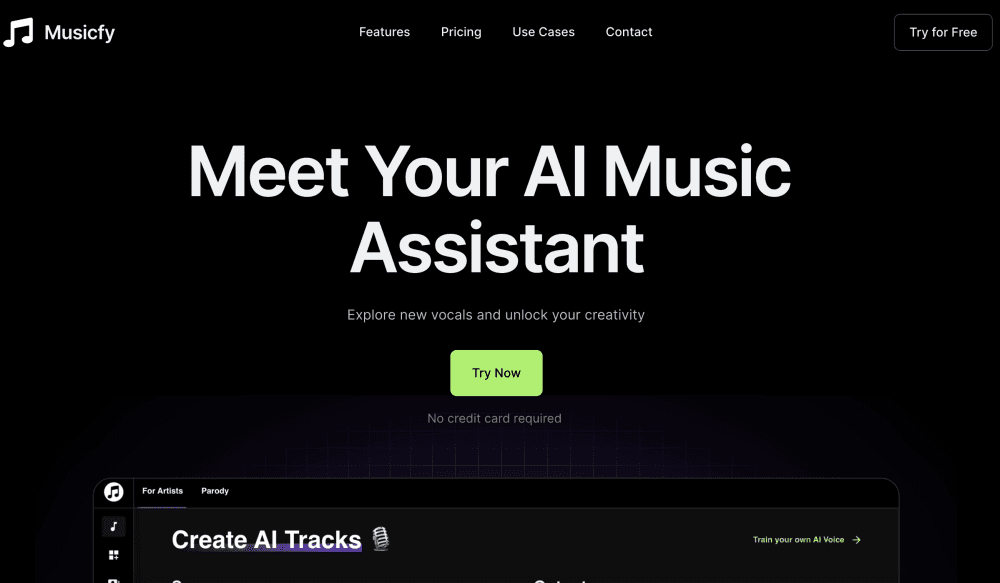
Musicfy is an AI music generator that turns lyrics, text, or a hummed melody into full songs with an AI singer, voice cloning, and a stem splitter.
About Musicfy
What Is Musicfy
Musicfy is a cloud-based AI music studio built for people who have songs in their head but not the gear or the session players to finish them. You pick a voice from a library of more than 100,000 trained models, feed it lyrics or a hummed melody, and the platform renders a finished track with vocals and instrumentation. There is no DAW to learn and nothing to install.
The appeal is speed and access. Producing a single vocal take used to take an afternoon in a studio. As an AI singer, Musicfy compresses that into minutes on a phone or a laptop browser. Creators use it for demos, covers, social clips, and podcast intros that would otherwise need a paid session singer.
Two things shape the fit. The platform runs in the cloud, so the output depends on its servers rather than your hardware, and you need a steady connection to work. The voice realism is strong on pop and rap but trails the best dedicated vocal models on slow ballads, so producers chasing a flawless gold take may still finish in a DAW. For demos and content, it lands well.
Getting Started
- Open Musicfy on the web or install the iOS or Android app, then sign in. The web version offers a no-card trial.
- Search the voice library by genre or mood, or upload a clean 30-second clip to train a private model of your own voice.
- Type lyrics and a genre, or record a hummed melody and let the model build the arrangement, tempo, and instruments around it.
- Render the track. Then split it with the stem tool to isolate vocals, drums, or bass, or turn a hummed line into an instrument part.
- Export as MP3, WAV, MIDI, or OGG, then publish to socials and streaming. The rights to what you make stay with you.
Product Information
A quick look at Musicfy's pricing, supported platforms, and performance.
Best for
The users, tasks, and scenarios where this tool fits best.
Users
- Songwriters
- Producers and DJs
- Content creators
- Game and VO developers
Tasks
- Generating a full song from a set of lyrics
- Cloning your own voice
- Splitting a mix into stems
- Turning a hummed melody into an instrument
Scenarios
- Finishing a demo the same night you wrote it
- Building a playlist of cover songs for a small channel
- Adding original music to short-form video
- Prototyping a game soundtrack in pre-production
Key features
Voice Library With 100,000+ Models
Musicfy runs one of the largest AI voice catalogs in the category, covering ballad tenors, hyperpop, drill, and animated-character timbres along with many non-English styles. You can search by genre, mood, or tone and layer several models in one song. If nothing fits, upload a short clip and the platform trains a private clone of your own voice that stays tied to your account.
Voice Cloning From Your Own Recording
A clean 30-second sample of your voice is enough to train a personal model on Musicfy's servers. Once it is ready, you can sing new lyrics you never actually recorded, in any style, and reuse the model across every future track. Your custom model is not added to the shared library, so only you can call it up.
Text-to-Music Generation
Typing a set of lyrics and a genre gives you a complete track with vocals and instrumentation. There is no blank project to set up. The model handles arrangement, tempo, and instrument choice, which makes this the fastest route from an idea to something you can actually hear.
Stem Splitter
The stem splitter pulls individual parts out of a finished mix, so you can isolate vocals, drums, bass, or instruments from a file you already have. Producers use it to grab a drum loop, build a remix, or study a reference track. It handles the common cases well, but a dedicated stem tool still edges ahead on the hardest mixes.
Voice-to-Instrument Conversion
Sing or hum a line and Musicfy turns it into a real instrument track, such as a guitar or bass part. This is the feature that sets the platform apart from most rivals. It helps people who can hear the part in their head but cannot play it on the instrument they want.
Royalty-Free Output and Studio Exports
Musicfy's models are trained on copyright-free data, so the royalty free AI music you generate is yours to publish. The platform states that you keep the rights to what you make, including any custom voice models you train. Tracks export as MP3, WAV, MIDI, or OGG at lossless quality, so you can drop them into Logic, Ableton, or FL Studio without re-encoding. The mobile app mirrors the web tools, so a hook started on a phone finishes on a desktop without format juggling.
Pros and cons
Pros
- The voice library is the largest in the AI music space, with more than 100,000 AI singer models across many genres and languages.
- Voice cloning from a short upload lets you reuse your own voice across every track without re-recording.
- Voice-to-instrument conversion is a genuinely novel feature with few direct rivals.
- You keep the rights to your generations and your trained voice models, so commercial publishing is straightforward.
- Lossless exports in four formats drop straight into a DAW with no conversion step.
Cons
- Vocal realism on slow ballads trails the best dedicated models, so a flawless lead take may still need a DAW pass.
- The iOS app puts a paywall before you can render a track, while the web version keeps a no-card trial. Evaluating on a phone first is harder.
- Everything runs in the cloud, so a weak connection slows generation and you cannot work offline.
- The free tier is limited, and heavy users on a weekly publishing schedule will hit the paid plans quickly.
Frequently asked questions
Yes, the web version offers a free trial without a credit card, with a monthly cap on generations and a daily limit on full text to music tracks. The iOS app is different and shows a paywall before you can render, which reviewers have flagged. Start on the web to test the tool risk-free.
Related content
Explore related tools, skills, and articles for Musicfy.
Musicfy Alternatives

Foley
Hanamori Labs, LLC · Voice & Language · Productivity · AI AssistantFoley is a voice to-do list that turns a spoken sentence into a filed task, complete with project, date and time, then helps you plan the day around what is already there.

HireKey
HireKey · Voice & Language · Productivity · LeaningHireKey is an AI job search copilot built by a former tech recruiter. It checks role fit, tailors resumes, runs interview practice and tracks every application.

Fluence
Yay Software (Yannick Huchard) · Writing · Voice & Language · ProductivityFluence is an Android app that reads PDFs, EPUBs, Word files and web articles aloud, follows each sentence as it speaks, and answers questions about the text on the phone itself.