

Mutiny
Mutiny · Coding
Mutiny is an AI GTM assistant for B2B revenue teams. It builds deal rooms, business cases, pitch decks, and ABM pages per account, then automates the follow-up work between meetings.
About Mutiny
What Is Mutiny
Mutiny is an AI assistant built for go-to-market teams. Account executives, sales leaders, and marketers use it to produce customer-facing material for a specific deal without queuing up design or marketing requests. The agent starts from your brand, your playbooks, and the account context it holds, so the first draft already reads like something your team would send.
The everyday problem it targets is handoff. A rep needs a deck, a deal room, a business case, or a personalized landing page, and each one usually waits on someone else. Mutiny puts the generation in the rep's own hands. It also runs the small recurring tasks around a deal, such as meeting prep, follow-ups, and pipeline reviews, which is where a lot of selling time actually disappears.
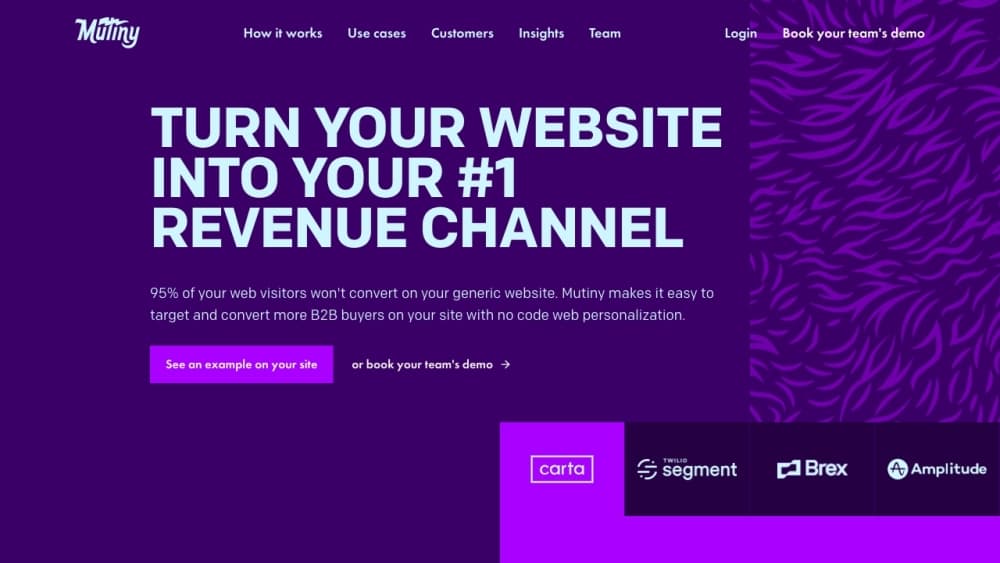
The limit worth knowing up front: Mutiny is built for B2B sales motions. It assumes named accounts, a CRM, and a buying committee. If you sell low-ticket products to anonymous visitors, the workflows won't line up with how you work. The company also states plainly that this is no longer the website personalization and A/B testing product it sold in earlier years.
Getting Started
- Create a free account at app.mutinyhq.com with your work email, then invite the reps and marketers who will use it. The Free plan allows up to five team members.
- Connect the tools you already sell from, such as HubSpot, Salesforce, Gmail, Google Calendar, and Gong. More than 50 tools reach Mutiny through MCP.
- Load your brand, messaging, and the plays your best reps run. Mutiny ships pre-loaded GTM skills and routines, so this step is about refining rather than building from scratch.
- Pick a blueprint that matches the task, for example a deal room, a pricing proposal, or one of the ABM landing pages, and let the agent draft it using the account's project memory.
- Review the draft, share it from Slack or Claude, and watch engagement in the built-in analytics before you decide whether to buy credits.
Product Information
A quick look at Mutiny's pricing, supported platforms, and performance.
Best for
The users, tasks, and scenarios where this tool fits best.
Users
- Account executives
- Sales leaders
- Marketing and ABM teams
- Customer success and partner managers
Tasks
- Preparing for a discovery call
- Writing follow-up emails after a demo
- Building a business case for a buying committee
- Creating a competitor comparison page
- Keeping pipeline reviews current
Scenarios
- You are running a small sales team and cannot afford a dedicated design or marketing resource for every deal
- You sell into enterprise accounts with six or more stakeholders
- You need marketing material at volume for named accounts
Key features
Per-Account Asset Generation
Mutiny works as a pitch deck generator and business case generator for a single account. It produces deal rooms, pitch decks, pricing proposals, business cases, competitive comparisons, and meeting recaps. Each asset is grounded in the account's project memory, so the deck you send to one prospect does not repeat the deck you sent to another. Assets live on a branded subdomain or your own domain on paid plans, and you can password protect them.
Self-Updating Deal Rooms
A deal room is more than a page with links on it. It updates as the deal moves, pulling in current context so the buyer always sees the latest version of the proposal and the materials around it. You can also see who opened it and which sections they spent time on, which tells you where the committee is actually looking.
Skills, Routines, and Blueprints
Mutiny ships with pre-built GTM skills and blueprints for common jobs: meeting prep, follow-ups, deal rooms, case studies, event invites, executive business cases, and impact reports. You refine them with your own playbook and save the result as a routine, then share that routine across the team. The point is that a new rep runs the same motion as your best rep on day one.
Workflow Automation Between Meetings
The automation side covers the work nobody enjoys. Meeting prep pulls context before the call. Follow-ups go out minutes after it ends. Pipeline reviews update on a schedule. Rep coaching assembles call feedback without a manager sitting in on every conversation. These routines run inside Slack, so the output shows up where the team already works.
Slack and Claude Interoperability
You can reach Mutiny from Slack as if it were a teammate, asking it to draft, answer, or move work forward. From Claude Code or Cowork, Mutiny exposes its assets and analytics, so context flows both ways. Because the integrations run over MCP, tools that speak the protocol, including Granola, Amplitude, Attio, Apollo, Salesloft, Outreach, and ZoomInfo, plug in without a custom build.
Analytics and Engagement Tracking
Built-in analytics report on asset engagement, deal progress, and campaign performance. You can tell whether a prospect opened the business case, whether the whole committee saw the pricing proposal, and which accounts are stalling. Mutiny redesigned this analytics experience in 2026, and the Free plan includes the basic asset analytics while the Business plan adds visitor intelligence.
Brand and Playbook Controls for Marketing
Marketing loads the brand, the messaging, and the playbook once, and the system enforces them on every generated asset. That keeps a rep from inventing a tagline at 11 pm before a call. On Enterprise, the same layer adds compliance guardrails and a dedicated growth strategist who helps set the guardrails up.
Pros and cons
Pros
- You get customer-ready assets in minutes from CRM context, which removes the design and marketing queue from a live deal.
- The agent comes pre-loaded with GTM playbooks and skills, so a rep can be productive on day one without a GTM engineer.
- Project memory gives the agent long context across a deal's lifecycle instead of starting fresh every session.
- Slack and Claude access means the assistant meets your team where they already work, and MCP opens the rest of the stack.
- A real free plan with five seats lets a small team test the output on live accounts before spending anything.
Cons
- The product is built for B2B sales with named accounts and a CRM. Consumer or low-ticket self-serve funnels are a poor fit.
- Credits, not seats, limit heavy usage. Teams that generate a lot of assets per rep will hit the Business cap or need Enterprise volume pricing.
- Enterprise starts at $40,000 per year, and Salesforce integration and SSO are locked to that plan, which is steep for a mid-sized team.
- There is no public developer API. Integrations go through MCP and the supported connectors, so custom automation depends on what your tools expose.
Frequently asked questions
Mutiny is an AI sales assistant and GTM agent for go-to-market teams. It generates customer-facing material such as deal rooms, pitch decks, pricing proposals, business cases, and 1:1 ABM pages for a specific account, then automates the recurring work around a deal like meeting prep, follow-ups, and pipeline reviews. Teams treat it as the sales workflow automation layer between CRM records and the buyer.
Related content
Explore related tools, skills, and articles for Mutiny.
Mutiny Alternatives

Base Code
Base44 (Wix) · Coding · ProductivityBase Code is a shared cloud development environment from Base44. Teammates describe changes to an existing GitHub codebase in chat, preview them live and send them back as pull requests.

Google EmbeddingGemma 2
Google DeepMind · Writing · Image · CodingGoogle EmbeddingGemma 2 is a 740M-parameter open model that turns text, code, images, audio, and video frames into vectors in one 768-dimension space, running on phones and laptops.

GitGlow
GitGlow · Coding · ProductivityGitGlow is a local-first desktop Git client that lets independent developers review their own code and their AI agents' changes in one place before shipping.