

MyBikeFitting
MyBikeFitting · Leaning
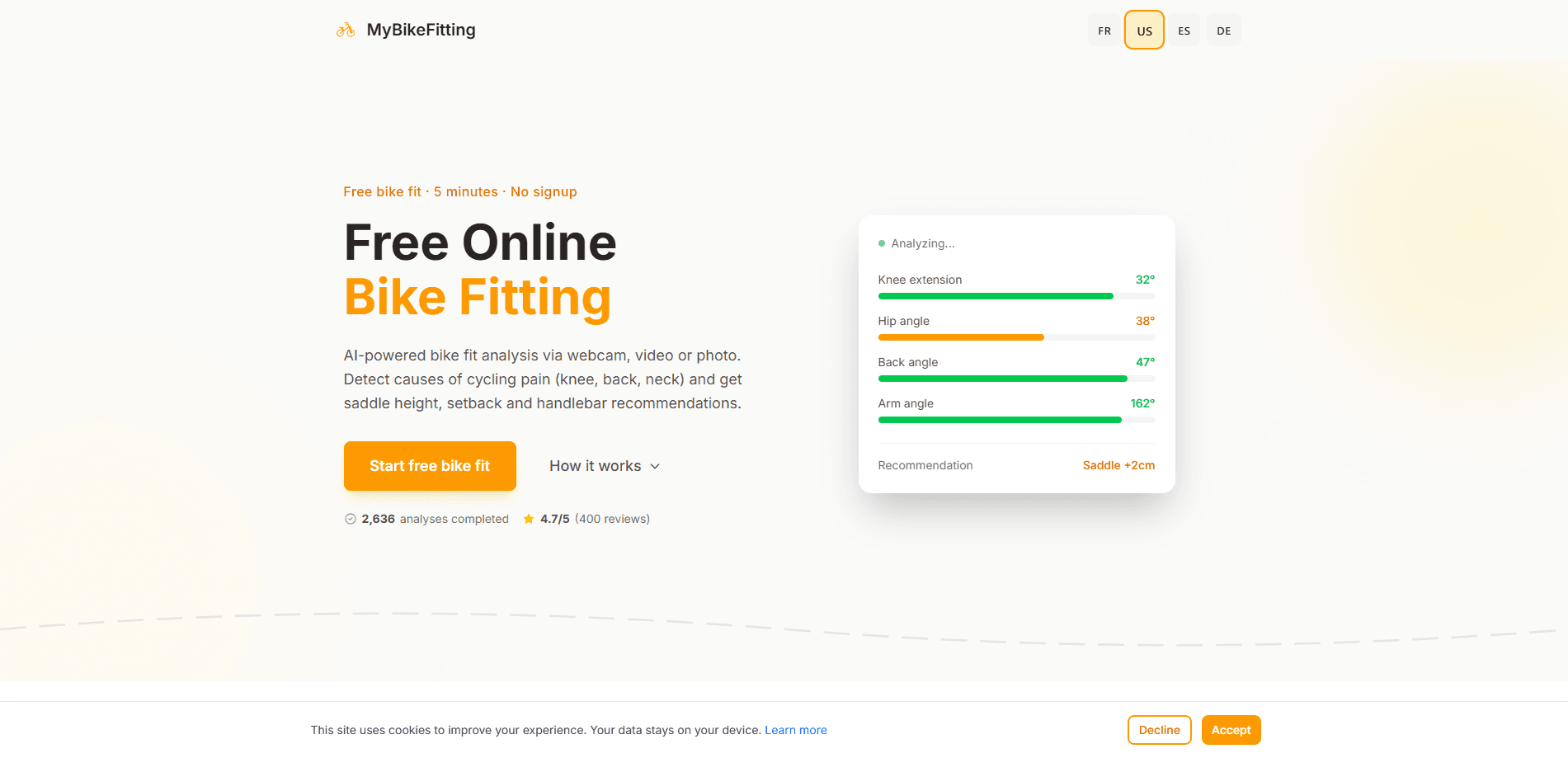
MyBikeFitting is a free web app that turns a phone or laptop camera into an online bike fit. You record your pedaling from the side, the AI tracks the angles of your hips, knees, and ankles, and you get saddle, handlebar, and cleat recommendations in about five minutes. No account is needed to run the free fit. A €29.99/mo Pro tier adds unlimited client profiles and PDF reports for professional fitters.
About MyBikeFitting
What Is MyBikeFitting
MyBikeFitting is an online bike fit app that reads your riding position from ordinary video. Instead of booking a session at a shop with pressure mats and goniometers, you mount a phone or webcam at your side, pedal for a short clip, and let the AI measure your joint angles as you move.
That matters most for riders chasing two things: comfort on long rides and fewer overuse injuries. A saddle an inch too high can show up as knee pain weeks later, and most people never connect the two. MyBikeFitting aims to catch those small mismatches before they become a physio bill. Do you even know your knee angle right now? Most riders don't. It's a number worth having.
The catch is that it depends on video quality. Cluttered backgrounds, loose clothing, or bad lighting can throw off the landmark detection. The tool reads posture, not pressure or muscle activation. Treat it as a smart first pass, not a replacement for a fitter who watches you ride in person.
Getting Started
- Open mybikefitting.com in a browser. No signup is required for the free fit.
- Put your bike on a trainer or find a safe spot to pedal, and place a phone, webcam, or laptop camera directly at your side.
- Record or upload a clip of you pedaling at a steady cadence, or submit a photo for a single-position check.
- Let the AI analyze your joint angles and generate adjustment recommendations for saddle height, fore-aft, and reach.
- Review the suggested changes, apply them one at a time, and re-record to compare the new position.
Product Information
A quick look at MyBikeFitting's pricing, supported platforms, and performance.
Best for
The users, tasks, and scenarios where this tool fits best.
Users
- Recreational road and gravel cyclists who want a rough fit before spending money at a shop
- Triathletes and endurance riders fighting knee or lower-back discomfort on long rides
- Professional bike fitters and coaches
Tasks
- Checking saddle height after a new bike or component swap
- Comparing two positions before and after a change
- Producing a shareable fit report for a client or training partner
Scenarios
- Setting up a home trainer workout station where a shop visit is inconvenient
- Riders with recurring knee pain who want data before booking a physio
- A fitter running remote sessions with clients who can't travel
Key features
Webcam and Video Motion Analysis
MyBikeFitting tracks your joints frame by frame from a side-view clip, measuring hip, knee, and ankle angles through the pedal stroke. It's a webcam bike fit, so you don't need special markers or sensors. Just a clean camera angle. The output is a set of angle values you can compare against common fit ranges.
Photo-Based Position Check
If you only want a quick snapshot, submit a single photo instead of a full video. It's a lighter check that captures one position, not movement over a stroke. Handy when you just want a fast sanity check on saddle height, and it's still AI bike fitting at work, just on a frozen frame.
Saddle, Handlebar, and Cleat Recommendations
The tool turns the measured angles into concrete changes. It suggests whether to raise or lower the saddle, move it fore or aft, and how to tweak reach. That gives you adjustments you can apply with an Allen key, not vague advice.
No-Signup Free Fitting
The free plan covers a full analysis with no signup. That keeps the barrier low. No email, no card, no account. You can test the tool on your current setup, see the recommendations, and decide whether the paid tier is worth it before handing over any details.
Pro Client Management and PDF Reports
The €29.99/mo Pro plan is built for fitters, adding GPU cloud analysis, unlimited client accounts, and personalized PDF reports. If you want visibility, you can also opt into a listing in the public bike fitter directory.
Browser-Based, No Install
This virtual bike fitting runs in the browser on a phone, tablet, or desktop. Nothing to download. No app store, no desktop installer. That also means your cycling posture analysis depends on a decent camera and a stable connection, not local hardware.
Pros and cons
Pros
- Free tier delivers a real analysis with no signup, so you can judge the output before paying.
- Works from equipment you already own, including a phone camera and a trainer.
- Turns joint-angle data into specific saddle and reach changes you can apply right away.
- Pro plan adds unlimited client profiles and PDF reports for professional use.
- Browser-based, so no app install or desktop software is needed. Just open a tab and ride.
Cons
- Accuracy leans on video quality. Poor lighting or loose clothing can distort the readings, and a cluttered background throws off the landmark detection that the whole analysis depends on.
- It reads posture only, missing pressure and muscle-activation data that an in-person fit captures.
- No mobile app, so you depend on a browser and a stable connection at the moment you record.
Frequently asked questions
Yes. The core bike fit analysis is free and doesn't require an account. The paid Pro plan, at €29.99/mo, is aimed at professional fitters who need client management and reports.
Related content
Explore related tools, skills, and articles for MyBikeFitting.
MyBikeFitting Alternatives

Kaggle AI
Google · Coding · LeaningKaggle AI is a community platform where people build, test, and compare machine learning models against shared data. It combines data science competitions, tens of thousands of public datasets, and free cloud notebooks with GPU and TPU access, so anyone with a browser can train a model without buying hardware. Google owns the platform, and joining costs nothing.

Bunch
Bunch AI · Leaning · BusinessBunch is an AI leadership coaching app that turns a few spare minutes a day into real management practice. It hands you one short, personalized tip each day, tracks how you respond, and lets you compare notes with peers inside private groups. The pitch is simple: you lead better by practicing a little, often, instead of sitting through a weekend seminar. Think of it as a leadership training app you actually open.

AI Mock Interview
SQLPad · Coding · LeaningAI Mock Interview is a practice tool built into SQLPad that simulates real job interviews and gives you instant feedback on both what you say and how you say it. You pick a role template or upload a job description, answer questions out loud in real time, and then review a transcript with notes on structure, clarity, and grammar. It's aimed at data professionals prepping for SQL, Python, data engineering, machine learning, and system design roles, and it works entirely in the browser. No install needed.