

My Clever AI - AI Tools App
Advanced AI s.r.o. · Writing · Image · Coding
My Clever AI is an all-in-one AI tools app for web design, tutoring, photo editing, and chat. It runs on the web, iOS, Android, and Chrome, and full access starts at $25 per month.
About My Clever AI - AI Tools App
What Is My Clever AI
My Clever AI is a suite of AI tools from Advanced AI s.r.o., a studio based in Prague. The web app, the mobile apps, and the Chrome extension share one account, so a project started on a laptop picks up on a phone without exporting anything.
Each tool handles one narrow job. The AI website builder turns a text prompt or a paper sketch into HTML and CSS you download and keep. The AI tutor app explains a topic at whatever depth you ask for. The AI photo editor retouches, restores, or generates images from a written instruction. The AI chat app also runs web search and answers questions about a PDF, all from the same sidebar.
Scope is the main limit. A generated design is a starting point, not a finished site: you still need hosting, a domain, and a pass over the markup. Design generations are capped by plan, and the useful tier for regular work sits behind the $25 to $99 monthly subscription.
Getting Started
- Create an account on mycleverai.com, or install the iOS app, the Android app, or the Chrome extension.
- Pick a tool from the dashboard: web design, AI teacher, photo editing, or chat.
- Describe the result in plain language, or upload a sketch, a photo, or a PDF.
- Refine the output with a follow-up prompt, then download the HTML and CSS or save it to your account.
Product Information
A quick look at My Clever AI - AI Tools App's pricing, supported platforms, and performance.
Best for
The users, tasks, and scenarios where this tool fits best.
Users
- Small business owners who need a first website draft without hiring a designer
- Students who want a topic explained at their own level
- Creators who edit photos often
- Households already paying for several AI subscriptions
Tasks
- Turning a one-line brief into a landing page draft, then exporting the code.
- Restoring an old family photo or cleaning up a product shot before a listing goes live.
- Working through a long PDF
- Identifying a plant, rock, or animal from a photo taken outdoors.
Scenarios
- A freelancer mocking up three homepage directions for a client in one sitting.
- A student revising the night before an exam, with explanations instead of a list of links.
- A seller preparing listing images on a phone, away from a desktop editor.
Key features
AI Web Design from Text or a Drawing
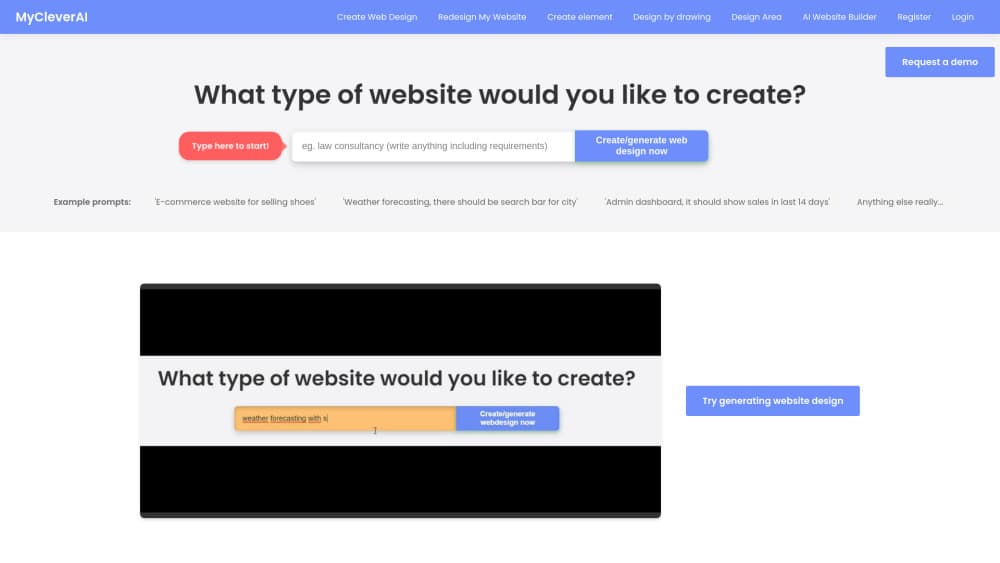
You write a brief, or sketch a layout on paper and photograph it. The builder returns a page with structure, copy, and styling, plus matching pages if you ask for more. Every result exports as CSS and HTML, so you can host it anywhere. Redesigning an existing site from its URL is part of the same tool.
AI Tutor and Study Tools
The teacher explains a subject at the level you set and takes follow-up questions without a restart. It covers school subjects, languages, and technical topics, including a SQL tutor for query practice. Answers show the reasoning, which matters when you're checking your own attempt rather than copying one.
AI Photo Editing and Generation
Text commands drive the retouching: remove an object, change hair color, restore a damaged photo, or generate a headshot from a selfie. Separate tools cover interior mockups, product photography, and photo-to-painting effects. Most edits take one instruction and one confirmation, not a layer stack.
AI Chat, Search, and PDF Questions
Talk to AI handles general chat, and you can switch reply styles or ask for several drafts of the same message. Search returns a summarized answer with sources instead of ten blue links. Point the same chat at a PDF and it answers from the document itself.
Image Identification
The identifier tools cover plants, rocks, and animals. Take a photo, and the app returns a likely match with a short description and care notes where relevant. It's the check you run in a garden or on a hike, not a lab-grade classification.
Mobile Apps and Chrome Extension
The iOS and Android apps carry the same tools as the site, and the Chrome extension lets you highlight text or grab a screenshot on any page and send it to the AI. One subscription covers all three surfaces, so the phone version costs nothing extra.
Pros and cons
Pros
- One subscription replaces separate chat, design, and photo tools.
- Generated sites come out as editable HTML and CSS, with no lock-in to a hosting platform.
- The Chrome extension and mobile apps keep the same account and history.
- The free tier is enough to test the design generator before you pay.
- The teacher handles follow-up questions well, which suits revision more than one-off search.
Cons
- Full access starts at $25 per month, which is steep for occasional use.
- Design output needs a human pass: markup, mobile layout, and copy often need edits.
- Generation caps bite on Starter, which allows 100 designs per month.
- There's no public API, so teams can't wire these tools into their own systems.
Frequently asked questions
It's an AI tools app from Advanced AI s.r.o. that combines a website builder, a tutor, photo editing, chat, and image identification under one login.
Related content
Explore related tools, skills, and articles for My Clever AI - AI Tools App.
My Clever AI - AI Tools App Alternatives

Claude for Google Workspace
Anthropic · Writing · Productivity · BusinessClaude for Google Workspace puts Claude in a sidebar inside Google Docs, Sheets, and Slides, where it reads the file you have open and edits it in place.

Claude Haiku 5.5
Anthropic · Writing · Coding · ChatbotClaude Haiku 5.5 is Anthropic's fastest and cheapest small model, built for high volume tasks at $0.10 per million input tokens with a 1M token context window.

NoteWorthy
Suman Hansada · Writing · Productivity · AI AssistantNoteWorthy is a notes app for iPhone, iPad and Mac that writes titles, tidies formatting, summarizes long notes and files each one with on-device AI. No account, no upload, no network requests.