

MyLensAI Chrome
DataMotto · Writing · Coding · Marketing
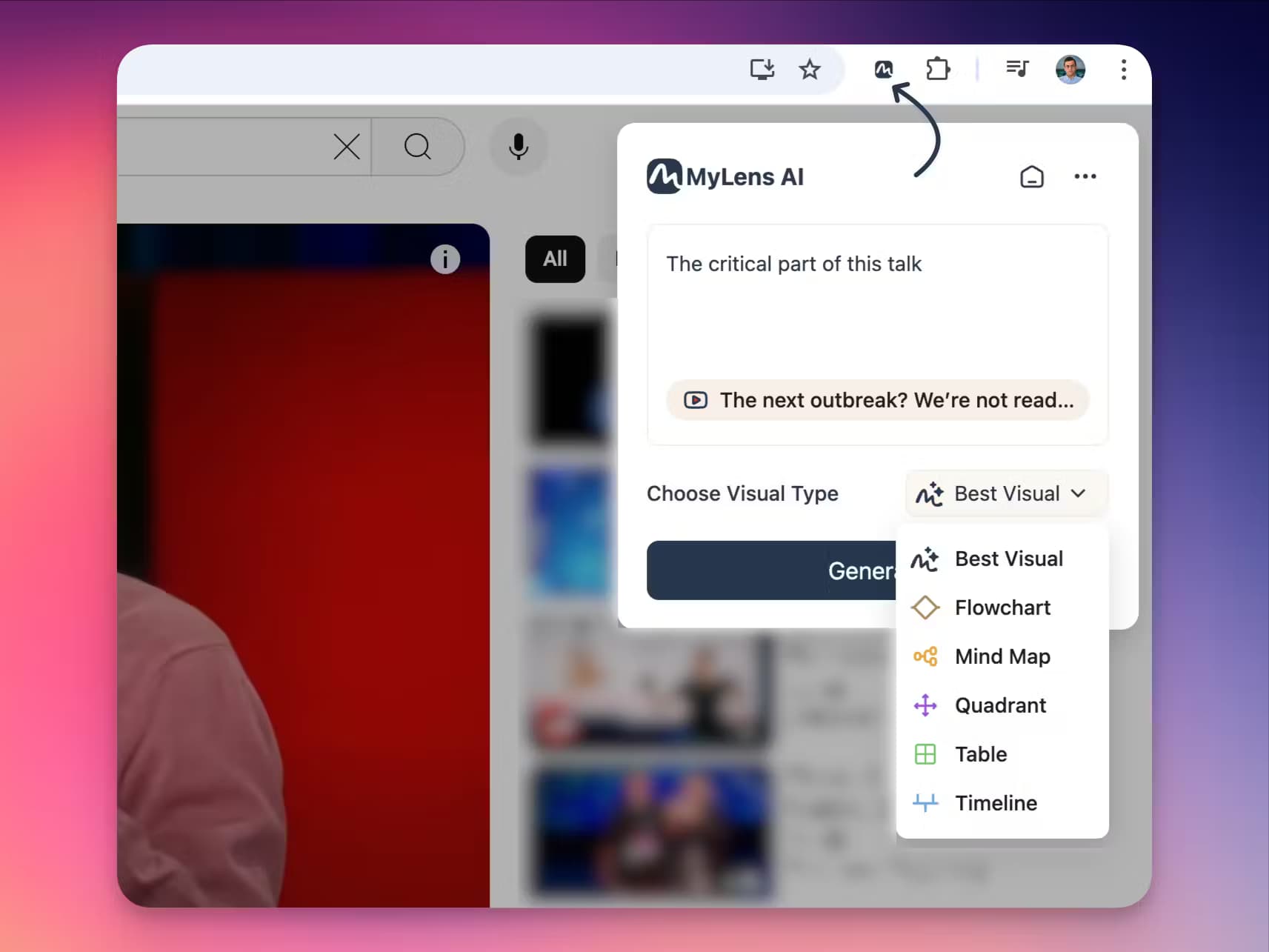
MyLensAI Chrome is a browser extension that turns any webpage, YouTube video, or document into a clickable visual summary. Every part links back to the source, so you can check what you read.
About MyLensAI Chrome
What Is MyLensAI Chrome
MyLensAI Chrome is the browser extension for MyLens AI, an AI webpage visualizer built by the company DataMotto. It reads whatever page you have open, pulls out the key points, and rebuilds them as source-linked visuals with a click of the toolbar icon. The point is speed: instead of reading a long article or watching a 40 minute video, you can turn a webpage into a visual summary you skim in seconds and then dig into.
The extension runs on YouTube, news sites, blogs, research papers, documentation, and even private dashboards or internal portals you can already open in Chrome. Each node in the visual is clickable. Click one and you get an AI explanation, a source citation, or a deeper follow-up without leaving the page. The tool supports more than 60 languages, and it keeps material you share in a browser session private, since MyLens states it does not train its models on your content.
The limits are worth knowing. The extension is a companion to the MyLens AI web app, and heavier features like the Cheatsheet and Quiz agents live on the platform, not inside the sidebar. Advanced use runs on AI credits, so heavy users hit a monthly cap on the free tier, and the deeper editing and brand tools sit behind paid plans. Output quality also depends on the page, since a thin or poorly structured page gives the model less to work with.
Getting Started
- Open the MyLensAI Chrome listing in the Chrome Web Store and click Add to Chrome. The extension is free to install.
- Sign in or create a MyLens account from the extension panel.
- Open any page or YouTube video and click the MyLens icon in the toolbar.
- Read the visual that appears, then click individual nodes to get explanations, citations, or follow-up answers.
- Save, edit, or export the visual, or switch the theme, and share it with your team.
Product Information
A quick look at MyLensAI Chrome's pricing, supported platforms, and performance.
Best for
The users, tasks, and scenarios where this tool fits best.
Users
- Students and visual learners
- Researchers and analysts
- Marketers and content teams
- Professionals handling private material
Tasks
- Summarizing long articles without reading to the end
- Turning YouTube videos into notes
- Verifying what a summary claims
- Making shareable visuals for slides and reports
Scenarios
- Catching up on a stack of news and blog posts before a meeting
- Studying for an exam with dense material
- Reviewing a private internal dashboard
- Comparing several sources on one topic
Key features
One-click webpage and video analysis
The core function turns any page you have open into a visual summary. Click the toolbar icon and the extension reads the content, extracts the key insights, and lays them into a diagram instead of a wall of text. This AI visualization tool covers YouTube videos, blog posts, technical documents, research papers, and news articles, so you do not need a separate tool for each source type.
Source-linked, clickable nodes
Every element in a visual is clickable and tied back to its source. Click a node to get a plain-language explanation, a cited passage, or an AI follow-up, all without leaving the page. That source link is the part that matters most for readers who need to trust a summary, since you can jump straight to the exact passage that produced it.
Works on private and internal pages
Most web summarizers only reach public pages. This extension runs on any page you can open in Chrome, including private dashboards, internal portals, and tools behind a login. For teams that work with internal data, that means visualizing material that public tools simply cannot see.
Editable visuals and unlimited themes
The visuals are fully editable, so you adjust styles and content after the AI builds them. A theme gallery lets you switch colors, typography, and layout in one click, and MyLens keeps adding looks. The same content can wear a different presentation depending on whether it is headed for a report, a class, or a client.
60+ language support
The extension reads and summarizes content in more than 60 languages. A page written in a language you do not speak can still turn into a visual you read in yours, which helps anyone who works across regions or studies foreign material.
Share, export, and fit into a workflow
Finished visuals can be downloaded, shared with a team, or embedded in presentations and reports. That links the browser extension to the wider MyLens AI platform, where agents like a study Cheatsheet, an infographic builder, and a quiz generator reuse the same source material.
Pros and cons
Pros
- Works on private and internal pages, so it covers dashboards and portals that public-only summarizers miss.
- Every node links to its source, which makes it easier to trust and verify a summary than a plain chatbot answer.
- Handles YouTube, articles, docs, and social threads in one extension, so there is no juggling between tools.
- Free to install with a working basic tier, and the 60+ language support helps readers working outside English.
Cons
- Runs on AI credits, so free users hit a monthly cap and the most useful features sit behind paid plans.
- The strongest workflows, such as the Cheatsheet and Quiz agents, live on the MyLens AI web app rather than in the extension.
- Output quality tracks the source page, so a thin or poorly structured page produces a shallow visual.
- The free tier allows only a single source per storyboard, which limits how much you can combine in one view.
Frequently asked questions
It is a Chrome extension and browser extension that analyzes the page or video you have open and turns it into an interactive, source-linked visual summary. You click any part of the visual to get explanations, citations, or follow-up answers.
Related content
Explore related tools, skills, and articles for MyLensAI Chrome.
MyLensAI Chrome Alternatives

Google EmbeddingGemma 2
Google DeepMind · Writing · Image · CodingGoogle EmbeddingGemma 2 is a 740M-parameter open model that turns text, code, images, audio, and video frames into vectors in one 768-dimension space, running on phones and laptops.

MePersona
MePersona, Inc. · Writing · Productivity · MarketingMePersona is an AI unified inbox for creators. It learns your voice, drafts replies to fan messages from 12 platforms, and sends only what you approve.

Fluence
Yay Software (Yannick Huchard) · Writing · Voice & Language · ProductivityFluence is an Android app that reads PDFs, EPUBs, Word files and web articles aloud, follows each sentence as it speaks, and answers questions about the text on the phone itself.