

mymeet.ai
mymeet.ai · Writing · Productivity
mymeet.ai is an AI meeting assistant that joins your video calls, records them, and produces transcripts, summaries, action items, and shareable reports.
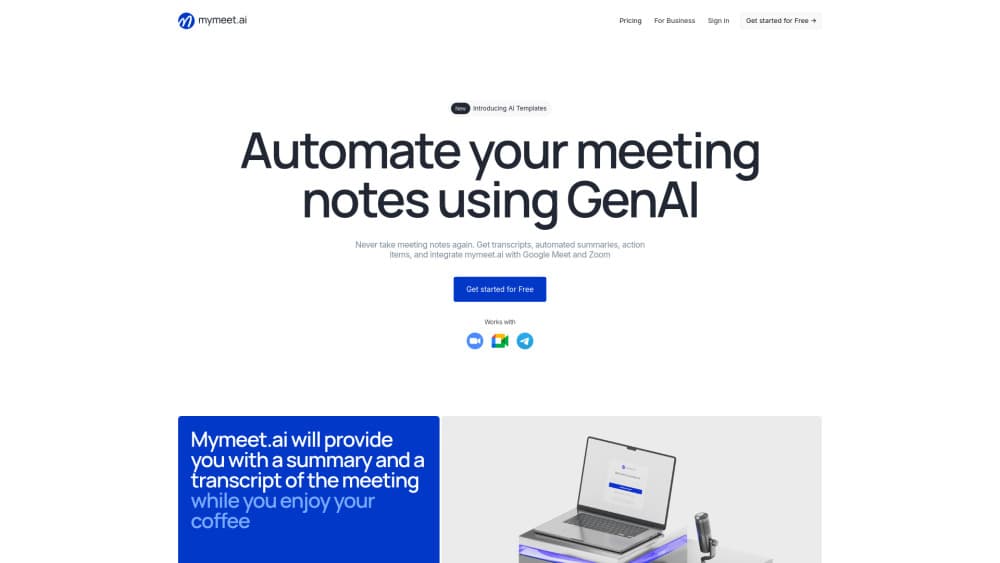
About mymeet.ai
What Is mymeet.ai
mymeet.ai is a web-based AI meeting assistant that records your calls, transcribes them, and turns each one into a structured report. You invite an AI meeting bot to a video call or upload a recording, and the platform returns a transcript with speaker labels, a summary, AI meeting notes, a list of action items, and a report built from the template you choose. It works in more than 100 languages, so a call held in one language can be reviewed in another.
It suits teams that run a lot of remote calls and keep losing track of what was decided. Sales teams use it to capture client conversations, recruiters use it to transcribe interviews, and managers use it to keep meetings from becoming a blur of notes nobody reads.
The limits are worth knowing up front. The company is based in Russia and stores and processes data on Russian servers, which suits some buyers and rules it out for others. The free tier caps usage at 180 minutes a month, and heavier use needs a paid plan. It's a meeting tool, not a general transcription suite, so it does little outside calls and recordings.
Getting Started
- Sign up at app.mymeet.ai with an email address. The free plan gives you 180 minutes a month, and no card is required.
- Connect a calendar or add a meeting link so the bot can join automatically, or upload an existing recording if the call already happened.
- Pick an AI Template for the kind of meeting you're running, such as sales or recruitment, so the report is structured around what matters for that call.
- Review the transcript and summary, then share the report with a link or export it as DOCX, PDF, or Markdown.
Product Information
A quick look at mymeet.ai's pricing, supported platforms, and performance.
Best for
The users, tasks, and scenarios where this tool fits best.
Users
- Sales teams
- Recruiters
- Managers and team leads
- Researchers and students
Tasks
- Recording and transcribing a call
- Generating meeting notes and a summary
- Tracking action items
- Drafting follow-ups and recaps
Scenarios
- Weekly team stand-ups
- Client sales calls
- Remote interviews
- Online lectures and research interviews
Key features
Meeting bot and recording
The core of the tool is a bot that joins your video call, records it, and captures the conversation as it happens. It works with more than 10 video conferencing platforms, so you don't have to move meetings to a specific service. If a call already happened, you upload the recording instead and get the same output.
Transcripts with speakers and chapters
Every report comes with a full transcript, labeled by speaker and split into chapters. You jump straight to the part of the conversation you care about rather than replaying the whole thing. The transcript stays synced with the audio and video, so you can read along while the recording plays. It exports to DOCX, PDF, and Markdown for teams that keep their own documentation.
AI Templates for different meeting types
You build a report format once and reuse it, or start from the more than 10 ready-made templates mymeet.ai ships. Templates decide what the summary pulls out, so a sales call and a recruitment interview produce different structures from the same kind of transcript. You can also turn an existing document into a custom template, or build one from scratch.
AI Chat over your meetings
The AI Chat answers questions about what was discussed across your meetings. Ask for updates, deadlines, decisions, or blockers and it pulls them together into one answer, with tables and lists when the answer calls for them. It also drafts follow-up emails and meeting recaps based on the conversation, which saves the step of writing them from scratch.
Integrations and automation
mymeet.ai connects to calendars, Telegram, CRMs, and the AI tools your team already uses, and it supports MCP so AI assistants can reach into meeting data. Calendar connections let meetings get captured without anyone remembering to invite the bot. The desktop app records meetings without a bot in the call, which matters for clients who'd rather not see a third party join.
Meeting analytics
Templates double as an analytics layer. You create and manage your own, or start from the pre-built set, to track how meetings are going and compare them over time. Teams use the structured output to look at performance across calls rather than reading each transcript one by one.
API access
For teams that want to build on top of it, mymeet.ai publishes an API with technical documentation, request examples, and integration guides. It supports embedding meeting automation into existing workflows and gives you control over how data moves through your own systems. This is what separates it from tools that only offer a web dashboard.
Pros and cons
Pros
- Records calls and delivers a transcript, summary, and action items in one pass, so nobody has to take notes during the meeting.
- Works across more than 10 video platforms and over 100 languages, which fits teams with mixed tools and languages.
- Templates shape the report for the meeting type, so sales calls, interviews, and stand-ups each get a structure that fits.
- A public API and MCP support let teams wire meeting data into their own workflows.
- Free plan offers 180 minutes a month with no card, enough to test the full workflow.
Cons
- Data is stored and processed on servers in Russia, which rules it out for teams bound by data residency rules elsewhere.
- The free tier caps you at 180 minutes a month and 10 AI Chat prompts, so regular meeting users hit the limit quickly and need a paid plan.
- The paid Lite plan allows only 500 minutes a month, which covers roughly 3 to 8 meetings a week rather than heavy daily use.
- It centers on meetings and recordings, so it won't replace a general transcription or note-taking tool for other kinds of audio.
Frequently asked questions
mymeet.ai records video meetings and turns them into transcripts, summaries, action items, and reports. A bot joins your call or you upload a recording, and the platform returns a structured document you can share or export. It's aimed at teams that hold a lot of remote calls and want a written record without someone taking notes.
Related content
Explore related tools, skills, and articles for mymeet.ai.
mymeet.ai Alternatives

Google EmbeddingGemma 2
Google DeepMind · Writing · Image · CodingGoogle EmbeddingGemma 2 is a 740M-parameter open model that turns text, code, images, audio, and video frames into vectors in one 768-dimension space, running on phones and laptops.

MePersona
MePersona, Inc. · Writing · Productivity · MarketingMePersona is an AI unified inbox for creators. It learns your voice, drafts replies to fan messages from 12 platforms, and sends only what you approve.

Fluence
Yay Software (Yannick Huchard) · Writing · Voice & Language · ProductivityFluence is an Android app that reads PDFs, EPUBs, Word files and web articles aloud, follows each sentence as it speaks, and answers questions about the text on the phone itself.