

Mynt
Tepid Innovations Limited · AI Detection
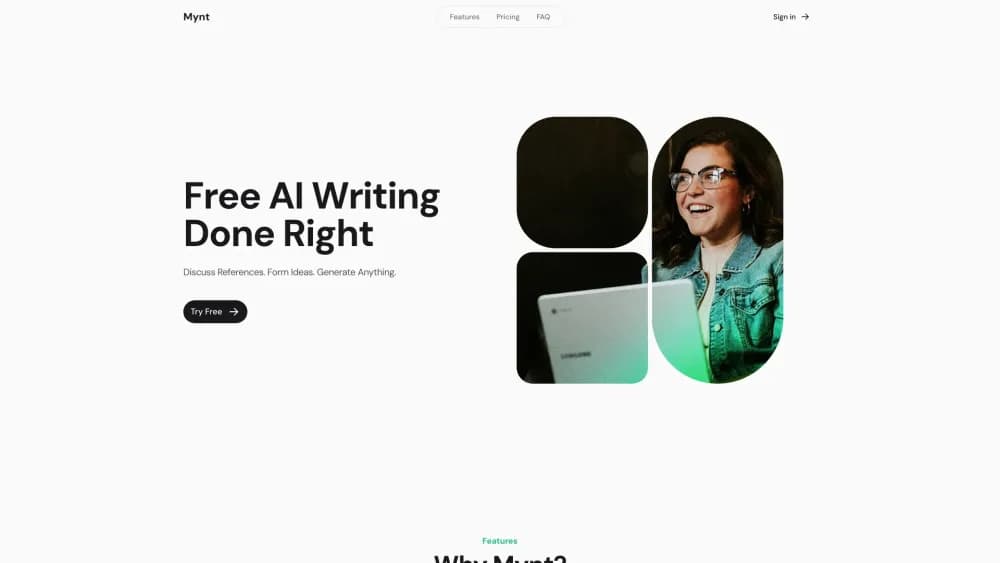
Mynt is a web-based AI writing workspace that turns your own files, websites, and code into chats, drafts, and shareable documents. It runs on free models or your own OpenRouter account.
About Mynt
What Is Mynt
Mynt is an AI writing assistant built as an LLM workspace around one idea: the model should read your material before it writes anything. You upload files, paste website URLs, or drop in code, then discuss that material with an AI chat and turn the result into a document. Chat, drafting, and export live in the same browser window instead of three separate tools.
Most AI writing tools start from a blank prompt. Mynt starts from your sources. That makes the output more specific, and it makes the tool useful for work where accuracy against a source matters, such as client reports, research summaries, and internal write-ups.
The tradeoff is scope. Mynt is in beta, and the product is aimed at document work rather than images, video, or agents that run tasks on their own. It also has no first-party models. Output quality tracks whatever model you pick, and on the paid plans you are managing a credit balance rather than a flat seat license.
Getting Started
- Create an account at usemynt.com. New accounts land on the Pay As You Go plan with $2 in free AI usage credit, and the free Claude 3 Haiku model has no usage cap.
- Add reference data. Upload documents, point Mynt at a website, or paste code into the workspace.
- Open the AI chat and work through the material. Ask for a summary, a comparison, or the specific facts you need before drafting.
- Generate the document. Mynt writes from the sources you loaded, and you keep editing in the same view.
- Share or export. Send the finished file to Word, Google Docs, or PDF, or share it from inside the app.
Product Information
A quick look at Mynt's pricing, supported platforms, and performance.
Best for
The users, tasks, and scenarios where this tool fits best.
Users
- Consultants and analysts
- Students and researchers
- Content marketers and copywriters
- Small teams that share source material
Tasks
- Turning source documents into a first draft
- Reading and summarizing long documents
- Explaining code
- Rewriting existing copy
Scenarios
- Producing a client deliverable in one afternoon
- Working through a literature review
- Drafting internal documentation from scattered notes
Key features
Reference Data Upload
Mynt accepts files, website URLs, and code as source material. Everything you load stays attached to the workspace, so later prompts can point back at it instead of restating the background. For document work, that is the difference between a generic draft and one that cites your numbers.
AI Chat Over Your Sources
The chat panel is where you interrogate the material. Ask what a contract says about renewals, compare two reports, or have the model explain a section you did not follow. Answers stay in the context of the files you uploaded, which cuts down on the confident guessing that plagues open-ended chatbots.
AI Document Generator
The writing side turns the discussion into a document you can edit in place. You can generate a full draft, a section, or a rewrite of a paragraph you select. Because the sources are still attached, regeneration keeps pulling from the same evidence rather than drifting.
Model Choice Through OpenRouter
Mynt does not lock you to one model vendor. The Basic plan gives you Mynt's free models, and you can connect an OpenRouter account to run prompts on the models you already pay for. Pro includes $30 in monthly OpenRouter credits. Swapping models is a setting change, not a migration.
Export to Word, Docs, and PDF
Finished work leaves the app in the format the rest of your workflow expects. Export to Word, Google Docs, or PDF, or share a link from inside Mynt. That matters for anyone handing drafts to a client or a colleague who will never open the tool.
Collaborative Spaces and Data Controls
Pro and Enterprise plans add Collaborative Spaces, where a team keeps its sources and drafts together. Data is encrypted on paid plans, and Mynt states that your content is not used to train models. Enterprise adds unlimited AI usage, custom integrations, 24/7 support, and an on-premise deployment option for teams that cannot store documents in the cloud.
Pros and cons
Pros
- Pay As You Go bills AI usage at the provider rate plus 25%, which is cheaper than a fixed subscription if you write in bursts.
- The free tier is usable, with uncapped Claude 3 Haiku and $2 in starting credit for stronger models.
- Source-grounded drafting cuts the back-and-forth of pasting context into a chat window.
- Export to Word, Google Docs, and PDF means the output fits an existing review process.
- Connecting your own OpenRouter account keeps model choice and billing in your hands.
Cons
- The product is in beta, so the feature set is narrower than mature writing suites and can change without notice.
- There are no first-party models. Quality depends on the model you select, and cheap models produce flatter drafts.
- The public model lineup still leans on older names like Claude 3 Haiku and GPT-4 Turbo, so check that your preferred model is available before committing.
- There is no mobile app and no documented public API, which rules out automated pipelines and writing on a phone.
Frequently asked questions
Mynt is an AI writing workspace for producing documents from your own source material. You upload files, websites, or code, discuss them in an AI chat, and generate a draft you can edit and export. It suits reports, summaries, and internal documentation more than casual chatting.
Related content
Explore related tools, skills, and articles for Mynt.
Mynt Alternatives
Isgen AI
Isgen · AI DetectionIsgen AI is a web-based AI detector that scores text for machine authorship and shows you which sentences and phrases push the number up. It's built for teachers, editors, students, and writers. Their question is simple: did this draft come from ChatGPT, GPT-5, Claude, Gemini, DeepSeek, or another model? You paste or upload content, run a scan, and get a Human, AI, and Mixed breakdown in seconds. There's also a companion editor that scores text while you write it.
Humanizeai Tools
Humanizeai Tools · Writing · AI DetectionHumanizeai Tools is a web-based AI humanizer that rewrites machine-generated text so it sounds like a person wrote it, which is the whole point of the category it belongs to. Paste a draft from ChatGPT, Claude, or Gemini, run it through the tool, and it swaps out the phrases and sentence patterns that AI detectors flag. If your goal is to make AI text sound human before you publish it, this is the kind of tool built for exactly that. It suits students, bloggers, and marketers who need copy that reads naturally and clears tools like GPTZero, Copyleaks, and Winston AI after a single pass.

Hidemyai
Hidemyai · Writing · AI DetectionHidemyai is an AI content humanizer. It rewrites text from ChatGPT, Jasper, and similar tools so the result reads like a person wrote it. You paste your draft, pick a document type and tone, and the service returns a version meant to bypass AI detectors such as Originality.ai, Turnitin, and ZeroGPT. It targets writers, marketers, and students who lean on AI drafts but can't ship copy that sounds robotic. The promise is simple: make AI content undetectable.