

nao
nao Labs · Coding
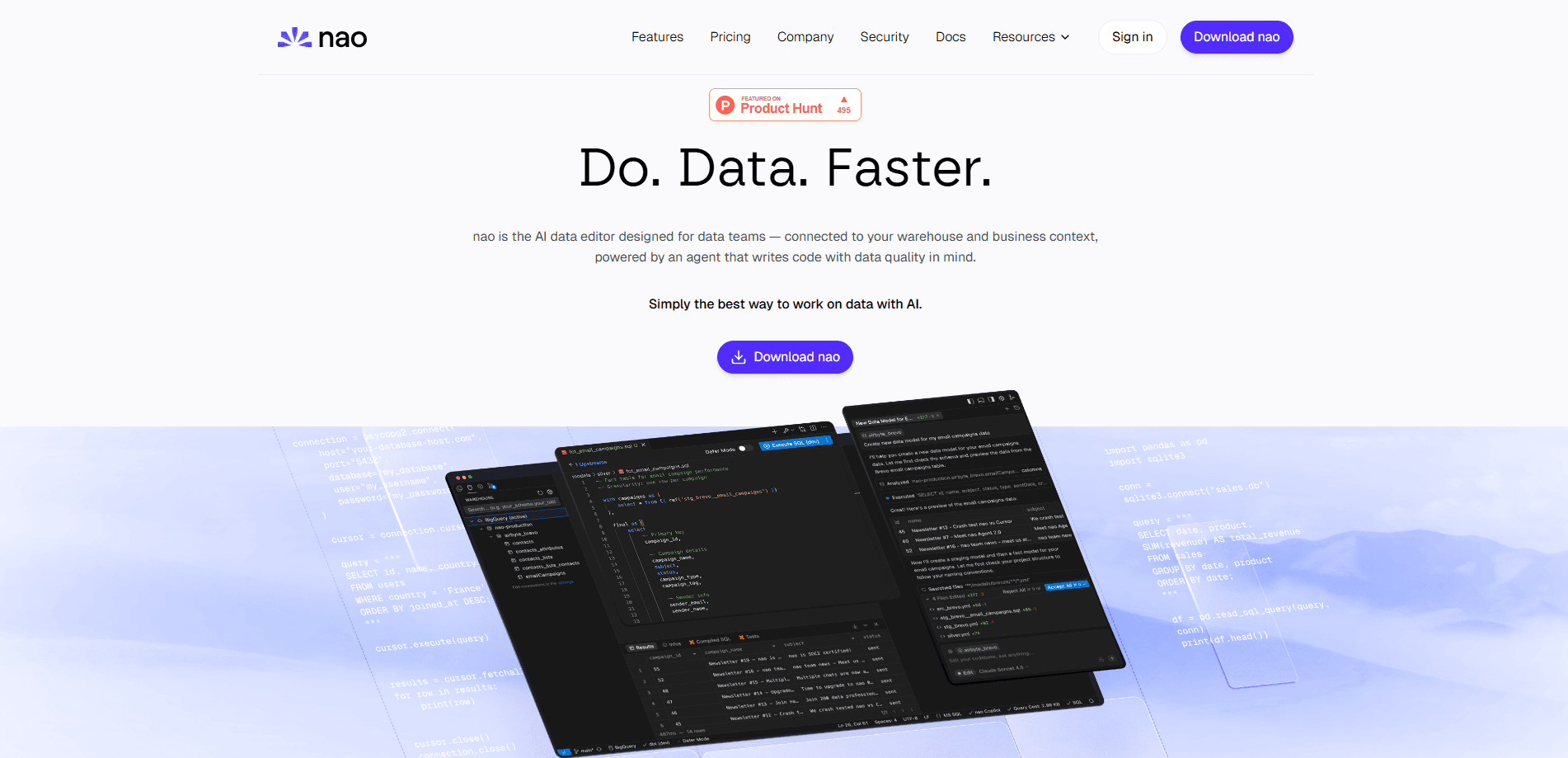
nao is an open-source analytics agent that lets data teams build a context-aware assistant and deploy it as a chat interface for the rest of the company. You shape the agent's behavior with the nao-core CLI, connect it to your warehouse, then let anyone ask questions in plain English. Charts, SQL and answers come back. It's built for teams that want AI analytics without handing their data to a black-box vendor.
About nao
What Is nao
nao is a framework for building and deploying analytics agents, made by nao Labs and released as open source on GitHub. The idea is simple. Instead of trusting a generic chatbot to guess at your numbers, you give an agent real context. That means your database schemas, metadata, business rules, docs and tools, all stored in a file-system-like folder you control. Once the context is set, nao deploys a chat UI where teammates ask questions and get answers grounded in your actual data.
So what does that look like day to day? You ask, and the agent answers with your definitions, not its own guesses.
The product targets two groups at once. Data teams get a context builder and reliability tooling so the agent doesn't invent metrics. Business users get a plain-English chat that returns visualizations and transparent reasoning, with an easy way to flag a wrong answer back to the data team. Because the same context powers both sides, everyone ends up working from one shared definition of what the numbers actually mean.
The biggest thing to understand is that nao isn't a hosted service you just log into. It's self-hosted by design, and you bring your own LLM key. Setup involves the command line. Someone on your team needs to be comfortable running Python tooling. If nobody is, the agent-driven setup makes it manageable. Still, it's more work than signing up for a SaaS product.
Getting Started
- Install the core package with
pip install nao-core(Python is required). - Run
nao initto name your project, connect a database and link a repo. Optional steps can be skipped and added later innao_config.yaml. - Run
nao debugto confirm the setup works, thennao syncto pull schemas, metadata and repos into your context folder. - Launch
nao chatto open the chat UI at localhost:5005 and start asking questions. - Write tests in a
tests/folder and runnao testto check agent accuracy before you hand it to users.
Product Information
A quick look at nao's pricing, supported platforms, and performance.
Best for
The users, tasks, and scenarios where this tool fits best.
Users
- Data teams
- Data engineers
- Business analysts
- Founders and small teams
Tasks
- Answering recurring metric questions
- Generating and explaining SQL
- Unit-testing agent performance
- Syncing internal wiki pages and docs into context so the agent knows your definitions and internal terminology.
Scenarios
- A weekly business review where a PM asks why signups dipped and gets a chart plus the reasoning behind it.
- Onboarding a new analyst who can query the warehouse on day one without learning every table name.
- Shipping an internal analytics chat to a whole company while keeping raw data inside your own infrastructure.
Key features
Open Context Builder
nao treats your agent's context like a file system. You add data, metadata, docs, tools and MCP servers into a folder. No fixed limit. Because the context lives in your repo, you can version it, review changes and roll back when something breaks. This is what separates nao from a chat wrapper that forgets your definitions.
Data Stack Agnostic
The agent works with any data warehouse, stack and LLM, so you're not locked into one vendor's cloud. Point it at Postgres, Snowflake, BigQuery or a dbt project and it reads the same way. Bring your own key for OpenAI, Anthropic or a local model. You keep control over cost and data residency, which is the whole point of going self-hosted in the first place.
Agent Reliability and Evaluation
Before anyone uses the agent, you write tests with example questions and expected SQL, then run nao test to score it. Results show up in a tests panel you can compare over time, which is exactly how you catch a context change that quietly breaks a dozen answers. It's the difference between hoping the agent is right and knowing how often it isn't. That gap matters.
Self-Hosted and Secure
Everything runs in your infrastructure with your own LLM keys. Sensitive schemas and business logic never leave your environment. That matters if you work under compliance rules or just don't want third parties seeing your data. The trade-off is that you own the ops, including upgrades and monitoring.
Natural Language Analytics and Visualization
Business users type a question in everyday language and get an answer, a chart built right in the chat, and a clear view of how the agent reached it. No SQL required on their end. The chat also connects through Slack, Teams, WhatsApp, Telegram and MCP-aware tools like Claude, Codex and Cursor, so people can ask from wherever they already work. That last part is what makes adoption stick.
Feedback Loop and Recommendations
When an answer is right or wrong, users can flag it straight to the data team. nao audits its own usage and recommends context fixes, so the agent gets more accurate the more it's used. It closes the gap between what users ask and what the context actually covers. Free, and better over time.
Pros and cons
Pros
- Open source and self-hosted, so your data and LLM keys stay under your control.
- Bring-your-own-LLM means you pay token costs directly instead of a marked-up subscription.
- Context lives in a versioned repo you can test, review and roll back.
- Works across warehouses, semantic layers and MCP clients, so it fits existing stacks.
- Built-in evaluation turns "trust me" into measurable accuracy.
Cons
- Setup needs the command line and Python, which rules out pure no-code users.
- There's no plug-and-play cloud option; you handle hosting and maintenance yourself.
- Answer quality depends heavily on the context you build, so a thin context gives thin results.
- Pricing is usage-based on your own LLM bill, which can be hard to predict.
Frequently asked questions
nao builds an analytics agent that answers data questions in plain English, grounded in context you provide like schemas, metrics and docs. It deploys as a chat interface your team can use from the web, Slack, Teams or other tools.
Related content
Explore related tools, skills, and articles for nao.
nao Alternatives
Forefront
Forefront · CodingForefront is a web platform for building with open-source AI. It lets you fine-tune leading open-source language models on your own data, evaluate how they perform, and run them through an API or export them to host yourself. Developers who want the convenience of a closed-source platform but insist on owning their models and data are the target audience here.

Startkit
StartKit.AI · CodingStartkit is a boilerplate for building AI SaaS and AI wrapper products. Think of it as an AI startup boilerplate with the boring parts already wired up: authentication, Stripe and Lemon Squeezy payments, usage limits, transactional email, and an AI API starter that talks to OpenAI, Anthropic, Groq, or Llama. You clone the repo, set your price, and start on the part of your product that people actually pay for. It's Next.js under React and Tailwind, so most of the boilerplate code already feels familiar.
Testim
Tricentis · CodingTestim is an AI-powered test automation platform for building and running end-to-end tests across web, mobile, and Salesforce applications. It leans on machine learning to keep tests stable when an interface changes, so teams spend less time fixing broken selectors. Not bad for an automated testing tool you can start using today. You create tests by recording actions in a browser, then optionally add JavaScript when you need more control. It's a solid pick for busy QA teams.