

Narrai
Eric Clark Su · Writing · Voice & Language
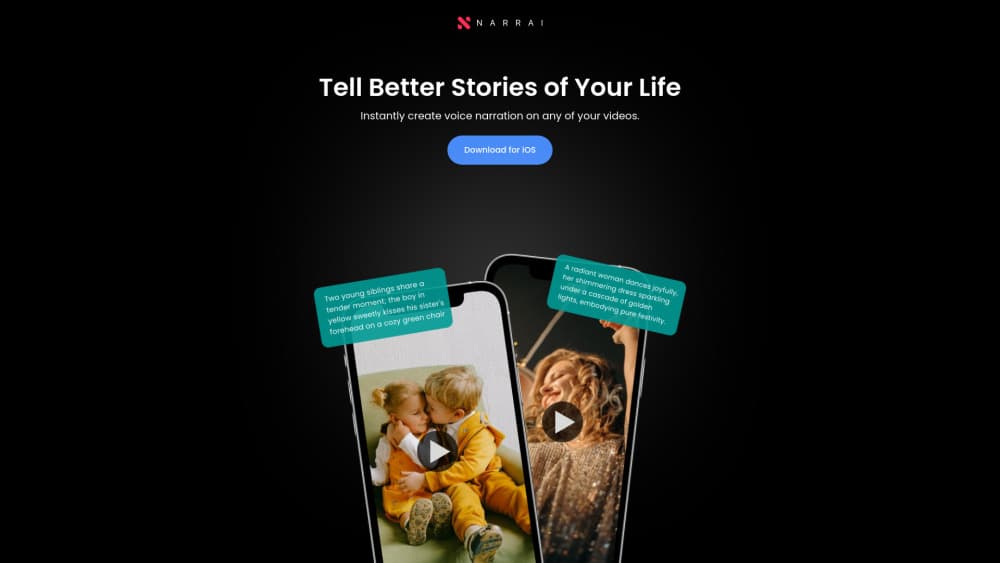
Narrai is an iOS app that adds AI voiceovers to short videos, writing the script, speaking it in a chosen narrator voice and mixing in background music.
About Narrai
What Is Narrai
Narrai is a mobile app for iPhone and iPad that turns a short silent clip into a narrated video. You pick a video, choose an AI narrator, and the app writes a script to match, speaks it in that voice, and lays background music underneath. It sits in the Photo and Video category and runs on iOS 16.4 or later.
The idea targets a common snag for anyone posting short videos. A good clip often needs a voice to carry the story, and recording yourself takes retakes, quiet rooms, and time. Narrai acts as a text to speech app, so it hands that job to an AI narrator. The app builds the script from the video and from the persona you pick, so a nature clip reads differently than a trailer cut. The developer is Eric Clark Su, and the app ships free with in-app purchases.
Two limits matter up front. It is a mobile app, not a full editing suite, so it handles short clips rather than long or complex timelines. And the narration runs on remote AI voices, so results depend on the model behind each persona and on a stable connection.
Getting Started
- Open Narrai on your iPhone or iPad and import a video, either a file from your library or a fresh clip of 10 to 15 seconds filmed in the app.
- Pick a narrator from the persona list. Each one carries its own tone, and the script is written to fit it.
- Let the app generate the narration, then play the video back with the added voice.
- Add background music if you want it, and adjust the mix until the voice sits well over the track.
- Save the finished video to your phone and post it wherever you share clips.
Product Information
A quick look at Narrai's pricing, supported platforms, and performance.
Best for
The users, tasks, and scenarios where this tool fits best.
Users
- Content creators who post short clips
- Social media posters on the go
- Small business and marketing staff
- Casual users telling personal stories
Tasks
- Adding a voiceover to a silent video
- Choosing a narration tone
- Cloning a voice
- Mixing background music
- Saving a postable file
Scenarios
- A travel clip from a weekend trip
- A product teaser for social media
- A pet or family video
- A creator working without a mic
Key features
AI script written for each video
Narrai does not just read text you type in. It builds a script that fits the clip and the narrator you picked, so the words line up with what happens on screen and with the persona's style. A nature clip gets measured, descriptive lines, while a trailer-style cut gets punchier phrasing. This takes the writing off your plate and keeps the voice tied to the footage.
A set of AI narrator personas
The app ships with a handful of distinct narrators rather than a wall of generic voices. The official list includes British Nature Lover, Voice of God, Movie Trailer Guy, Valley Girl, and Unhappy Chef. Each one changes both the delivery and the script, so a single clip can come across as a documentary, a blockbuster trailer, or a joke, depending on what you choose. Swapping a persona is the fastest way to find the tone that suits a post.
Custom voice cloning
On top of the built-in narrators, Narrai offers voice cloning. You record your own voice, and the app can reuse it to speak the kinds of scripts the product generates. That helps a creator keep a consistent voice across videos, or a business keep a familiar on-brand read, without booking a studio session each time. It is the newest addition to the app and the feature the listing leads with.
Background music mixed under the voice
A narration alone can sound flat, so Narrai lets you add background music and blend it with the AI voice. You place a music bed under the spoken track and adjust the level so the voice stays clear and the music fills the gaps. The result is a video that sounds finished without a separate editing app for the audio.
Short-video flow built for phones
The whole process lives on the phone. You import a library file or film a 10 to 15 second clip in the app, pick a narrator, review the narrated result, add music, and save. There is no desktop step and no timeline to learn. That suits creators who shoot and post from the same device, and it keeps the path from clip to upload short.
Pros and cons
Pros
- Fast voiceovers: from clip to narrated video in a few taps, with no recording session needed.
- Persona variety: distinct narrators such as Voice of God and Movie Trailer Guy give a clip a clear tone.
- Script written for you: the app drafts narration that fits the footage instead of asking you to write it.
- Voice cloning: creators can reuse their own voice across videos for consistency.
- Free to try: the app is free to download, with paid options inside.
Cons
- Mobile only: there is no desktop version, so it suits short phone clips rather than big editing jobs.
- Remote AI voices: quality depends on the model behind each persona and on a working connection.
- Short clips: the flow centers on brief videos of around 10 to 15 seconds, not long or complex edits.
- Limited language coverage: the app listing lists English only, so narration in other languages is not confirmed.
Frequently asked questions
Narrai is a mobile app that adds AI voice narration to short videos. It writes a script to match the clip, speaks it in a narrator persona you choose, and lets you mix in background music before you save and share the video.
Related content
Explore related tools, skills, and articles for Narrai.
Narrai Alternatives

Emailwritr
Emailwritr · Writing · MarketingEmailwritr is an AI email copywriting tool built for affiliates, course creators, and online businesses that want more revenue from the list they already own. Instead of blank pages or generic chatbot prompts, this AI email writer generates welcome sequences, launch campaigns, cart recovery emails, and promo series from frameworks modeled on well-known direct-response copywriters. You connect your autoresponder, answer a few questions about your offer, and it writes the copy for you.

Swms
Swms AI · Writing · Productivity · BusinessSwms is an AI safety compliance tool that turns a plain description of a job into ready-to-use safety documents. Describe your project, trade, and known hazards, and it writes a safe work method statement, job hazard analysis, safe work procedure, RAMS, or safety data sheet in seconds. It also ships with Oscar, a chat assistant that answers workplace safety questions in any language. Teams in construction, mining, transport, and warehousing use it to cut the paperwork that usually eats into a workday.

Prosp
Prosp · Writing · Voice & Language · MarketingProsp is an AI LinkedIn outreach tool built for agencies and sales teams, and it writes the message and the voice note in your own voice for each prospect so they actually reply. You connect your accounts, find leads, and let the AI draft and send personalized messages at scale, all from one inbox. It's built for people running outbound at volume. That's the whole pitch. Every touchpoint still has to feel human.