

Narrative Nooks
Narrative Nooks · Writing · Leaning
Narrative Nooks is an AI learning platform for kids aged 6 to 14 that turns school topics into interactive stories, with homework photo help, badges, custom stories and 24/7 tutoring.
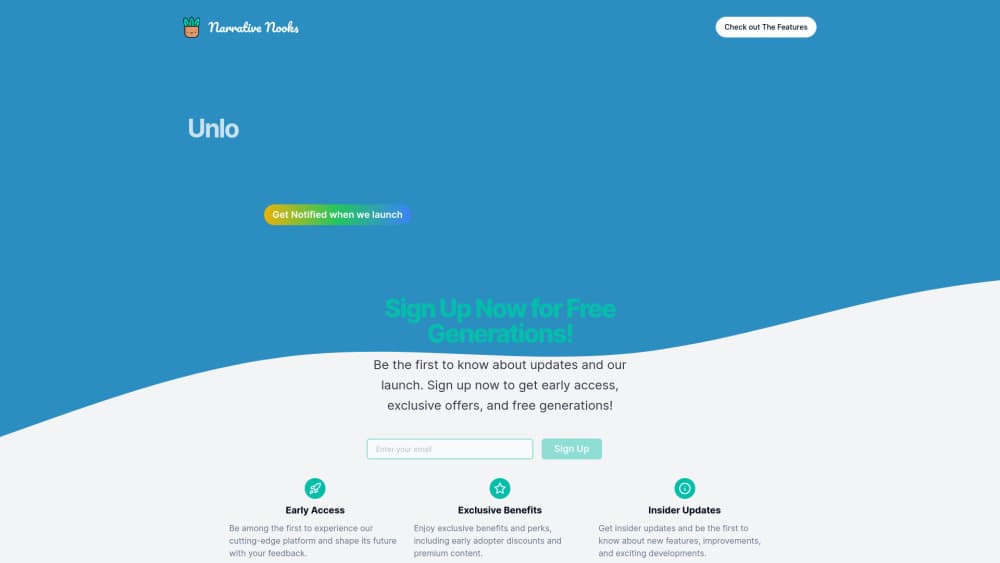
About Narrative Nooks
What Is Narrative Nooks
Narrative Nooks is a browser-based AI learning app for kids, built around stories instead of worksheets. A child picks a subject, and the app generates an illustrated, narrated lesson where the material sits inside a plot. The same account covers homework help, story creation and progress badges.
The product comes from John Rice, a full-stack developer who launched it in July 2024. It's aimed at families with kids aged 6 to 14, plus tutors and teachers who want a second way to explain a topic. Lessons adapt to a child's age and stated interests, which is the core pitch: a nine-year-old who likes dinosaurs gets fractions wrapped in a dinosaur story rather than a page of sums.
The limits matter as much as the pitch. Subjects are broad, but depth depends on what the AI generates, so a parent should still check science and history lessons for accuracy. The platform is a supplement to school, not a curriculum. Age range stops at 14, so teenagers get little from it.
Getting Started
- Create an account at narrativenooks.com with an email address. Accounts for children under 13 need verifiable parental consent, and the signup form asks for the child's age and interests.
- Pick a learning mode: story lessons, the homework helper or custom story creation.
- Describe what you want to cover, or upload a photo of a homework page for the homework helper to work through.
- Read or listen to the generated lesson, then collect badges as lessons are completed. Parents can review progress from the same account.
Product Information
A quick look at Narrative Nooks's pricing, supported platforms, and performance.
Best for
The users, tasks, and scenarios where this tool fits best.
Users
- Parents of kids aged 6 to 14
- Homeschool families
- Tutors and teachers
- Kids who dislike drills
Tasks
- Turning a dry topic into a story
- Getting unstuck on homework
- Creating a custom story
- Practicing a subject across several sessions
Scenarios
- A weeknight homework standoff
- Summer slide
- A child who needs a different entry point
Key features
Story-Based Lessons
A lesson arrives as a chapter of a story rather than a list of facts. The app generates the plot, the images and the narration, then drops questions into the narrative so a child has to answer to keep going. It's the feature that separates Narrative Nooks from a quiz app, and it works best on topics with a natural sequence, such as history, science cycles or vocabulary.
Homework Helper With Photo Upload
Kids can photograph a homework page, and the homework helper AI returns a step-by-step explanation. That's more useful than a final answer, because the child can follow the reasoning. Accuracy on word problems and multi-step algebra isn't guaranteed, so treat the output as a second opinion and not as a key.
Custom Story Creation
Parents and kids can request a story about almost anything: a favourite animal, a family trip, a specific lesson. The AI story generator for children writes it, generates matching artwork and produces audio on demand, so a prereader can listen. This is also the feature that makes the tool feel personal, since the same request produces a different story each time.
Badges and Progress Tracking
Lessons award badges, and the site leans on that loop to keep kids coming back. For parents, the value is visibility: you can see which lessons were completed and where a child stopped. It's light gamification, not a full progress dashboard with grade-level reporting.
Round-the-Clock Tutoring Support
The company advertises 24/7 tutoring, positioned as on-call help when a child is stuck outside school hours. Response quality will vary with the question, and there's no published list of subjects covered. Use it for quick clarification, not for a full tutoring session.
Parent and Educator Controls
Signup captures a child's age, interests and learning preferences, and the privacy policy also mentions neurodivergence and teaching style as optional details. Those answers feed the personalization. Parents keep control of the account, which is the right default for a product aimed at young children.
Pros and cons
Pros
- Story framing gives kids who resist worksheets a reason to engage with a topic.
- The homework helper explains steps, not just answers, which supports actual learning.
- Custom stories with generated audio and images suit prereaders and kids with reading difficulty.
- Badges and saved lessons make short daily practice easy to keep up.
- Signup collects age and interests, so lessons don't feel generic.
Cons
- The pricing page lists the same feature set for the free and paid plans, so it's unclear what $34.99 a month unlocks.
- Generated lessons can contain factual errors in science and history, which means a parent has to review content.
- The age ceiling is 14, so the product stops being useful in the middle of high school.
- Independent reviews are thin, and the product comes from a solo developer, so feature pace and support depth are hard to judge.
Frequently asked questions
It builds interactive story lessons for kids, helps with homework from a photo, and lets families create custom illustrated stories. Think of it as a learning supplement rather than a full curriculum.
Related content
Explore related tools, skills, and articles for Narrative Nooks.
Narrative Nooks Alternatives

Emailwritr
Emailwritr · Writing · MarketingEmailwritr is an AI email copywriting tool built for affiliates, course creators, and online businesses that want more revenue from the list they already own. Instead of blank pages or generic chatbot prompts, this AI email writer generates welcome sequences, launch campaigns, cart recovery emails, and promo series from frameworks modeled on well-known direct-response copywriters. You connect your autoresponder, answer a few questions about your offer, and it writes the copy for you.

Swms
Swms AI · Writing · Productivity · BusinessSwms is an AI safety compliance tool that turns a plain description of a job into ready-to-use safety documents. Describe your project, trade, and known hazards, and it writes a safe work method statement, job hazard analysis, safe work procedure, RAMS, or safety data sheet in seconds. It also ships with Oscar, a chat assistant that answers workplace safety questions in any language. Teams in construction, mining, transport, and warehousing use it to cut the paperwork that usually eats into a workday.

Prosp
Prosp · Writing · Voice & Language · MarketingProsp is an AI LinkedIn outreach tool built for agencies and sales teams, and it writes the message and the voice note in your own voice for each prospect so they actually reply. You connect your accounts, find leads, and let the AI draft and send personalized messages at scale, all from one inbox. It's built for people running outbound at volume. That's the whole pitch. Every touchpoint still has to feel human.