
NaturalReader - Text to Speech
NaturalSoft Ltd · Voice & Language
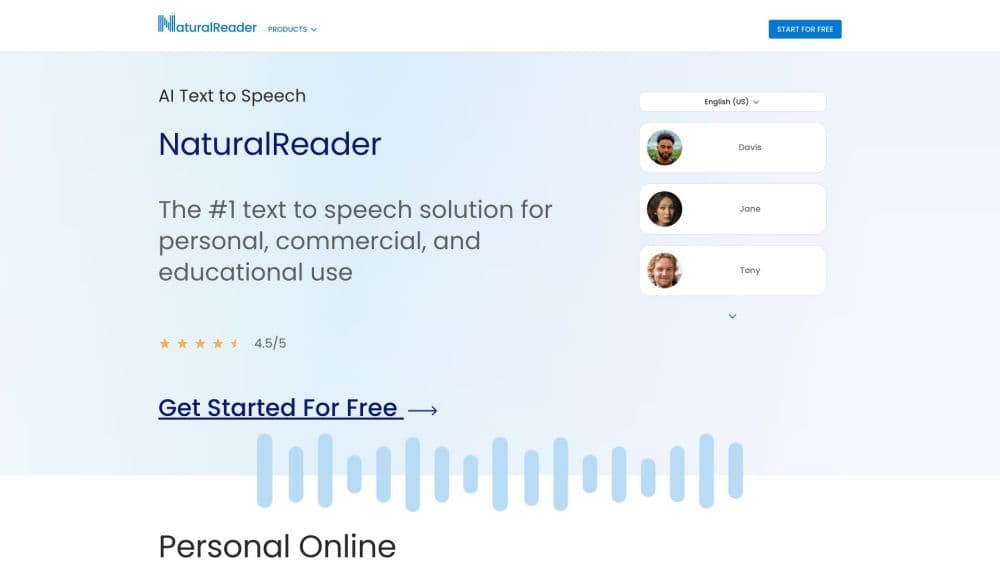
NaturalReader is an AI text to speech tool that turns PDFs, web pages, ebooks, and scanned pages into natural-sounding audio you can listen to on web, mobile, and desktop.
About NaturalReader - Text to Speech
What Is NaturalReader
NaturalReader is a text to speech platform from NaturalSoft Ltd, built to read whatever is on your screen or on paper out loud. You paste text, upload a document, or point your camera at a printed page, and it plays the words back in a voice close to a real person. The tool started when founder Jeff Yang struggled with technical textbooks at university, and that origin still shows. Today it reads for students, commuters, and anyone who wants to listen instead of read.
The draw is listening on the go. NaturalReader works as a read aloud app and AI voice reader for PDFs, Word files, ePub books, web articles, and physical books, and it syncs across the web app, the mobile apps, and a Chrome extension. Beyond plain reading, the paid plans add AI tools: you can spin a long document into an AI podcast, pull a recap of the key points, or ask questions about whatever you're reading through AI chat.
Three limits are worth knowing before you pay. The free tier only covers the basic voices and short listening sessions, so a daily habit needs a subscription. The best voices, called Plus, sit behind the Plus plan. And the camera scan wants clean print, so handwriting or blurry photos come out uneven.
Getting Started
- Sign up for a free account on the web, or install the iPhone, Android, or desktop app.
- Paste text, upload a PDF, Word file, or ePub, or scan a printed page with the camera.
- Pick a voice, set the language, and slide the speed to your comfortable listening rate.
- Press play and follow along as the words highlight in sync with the voice.
- Save the document to your library, or export it as MP3 on a paid plan for offline listening.
Product Information
A quick look at NaturalReader - Text to Speech's pricing, supported platforms, and performance.
Best for
The users, tasks, and scenarios where this tool fits best.
Users
- Students with heavy reading loads
- People with dyslexia or reading fatigue
- Commuters and multitaskers
Tasks
- Listening to long PDFs and reports
- Turning articles and ebooks into audio
- Building a voiceover for a video or lesson
Scenarios
- Keeping up with a daily reading pile
- Studying for exams on the move
- Making content accessible
Key features
Natural AI Voices and the Plus Tier
NaturalReader runs on AI voices trained on language models, and the top ones, called Plus voices, match the patterns and intonation of a human speaker rather than the flat robotic tone older readers are known for. The library spans 1,000+ voices across 99+ languages and dialects, so you can switch accents to match the material. That range matters when you learn a language, because hearing natural pronunciation in the target language beats reading it silently. The catch is that Plus voices only unlock on the Plus subscription, while free users get the basic set.
The OCR Camera Scanner
When the text is not already digital, NaturalReader reads it from an image, acting as an OCR reader for anything you can photograph. Point the mobile camera at a printed page, book, or note, and the OCR engine extracts the words and reads them aloud. It works on textbooks, worksheets, and pages from a physical book you cannot otherwise digitize, which is the feature long-term users lean on most. Clear print reads best, so shaky or handwritten text may come out uneven.
AI Podcast, Recap, and Chat
On the paid plans the reader does more than read. You can turn a long document into an AI podcast that plays back as a spoken episode you listen to on the move, with control over length and number of speakers. A recap tool pulls the key takeaways into a short summary, and AI chat lets you ask questions about your own file, translate it, or have the tool explain a term. The answers stay tied to the document you uploaded, not the open web.
Immersive Reader and MP3 Export
Focus mode strips away distractions and highlights each word as it is spoken, so your eye and ear move together through the page. Closed captions, a dyslexia-friendly font, and hotkey controls round out the reading view. When you want to listen offline, an MP3 download puts the audio on your device and lets you play it anywhere, no connection needed. Closed captions and a dyslexia-friendly font also make it a stronger accessibility reader for anyone who struggles with on-screen text. Both the highlighting and the export are useful when you read a document carefully rather than just skim it.
Flexible Plans for Personal, EDU, and Commercial Use
NaturalReader splits into three tracks. The personal plan covers individual listening on web and mobile. The EDU license gives schools discounted accounts, with group licenses starting from as few as five users and site licenses for a whole school, plus tools to manage students and classrooms. The commercial plan targets voiceover work for videos, eLearning, and podcasts. Each track has its own price, so you pay for the use you actually have.
Cross-Device Sync and Chrome Extension
Your library syncs between the web app, the iOS and Android apps, and the desktop versions, so a document you start on a laptop is waiting on your phone. The Chrome extension reads any web page with one click from the browser toolbar, which saves copying and pasting text into a separate window. That combination covers the common case: start an article on the desktop, finish it on the commute.
Pros and cons
Pros
- Reading is genuinely faster for heavy users, since a long PDF turns into a short listen you can take anywhere.
- The OCR camera scanner handles printed books and notes that have no digital version, a gap many readers leave open.
- 1,000+ voices across 99+ languages make listening in a second language far more useful than a robotic reader.
- Separate EDU and commercial tracks give schools and voiceover creators pricing built for their use, not a one-size plan.
- Library sync across web, iOS, Android, Mac, and Windows means you lose no progress when you switch devices.
Cons
- The free tier limits you to the basic voices and shorter sessions, so regular daily use pushes you toward a subscription.
- The best Plus voices are locked behind the Plus plan, so the most natural sound costs extra on top of the base reader.
- The camera scan stumbles on blurred, handwritten, or cluttered pages, so you still need a clean source for good results.
- There is no public developer API, so you cannot wire the voices into your own app the way you can with some TTS services.
Frequently asked questions
NaturalReader is a TTS tool and AI text to speech app that reads text aloud in natural-sounding voices. Think of it as a read aloud app that handles PDFs, web pages, ebooks, and scanned pages. You use it to listen to documents, articles, and books instead of reading them on a screen, and the paid plans add AI podcasts, recaps, and chat about your file.
Related content
Explore related tools, skills, and articles for NaturalReader - Text to Speech.
NaturalReader - Text to Speech Alternatives

Foley
Hanamori Labs, LLC · Voice & Language · Productivity · AI AssistantFoley is a voice to-do list that turns a spoken sentence into a filed task, complete with project, date and time, then helps you plan the day around what is already there.

HireKey
HireKey · Voice & Language · Productivity · LeaningHireKey is an AI job search copilot built by a former tech recruiter. It checks role fit, tailors resumes, runs interview practice and tracks every application.

Fluence
Yay Software (Yannick Huchard) · Writing · Voice & Language · ProductivityFluence is an Android app that reads PDFs, EPUBs, Word files and web articles aloud, follows each sentence as it speaks, and answers questions about the text on the phone itself.