

Naturobot
Naturobot · Other
Naturobot is a cloud-native RPA platform that builds browser-based automation flows for SAP, DingTalk, WeCom, and desktop apps, then runs them through a scheduling assistant.
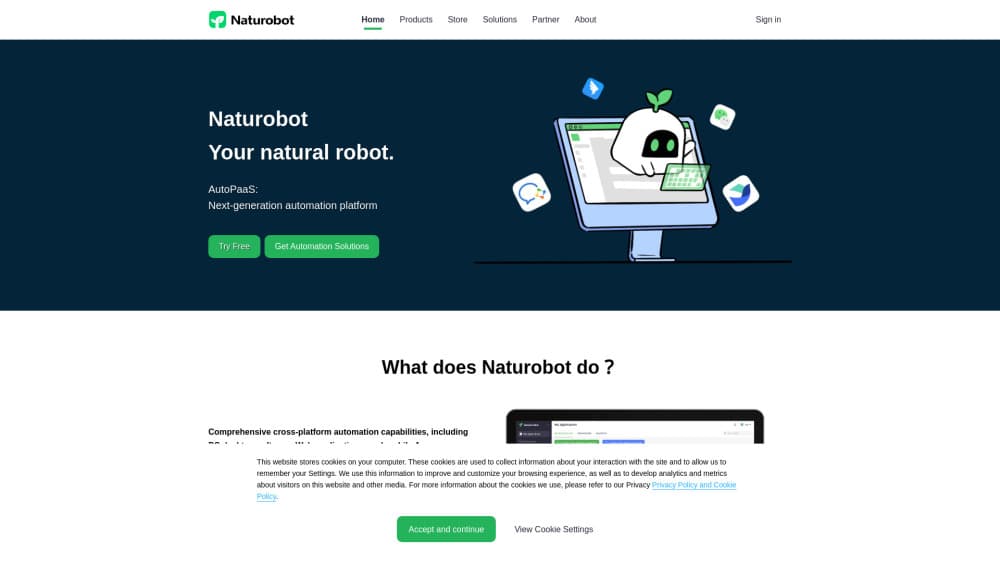
About Naturobot
What Is Naturobot
Naturobot is an RPA automation platform from a Shanghai team that started in 2021. The company calls the product an AutoPaaS layer: part screen-level automation, part integration plumbing. It's aimed at companies carrying a lot of repetitive work between systems that were never built to talk.
The architecture is the main argument. Studio, the flow designer, opens in a browser tab. There's no desktop client to install on every machine, and no per-seat license to reconcile every quarter. A recorder watches what you do and turns your clicks into reusable steps, while an element recognition layer reads SAP, DingTalk, WeCom, and ordinary desktop windows without asking you to hand-write selectors.
The company reports 300+ enterprise customers and 200+ production scenarios, with five years of engineering behind the runtime and two granted patents. Treat those numbers as vendor claims, since Naturobot doesn't publish a customer list or audited deployment data. Pricing follows the same pattern: no public rate card, no self-serve checkout, and quotes handled by sales.
Getting Started
- Request a workspace through the official site or the hosted Studio entry point, and let the team provision your tenant.
- Sign in to Studio in a browser, then connect the target systems. SAP, DingTalk, WeCom, and common desktop apps have prebuilt recognition profiles.
- Record a real task once with the capture tool, or describe it in plain language and let the assistant draft the flow.
- Add branches, error handling, and credentials, then run the flow in test mode against a non-production account.
- Schedule the robot or hand it to a human operator, and review run logs to see where the flow dropped a step.
Product Information
A quick look at Naturobot's pricing, supported platforms, and performance.
Best for
The users, tasks, and scenarios where this tool fits best.
Users
- Finance and accounting teams
- HR operations staff
- IT and automation centers of excellence
Tasks
- Invoice and receipt data entry
- Cross-system record sync
- Scheduled report assembly
Scenarios
- Monthly close with a fixed checklist
- Legacy systems with no API
- Shared-service centers handling volume
Key features
Browser-Based Flow Design
Studio runs entirely in a browser, so a new hire can open a flow on a borrowed laptop without an install. Flows are stored centrally, which means version drift between machines stops being a problem. Teams spread across offices edit the same automation instead of passing files around.
Continuous Capture Recorder
The capture tool records a task while you perform it, converting clicks and keystrokes into editable steps. Naturobot markets this as a first for the Chinese market, and the practical effect is that business analysts can draft a flow before IT gets involved. Long recordings still need cleanup, especially around waits and windows that load at different speeds.
Element Recognition Across Legacy and Modern Apps
The recognition layer reads controls in SAP, DingTalk, WeCom, and plain desktop software rather than relying on screen coordinates. That matters for RPA for SAP projects, where a button label can shift after a patch and a coordinate-based robot fails silently. Recognition isn't perfect on custom-drawn interfaces, so expect a fallback path.
Natural Language Flow Building
You can describe a process in ordinary language and let the platform assemble a draft. For teams new to AI process automation, it's a real time saver across the first 70% of a build. The remaining work, which is conditions, retries, and credential handling, still lands on someone who understands the flow.
Scheduled Execution and Robot Orchestration
Robots run on a schedule or on demand, and the console shows which runs succeeded, which stalled, and where. Queues keep a batch of similar items moving without an operator babysitting each one. Failed runs land in a review list instead of disappearing.
Private Deployment With Data Residency
The full stack can sit in your own cloud account or data center, which is the baseline for banks, state-owned enterprises, and anyone with a regulator looking over their shoulder. Data stays inside the perimeter, and the platform connects to models you already run rather than forcing a specific vendor. This is a deployment choice, not a checkbox, so budget for infrastructure work.
Pros and cons
Pros
- No client install keeps rollout cheap. Onboarding a new machine takes a browser and a login, which removes a common blocker in large IT estates.
- The recorder plus element recognition handles old desktop software that will never get an API, and that's where most no-code automation tools give up.
- Private deployment covers data residency requirements that rule out pure SaaS RPA vendors.
- Flows are centralized, so audit trails and version control come from the architecture rather than from bolt-on tooling.
Cons
- No public pricing. You can't estimate cost without a sales conversation, which makes early budgeting awkward for smaller teams.
- The self-serve path is thin. Most of the product assumes a vendor-assisted setup, so a solo operator will hit walls during tenant provisioning.
- Documentation and community material are mostly in Chinese, which adds friction for international teams evaluating the platform.
- Complex flows still need engineering discipline. The no-code framing oversells how far a business user gets without help on error handling.
Frequently asked questions
It automates screen-level work: logging into systems, filling forms, copying records between applications, and assembling reports. If a person can do the task by clicking through a Windows or web interface, the platform can usually drive it.
Related content
Explore related tools, skills, and articles for Naturobot.
Naturobot Alternatives

Odyssey 3
Odyssey · OtherOdyssey-3 is Odyssey's foundation world model. It simulates physics in real time, turns a prompt into an interactive environment, and adapts to robots, cars and games.

JarvisCore
Prescott Data · Coding · Productivity · OtherJarvisCore is an open source Python runtime where AI agents work as equal peers on an agent mesh, claim tasks from a shared ledger, and reach external services through a zero-trust broker.
Clef
Cloudflare · Business · OtherClef is Cloudflare's open-source decision model for Workers AI. It returns calibrated probabilities for typed questions, not generated text, so agents can classify, route, and act fast.