

Navi+ Menu Builder
Navi+ · Coding
Navi+ Menu Builder is a no-code navigation app that adds app-style tab bars, mega menus, and mobile menus to a website without editing theme code. It targets store owners on Shopify, WordPress, and Wix who want shoppers to reach products in fewer taps. The tool runs independently of your theme, supports separate mobile and desktop layouts, and ships with a free plan plus paid tiers for larger stores.
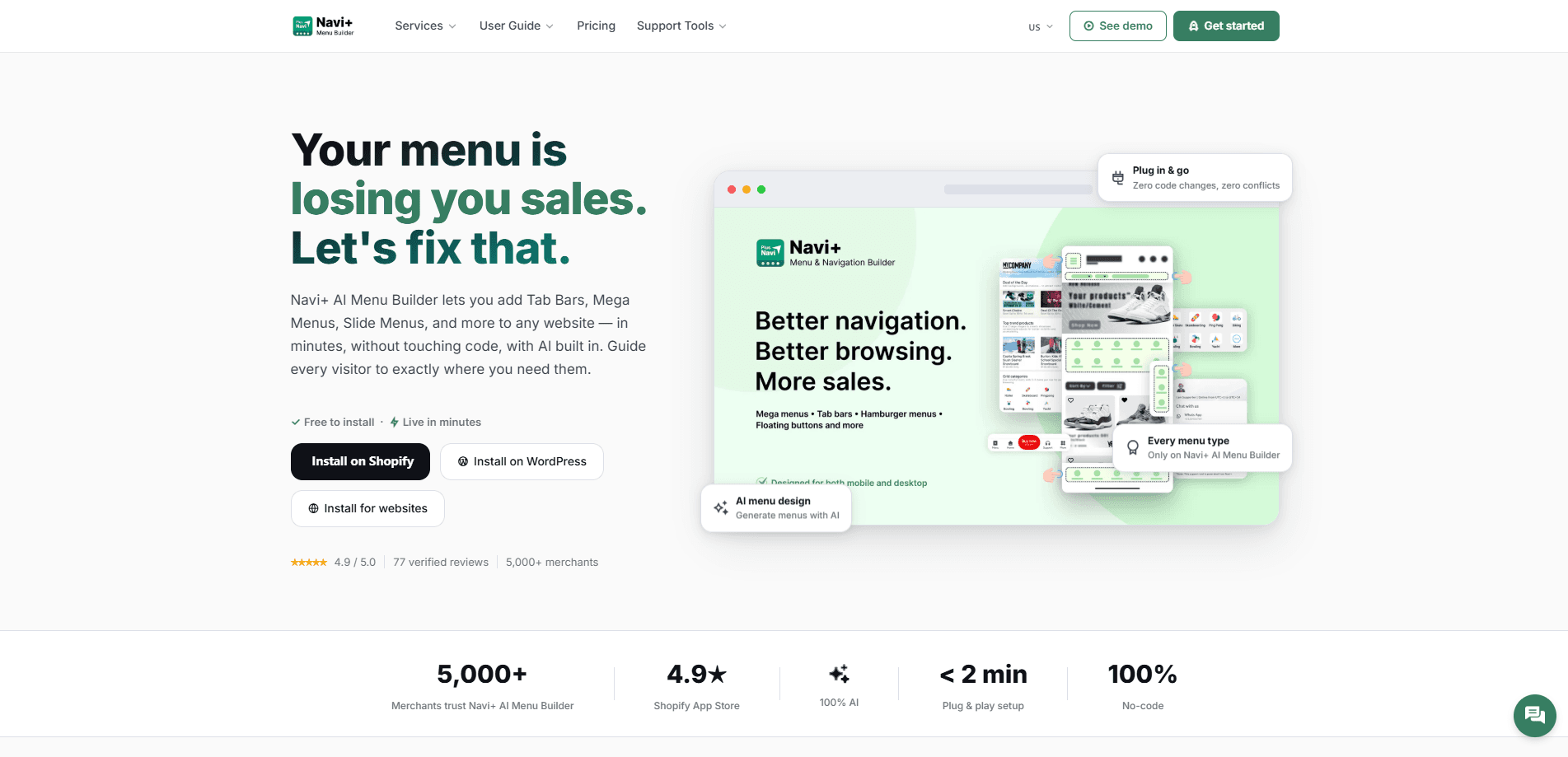
About Navi+ Menu Builder
What Is Navi+ Menu Builder
Navi+ Menu Builder is a navigation menu tool built mobile-first. Instead of wrestling with the default menu that comes bundled with your theme, you install the app and build menus from a visual dashboard. It works on Shopify through the app store and on WordPress, Wix, and other platforms through a single embed snippet.
The main problem it solves is friction. Shoppers on a phone often fight tiny hamburger menus and multi-level dropdowns that hide products three taps deep. Navi+ swaps that for a bottom tab bar on mobile and a rich mega menu on desktop, so browsing feels closer to using a native app. Fewer taps, fewer exits.
The catch is scope. Navi+ controls navigation, not the rest of your storefront, so the menus you build here sit on top of the theme you already run rather than replacing any other part of your site. Google can read your menu links only on the higher plans, which matters if organic search for your categories is a priority.
Getting Started
- Install Navi+ from your platform's app store, or paste the embed snippet on WordPress, Wix, or any other site. The free plan needs no credit card.
- Pick a template from 20+ pre-designed layouts, choosing a tab bar for mobile, a mega menu for desktop, or a mobile menu that fits any screen size.
- Configure the menu in the dashboard by dragging, dropping, and editing labels and links. You can import your existing navigation instead of rebuilding it from scratch.
- Review the structure, wording, and visual design, then publish. Changes go live instantly through the global CDN.
Product Information
A quick look at Navi+ Menu Builder's pricing, supported platforms, and performance.
Best for
The users, tasks, and scenarios where this tool fits best.
Users
- Shopify store owners
- Small business owners on Wix or WordPress
- Ecommerce managers on higher-volume stores
Tasks
- Replacing a cramped default theme menu
- Building a bottom tab bar for mobile
- Designing a mega menu for desktop
- Translating a menu into multiple languages
Scenarios
- A store where most traffic is mobile
- A catalog too large for a simple dropdown
- A store owner migrating platforms
- Running seasonal promotions
Key features
Six Navigation Types in One Dashboard
Navi+ groups every menu style into a single dashboard: tab bars, mega menus, mobile menus, and other types. You configure mobile and desktop separately, so a store can show a bottom tab bar on phones and a full mega menu on computers without compromise. That split matters for stores where mobile and desktop shoppers behave differently.
No-Code Setup and Theme Independence
The app installs from a platform's store or through one embed snippet, and it never touches your theme files. So what does that change for you? No developer hours, and no risk of breaking your theme during a menu change. Navi+ runs independently, so you can keep your original navigation available if you ever disable it.
AI-Assisted Menu Design
The AI tools help you start faster. You can generate or redesign menu structure, convert an existing site menu into a Navi+ menu, or auto-translate menu text into nine languages. The design step works through ChatGPT, Claude, or Gemini using your own account, so there's no separate AI bill from Navi+.
Global CDN Delivery
Menus load from CDN edge locations across six continents. Navi+ states the setup handles millions of requests without slowing a store, which keeps navigation responsive during traffic spikes. Speed matters. On paid tiers, the delivery promise extends to near-constant uptime.
Menu Stats and SEO Control
Paid plans add stats tracking so you can compare how a menu performs month over month, and they open up SEO options. Google can read your menu links on the Basic SEO tier and read both links and images on Full SEO. That distinction matters for stores that rely on category pages ranking in search.
Built-In Icon Library and Custom Images
The app includes 4,000+ Google Material Symbols with adjustable stroke weight, and paid tiers let you upload your own images in JPG, PNG, or animated GIF. You can also replace your theme's cart, menu, and search icons and add a cart count badge.
Managed Setup on Higher Plans
The top tiers go beyond self-service. On Elite and Care, the Navi+ team sets up your navigation, migrates your old menu, and can keep it updated as your catalog changes. Care adds ongoing edit requests and a dedicated menu consultant.
Pros and cons
Pros
- Works without theme edits, so there's no risk of breaking your storefront during a menu update.
- Mobile-first design separates phone and desktop layouts, letting you tailor each experience.
- Free plan covers one live menu with templates and up to 20,000 monthly views, enough to test the approach.
- Runs across Shopify, WordPress, Wix, and any site via embed snippet.
- AI tools handle menu generation, migration, and translation to cut setup time.
Cons
- The free plan uses built-in icons only and caps you at one menu, so custom images and multiple menus require a paid tier.
- Google can't read menu links on the free plan, which limits SEO benefit until you upgrade.
- It manages navigation only, so it won't fix other parts of your storefront or theme design.
- Full pricing details for the paid tiers aren't published on the main pricing page, so you need to check inside the app.
Frequently asked questions
It adds app-style navigation to a website: tab bars, mega menus, and mobile menus built from a no-code dashboard. It runs on top of your existing theme rather than replacing it.
Related content
Explore related tools, skills, and articles for Navi+ Menu Builder.
Navi+ Menu Builder Alternatives
Forefront
Forefront · CodingForefront is a web platform for building with open-source AI. It lets you fine-tune leading open-source language models on your own data, evaluate how they perform, and run them through an API or export them to host yourself. Developers who want the convenience of a closed-source platform but insist on owning their models and data are the target audience here.

Startkit
StartKit.AI · CodingStartkit is a boilerplate for building AI SaaS and AI wrapper products. Think of it as an AI startup boilerplate with the boring parts already wired up: authentication, Stripe and Lemon Squeezy payments, usage limits, transactional email, and an AI API starter that talks to OpenAI, Anthropic, Groq, or Llama. You clone the repo, set your price, and start on the part of your product that people actually pay for. It's Next.js under React and Tailwind, so most of the boilerplate code already feels familiar.
Testim
Tricentis · CodingTestim is an AI-powered test automation platform for building and running end-to-end tests across web, mobile, and Salesforce applications. It leans on machine learning to keep tests stable when an interface changes, so teams spend less time fixing broken selectors. Not bad for an automated testing tool you can start using today. You create tests by recording actions in a browser, then optionally add JavaScript when you need more control. It's a solid pick for busy QA teams.