
Near Domain
AE Studio · Business
Near Domain is a free AI domain finder from AE Studio that searches for a .com name for your website or business and blends keyword search with AI suggestions.
About Near Domain
What Is Near Domain
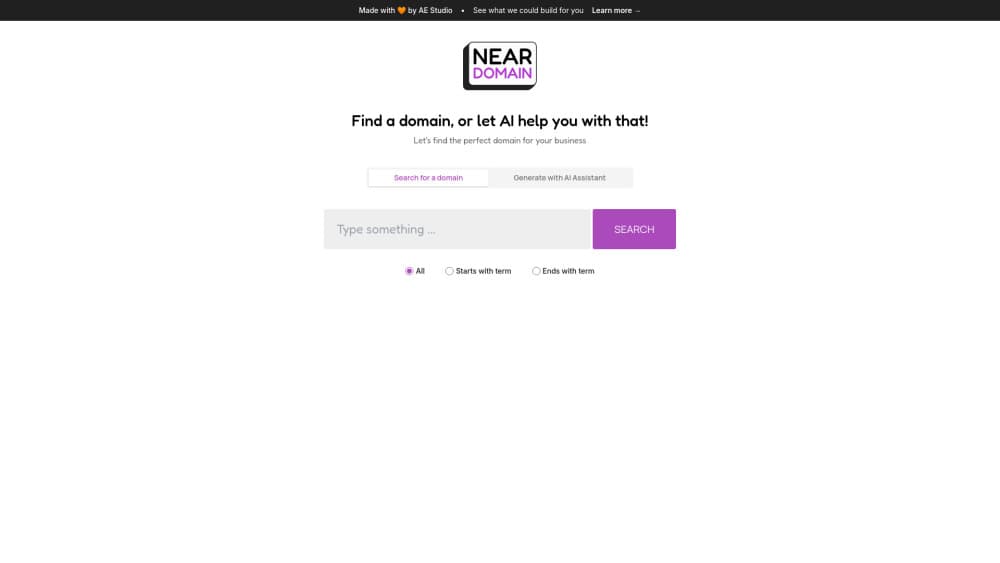
Near Domain is a website with a single purpose: helping you land on a .com domain for a website or a business. You type a keyword or describe what you are building, and the tool returns name candidates matched to that input. One path works like a familiar registrar search, and a second path hands the same job to an AI assistant that proposes names on its own.
The people behind it are AE Studio, a product studio that ships internal tools to show how it builds software. Near Domain carries that origin story in its footer, where a line invites visitors to see what AE Studio could build for them. So the tool doubles as a live sample of the studio's work.
It is worth setting expectations early. Near Domain is a finder, not a registrar. You search and shortlist here, then register the winner somewhere else, because the site does not sell domains, handle renewals, or manage DNS. It also keeps its scope tight around .com, so if you want a name on .io, .ai, or a country code, that is a separate trip.
Getting Started
- Open neardomain.com in a browser. No account is required to try a search.
- Type a keyword for your niche, or describe your business idea in a sentence.
- Read through the suggestions, or let the AI option generate a fresh batch for you.
- Note the names you like as available candidates, then register your pick at a registrar.
Product Information
A quick look at Near Domain's pricing, supported platforms, and performance.
Best for
The users, tasks, and scenarios where this tool fits best.
Users
- Founders naming a new website
- Freelancers and indie makers
- Brand teams testing a few directions
Tasks
- Searching a keyword for a .com name
- Generating name ideas with AI
- Shortlisting a few finalists
- Checking whether a .com is open
Scenarios
- You are days from launch and still have no domain
- You are rebranding a small project
- You want a .com for a side project
Key features
AI-Assisted Domain Search
The site pairs a straight keyword search with an AI helper that generates name ideas. You give it a topic, and it responds with candidates built around that topic. The split matters: the keyword path suits people who already know roughly what they want, and the AI path suits anyone stuck on a blank page. Both routes aim at the same outcome, a .com you can register.
.com-First Focus
Near Domain concentrates on .com, the extension most visitors type by default. That focus cuts down on the noise that comes with browsing a dozen extensions at once. It also means the tool is narrow by design. If your first choice only exists on another extension, you finish that search elsewhere.
Keyword and Plain-Language Input
You can enter a single keyword or describe your business in a sentence. The plain-language route is the more useful of the two when your idea is still rough, since you can explain the goal without fixating on a name you have not settled on. The tool then works from that description rather than a single word.
No-Account Trial
A visitor can start searching without creating an account or entering payment details. That keeps the first step cheap in every sense, which fits a tool built as a demo of what a studio can ship. It also means there is no saved workspace to return to, so keep your own shortlist as you go.
Free to Use
Near Domain runs on a free model. The studio treats it as a demo rather than a paid product, so there is no subscription tier to weigh and no credit meter to watch. The trade-off is that it carries no promise of support or a roadmap, and nothing here guarantees a name will still be open when you go to register it.
Pros and cons
Pros
- Free to use, with no signup needed to try a search.
- The AI path is a real alternative when a blank page is the problem.
- A .com focus keeps the results clean and easy to scan.
- It accepts plain-language descriptions, not just single keywords.
- The no-account flow makes the first try fast.
Cons
- It is a finder only, so registration, renewals, and DNS all happen at another company, which adds a second tool to your workflow.
- The scope stays on .com, so other extensions need a separate search.
- Availability shown in results can trail real registry status, so confirm a name before you rely on it.
- As a studio demo, it ships with thin documentation and little promised support.
Frequently asked questions
Near Domain is a free web tool from AE Studio that helps you find a .com domain for a website or a business. It combines a keyword search with an AI option that suggests names for you.
Related content
Explore related tools, skills, and articles for Near Domain.
Near Domain Alternatives

Knocket
Knocket (Tencent RTC team) · Productivity · Business · ChatbotKnocket is a free live chat and contact page tool that lets visitors message you from your website, app, or a shareable link, with every reply handled from Telegram or one inbox.

shippedit.me
Krawlup · Marketing · Businessshippedit.me now redirects to Krawlup, a web platform that audits SEO, AEO and page speed every week, then hands the fixes to AI coding agents over MCP.

Ayven
Alknoma · Productivity · BusinessAyven is an AI control centre by Alknoma that turns a plain-language goal into a dated plan, hands the work to your people and AI agents, and asks for your approval only when the call is yours.