

Neopress
Neopress · Coding · Productivity · Marketing
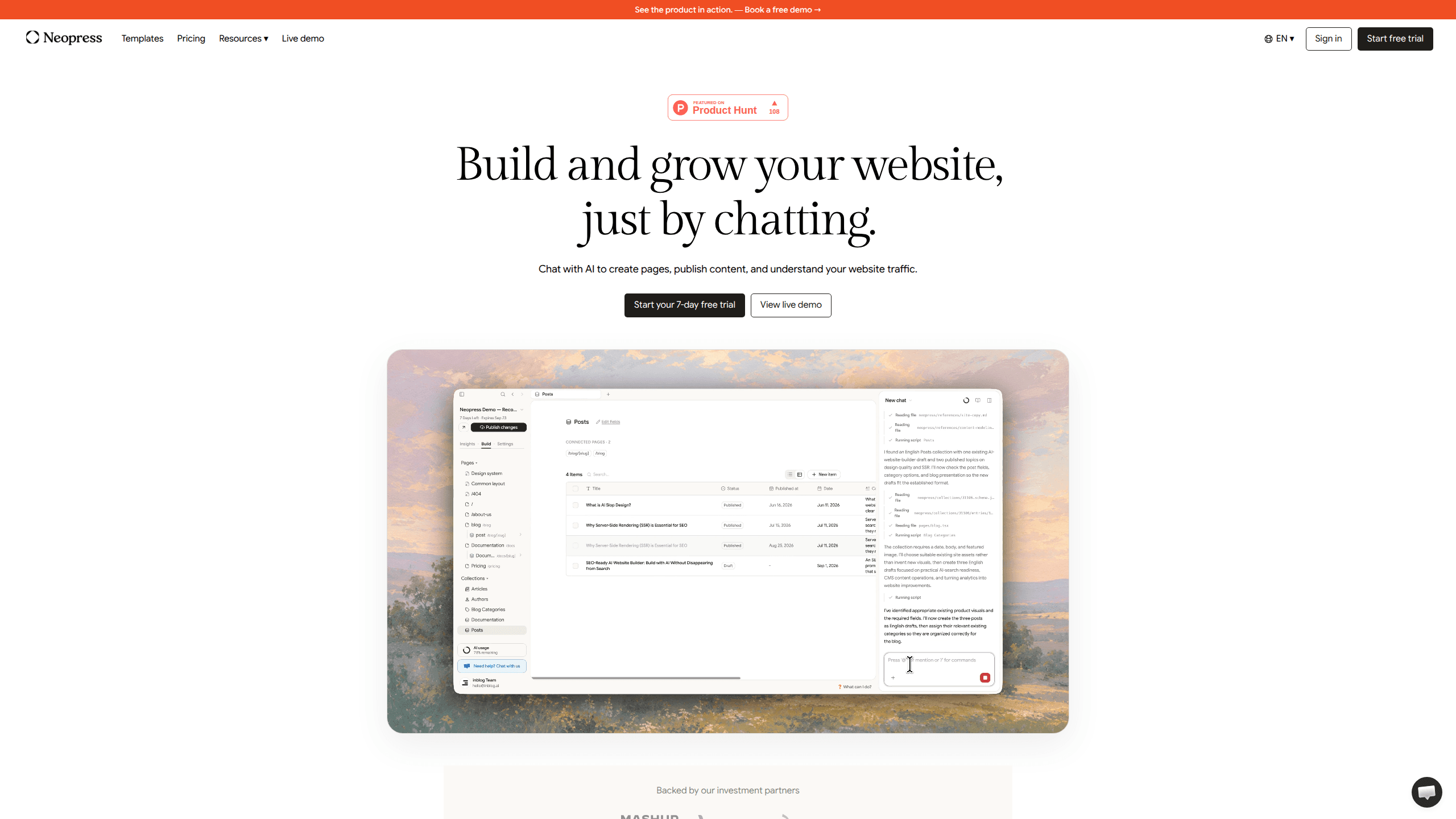
Neopress is an AI website builder that runs on chat. Instead of dragging blocks around a canvas, you describe the page you want and the assistant writes the copy, adjusts the layout, and publishes it. It's a way to build a website with AI, aimed at freelancers, small teams, and agencies who want to keep a site current without hiring a developer. Neopress also folds in SEO and GEO basics, multilingual publishing, and traffic analytics. One subscription covers building, writing, and measuring your site.
About Neopress
What Is Neopress
Neopress is a hosted website platform where the main interface is a conversation. You tell it what you need, and it handles the page building, the copywriting, and the publishing. Think of it as an AI chat website editor that also happens to host your site. Everything runs on Neopress servers with server-side rendering, so search engines and AI crawlers can read your content without running JavaScript first.
The pitch is speed over control. A copy change that used to mean emailing a developer turns into a one-line request. The same chat also drafts blog posts. It handles keyword research too. And it translates pages for a multilingual site, then answers questions about your traffic data.
The trade-off? Neopress swaps deep design freedom for convenience. If you need pixel-level control over a custom layout, a traditional builder or hand-coded site gives you more room. Neopress is at its best when you care more about shipping pages and getting found than about tweaking margins.
Getting Started
- Start a free trial from the Neopress dashboard and connect a domain you own, or import an existing site to keep publishing without rebuilding from scratch.
- Pick an industry template as a starting point, then tell the AI assistant what the site is about so it can set up the main pages.
- Chat your way through edits: describe copy changes, add sections, or ask it to draft a page, and review the result before saving.
- Add your SEO and GEO settings in one panel, including the search title, meta description, and the image shown when someone shares a link.
- Publish content, then open the analytics dashboard or ask the assistant what's working and what to improve next.
Product Information
A quick look at Neopress's pricing, supported platforms, and performance.
Best for
The users, tasks, and scenarios where this tool fits best.
Users
- Freelancers and solo founders
- Small marketing teams
- Agencies running client sites
Tasks
- Rewriting landing page copy
- Drafting and publishing blog posts
- Tracking site performance
Scenarios
- Keeping a small business site current without a webmaster on call.
- Launching a multilingual site where every new page means updates in several languages.
- Moving an existing site to a new host while you keep publishing through the transition.
Key features
Chat-Based Page Building
The core of Neopress is a conversation. You describe the page you want, and the assistant creates it. Ask for a change later and it edits the copy and design on the spot. There's no separate visual editor to learn. That's the main reason it feels faster than drag-and-drop tools.
AI Content Publishing
Content work lives in the same place as building. Neopress walks you through keyword research, drafts the post, and publishes it without switching tabs. It's a single workflow, not a chain of separate apps you have to jump between every time a new article needs to go live.
SEO and GEO Foundations
This is where Neopress positions itself as a SEO website builder rather than a plain page tool. It ships with the blocks most sites bolt on later: search-readable pages through server-side rendering, a managed sitemap, robots.txt and llms.txt control, JSON-LD structured data, and an RSS feed. The GEO optimization angle comes from that llms.txt file, which targets AI tools that cite pages in their answers.
Multilingual Publishing
You can publish in multiple languages from one site, with a multilingual sitemap and hreflang tags handled for you. As a multilingual website builder, the sell is maintenance. One place to update every language, instead of a separate install per locale.
Traffic Analytics With AI Answers
Neopress pulls in Google Analytics and Search Console data and lets you ask questions about it in plain language. On the Growth plan you also get event and funnel analytics, plus a view of which LLMs are crawling your pages and whether posts are indexed.
MCP Support
Neopress supports MCP, the protocol that lets AI tools talk to external apps. In practice, that means you can drive the site from an AI assistant you already use. Handy.
Site Migration
Already have a website? You can bring it to Neopress and keep publishing instead of starting over. It suits anyone who has outgrown a previous host but doesn't want to rebuild every existing page by hand before the new site can go live.
Built for Core Web Vitals
Neopress includes performance features meant to keep pages loading quickly, so visitors spend less time staring at a spinner. Fast loading also helps with search rankings. That's the point.
Pros and cons
Pros
- Building and editing through chat removes the learning curve of a traditional page builder.
- SEO and GEO essentials ship built in, so you don't need a separate plugin stack for sitemaps, structured data, or search-readable pages.
- Multilingual publishing with hreflang support means one site can serve several languages without duplicated admin work.
- Analytics and search data sit next to the editor, and you can ask about them in plain language.
Cons
- There's no free tier. You only get a 7-day trial of the Launch plan, and your site is archived when it ends if you don't pick a paid plan.
- Pageviews are capped by plan, and overage runs $1 per extra 1,000 PV, so a traffic spike can add to your next invoice.
- Design control is limited compared to a hand-coded site, which matters if you need a custom layout or want to hand off a Figma design and see it rendered exactly.
- Advanced analytics, more editor seats, and multi-language support are locked behind the $99 Growth plan.
Frequently asked questions
It's an AI website builder for creating and maintaining a site by chatting with an assistant. You use it to build pages, draft and publish content, and track how the site performs. All from one dashboard.
Related content
Explore related tools, skills, and articles for Neopress.
Neopress Alternatives
Forefront
Forefront · CodingForefront is a web platform for building with open-source AI. It lets you fine-tune leading open-source language models on your own data, evaluate how they perform, and run them through an API or export them to host yourself. Developers who want the convenience of a closed-source platform but insist on owning their models and data are the target audience here.

Startkit
StartKit.AI · CodingStartkit is a boilerplate for building AI SaaS and AI wrapper products. Think of it as an AI startup boilerplate with the boring parts already wired up: authentication, Stripe and Lemon Squeezy payments, usage limits, transactional email, and an AI API starter that talks to OpenAI, Anthropic, Groq, or Llama. You clone the repo, set your price, and start on the part of your product that people actually pay for. It's Next.js under React and Tailwind, so most of the boilerplate code already feels familiar.
Testim
Tricentis · CodingTestim is an AI-powered test automation platform for building and running end-to-end tests across web, mobile, and Salesforce applications. It leans on machine learning to keep tests stable when an interface changes, so teams spend less time fixing broken selectors. Not bad for an automated testing tool you can start using today. You create tests by recording actions in a browser, then optionally add JavaScript when you need more control. It's a solid pick for busy QA teams.