

Netflix Swedish Dub
Dan Popa (independent developer) · Writing
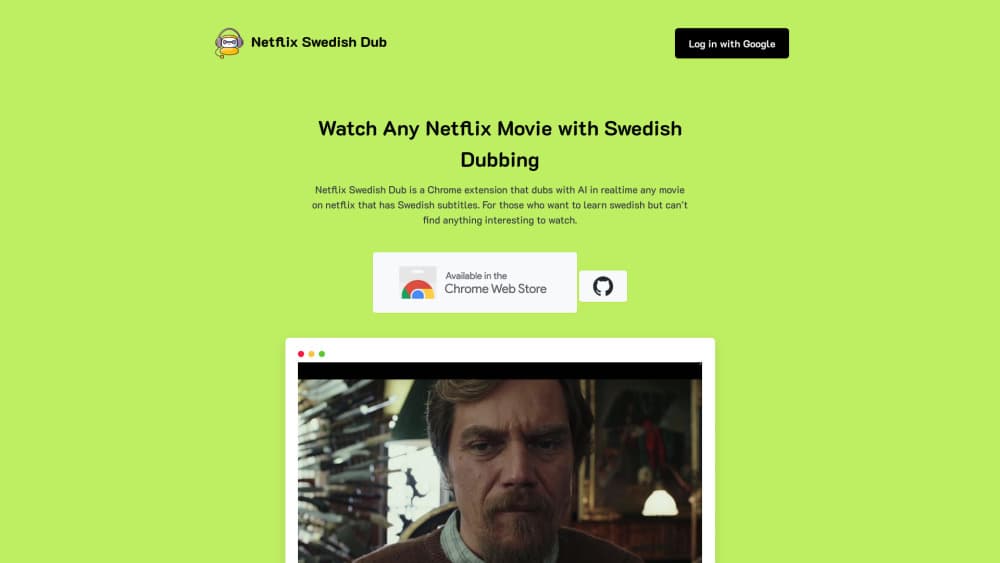
Netflix Swedish Dub is a Chrome extension that turns Swedish subtitles into Swedish speech in real time, adding Swedish audio to thousands of Netflix titles.
About Netflix Swedish Dub
What Is Netflix Swedish Dub
Netflix Swedish Dub is a Chrome extension for people learning Swedish who keep running out of things to watch. The project's own site puts the number of Netflix titles with an official Swedish dub at around 30, and many of those are children's shows. The Swedish dubbing extension aims at a much larger pool by taking the Swedish subtitles that already sit on a title and speaking them out loud. For anyone who wants to learn Swedish on Netflix without hunting for the dubbed shelf, that changes what the library looks like.
It works on top of the Netflix web player, so your subscription and the catalogue you see stay exactly the same. You switch subtitles to Swedish, the extension picks up each line as it appears, and a text to speech voice reads it while the original audio keeps playing quietly underneath. Timing comes from the subtitles themselves, which is why the speech lands on the right shot without any manual syncing.
This is a small independent project, not a Netflix feature. One developer maintains it, the Chrome Web Store listing shows a few dozen users, and the latest release, version 2.0.0, was published in January 2025. The AI dubbing runs on a text to speech engine, so the voice sounds closer to a narration track than to a cast recording. Any title without Swedish subtitles stays out of reach.
Getting Started
- Install the extension from the Chrome Web Store and open Netflix in that same browser.
- Play a title and switch the subtitles to Swedish.
- Drop the Netflix volume to roughly 25%, then reload the page. The reload matters, since the player has to start with the extension already attached.
- Press play. The extension fetches one voice line per subtitle and stops talking when you pause the video.
- Sign in with Google on the extension's site to keep your account and usage in one place, and to upgrade when you want more than the free tier.
Product Information
A quick look at Netflix Swedish Dub's pricing, supported platforms, and performance.
Best for
The users, tasks, and scenarios where this tool fits best.
Users
- Swedish learners who read subtitles faster than they can follow speech
- Expats and heritage speakers who want Swedish in the room
- Parents looking for more Swedish audio for kids
- Language teachers who need short listening clips
Tasks
- Listening practice with content you would watch anyway
- Shadowing and pronunciation work
- Getting through Swedish crime dramas without reading every line
- Checking how a phrase sounds out loud
- Swedish language learning at home without a tutor
Scenarios
- Evening viewing on a laptop with headphones
- Study sessions where you want subtitles and audio at once
- Testing whether a title fits your level before committing to a season
Key features
Real Time Speech From Subtitles
The extension watches the subtitle track and requests a voice line as each subtitle appears, so real time dubbing stays continuous instead of stopping to buffer. Speech starts within the same breath as the line on screen. In practice that means you can watch an episode start to finish without touching anything.
Coverage Beyond the Dubbed Catalogue
Any title with Swedish subtitles becomes a candidate, which the project counts as more than 3,500 titles against roughly 30 official dubs. That gap is the whole reason the tool exists. Titles with no Swedish subtitle track simply do not trigger it.
Original Audio Kept in the Mix
You lower the Netflix volume rather than mute it, so the original performance stays audible under the Swedish voice. That helps when the generated voice drifts off timing, since you still hear the scene. It also means the mix is your job, not the extension's.
No Local Setup on the Hosted Version
Installing from the Chrome Web Store skips the Google Cloud account that the source route requires. Sign in with Google and the extension is ready. People who want nothing to do with accounts can still build it themselves.
Self Hosting and Source Access
The client source sits on GitHub under an open repository, and the README documents the full path: install dependencies, create a Google Cloud text to speech token, paste it into the source, build, and load the unpacked folder in Chrome. That route costs whatever your own Google Cloud usage costs.
Google Sign In With a Paid Upgrade
Accounts run through Google sign in, and the account page carries an upgrade at 39 SEK alongside subscription management. The free tier is enough to judge voice quality on a couple of episodes before you decide.
Pros and cons
Pros
- Turns thousands of subtitled titles into Swedish listening material, far past the small official dub catalogue.
- Runs inside the Netflix web player with no change to your subscription or region settings.
- The hosted install takes about a minute and needs no cloud account.
- Source code and build steps are published, so the whole pipeline can be run and inspected.
- Original audio stays in the mix, which softens timing errors and keeps the scene readable.
Cons
- Swedish subtitles are the hard requirement, so a large part of the catalogue stays silent in Swedish.
- Desktop Chrome only. No phone app, no TV app, and nothing for Safari or Firefox users.
- One synthetic voice reads every character, so a two person dialogue sounds like one narrator.
- A one person project with a small user base, which makes long term support uncertain.
Frequently asked questions
It is a Chrome extension that reads the Swedish subtitle track on a Netflix title and speaks those lines in Swedish while the video plays. It adds Swedish audio to titles that never got an official dub.
Related content
Explore related tools, skills, and articles for Netflix Swedish Dub.
Netflix Swedish Dub Alternatives

Claude for Google Workspace
Anthropic · Writing · Productivity · BusinessClaude for Google Workspace puts Claude in a sidebar inside Google Docs, Sheets, and Slides, where it reads the file you have open and edits it in place.

Claude Haiku 5.5
Anthropic · Writing · Coding · ChatbotClaude Haiku 5.5 is Anthropic's fastest and cheapest small model, built for high volume tasks at $0.10 per million input tokens with a 1M token context window.

NoteWorthy
Suman Hansada · Writing · Productivity · AI AssistantNoteWorthy is a notes app for iPhone, iPad and Mac that writes titles, tidies formatting, summarizes long notes and files each one with on-device AI. No account, no upload, no network requests.