

Netus AI
JFreaks Software Solutions · Writing · AI Detection · Chatbot
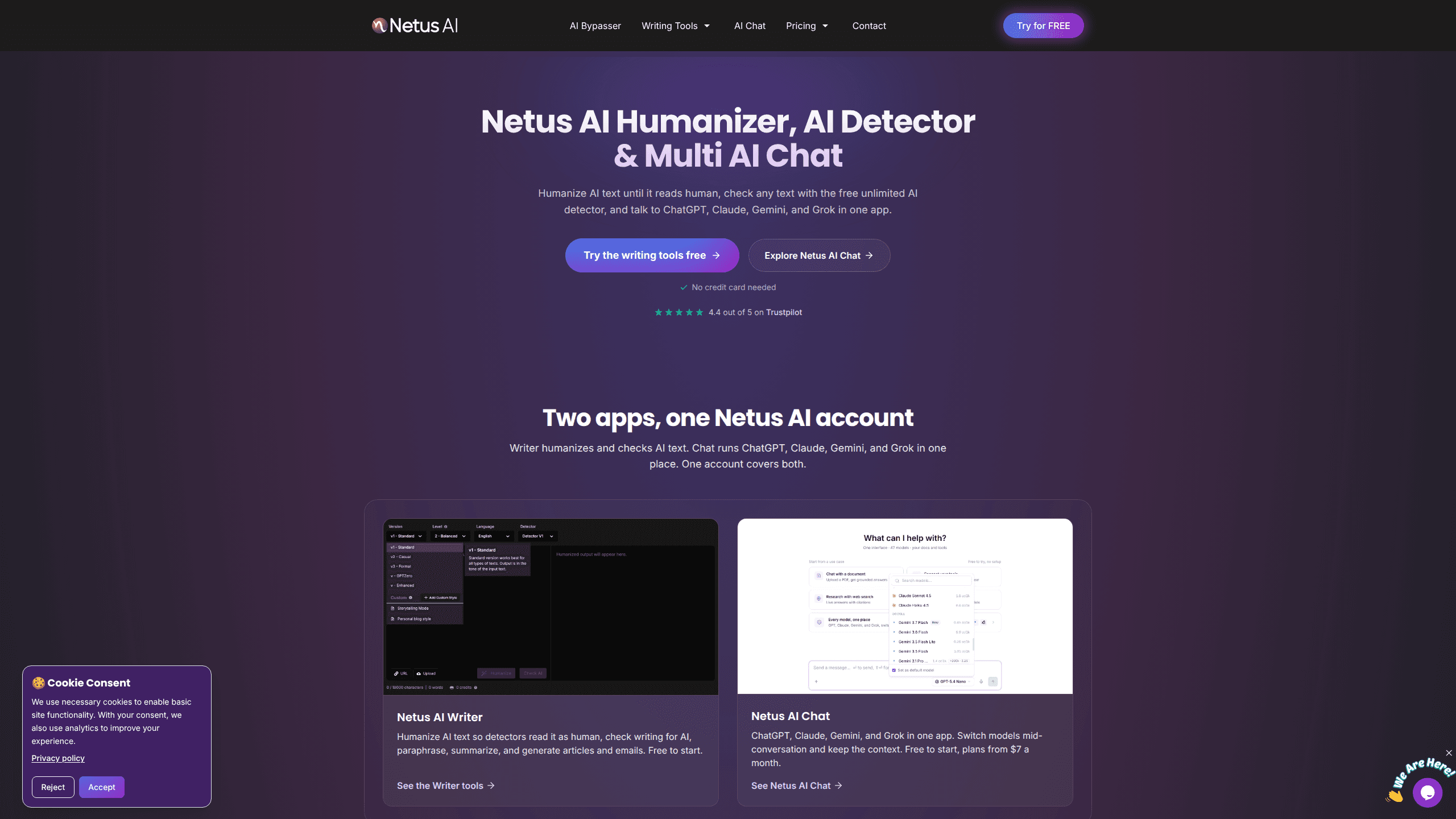
Netus AI is a writing and chat platform with two tools under one account. Its Writer side rewrites AI text so detectors read it as human and checks any draft with a free, unlimited AI detector. Its Chat side runs ChatGPT, Claude, Gemini, and Grok in a single interface, so you switch models mid-conversation without losing context. You can start on both without a credit card.
About Netus AI
What Is Netus AI
Netus AI is a web-based AI writing platform built around one problem: text that sounds like a machine. The Writer tools humanize AI drafts, paraphrase in a chosen tone, summarize long documents, and generate articles, emails, and slogans. A built-in detector then shows you whether the result still reads as AI, so you can fix flagged lines before you publish or submit.
The second half of the product is Netus AI Chat. Instead of paying separate monthly bills to OpenAI, Anthropic, Google, and xAI, you pay one subscription and reach all of them, plus DeepSeek, Kimi, and MiniMax, from a single login where every model shows its credit rate before you send. The same shared balance can also drive an AI image generator with 13 different image models.
The main limit is scope. This is a browser product, not a mobile app, so there's nothing to install on a phone. The humanizer also can't promise a perfect score on every detector out there. It's tuned to pass the common ones. Results still vary by text, language, and how the detector was trained.
Getting Started
- Create a free account at netus.ai. No card is required, and the free plan starts with 50 credits a month.
- Pick a tool. Use the AI Bypasser to humanize a draft, the AI Detector to scan existing text, or open AI Chat to talk to a model.
- Paste your text, upload a file, or point the tool at a URL. For the bypasser, choose a tone such as Standard, Casual, or Formal, and freeze any words you don't want changed.
- Run the built-in detector on the output to confirm which lines still look AI, then revise until the text reads clean.
- Upgrade to a paid plan or add a Chat subscription when you need higher monthly word limits or model access.
Product Information
A quick look at Netus AI's pricing, supported platforms, and performance.
Best for
The users, tasks, and scenarios where this tool fits best.
Users
- Writers and bloggers
- Students
- SEO and marketing teams
- Anyone juggling AI subscriptions
Tasks
- Humanizing AI drafts
- Checking text for AI
- Paraphrasing in a set tone
- Summarizing long documents
- Comparing model answers
Scenarios
- Rewriting a blog post that a detector flagged before you hit publish.
- Reworking a cover letter or email so it sounds less templated.
- Checking a client's submitted article for AI traces before you accept it.
- Testing which model gives the best answer for a task without paying for each provider separately.
- Keeping a shared content workflow where a team drafts, humanizes, and checks text in one place.
Key features
AI Humanizer (Bypasser)
The bypasser rewrites AI text the way a person would phrase it, rather than swapping a few synonyms. Detectors read sentence structure and word patterns, not just vocabulary. Light edits rarely fool them. That's the whole point of the tool: it chases undetectable AI text, not just cleaner wording. You can pick a tone, freeze words you want kept, and reuse a saved sample of your own writing so the output matches your style.
Free Unlimited AI Detector
The AI detector has no usage cap on any plan, including the free one. You paste text, upload a file, or point it at a URL. It marks every sentence in color: red for AI, green for human, yellow when it's unsure. That line-by-line view beats a single overall score, because it tells you what to fix. Why does that matter? A lone percentage tells you a draft is flagged but not where. The colored map shows you the exact lines to rewrite, which saves you from guessing which parts of a long document set off the detector in the first place.
Multi-Model AI Chat
Netus AI Chat runs models from OpenAI, Anthropic, Google, xAI, DeepSeek, Kimi, and MiniMax in one interface. You can switch models mid-conversation and keep the context. No restart. No lost thread. So you don't have to commit to one model before you start writing.
Transparent Per-Model Rates
Every model shows its rate in credits per 1,000 tokens before you send a message. Credits cover your message and the reply together. No flat per-message fee. A quick question on a small model costs a fraction of a long answer from a frontier model.
36-Language Support
The Writer tools handle 36 languages, including Spanish, Arabic, and Indonesian. That range matters if you're humanizing or checking text that isn't in English. Detector behavior and phrasing differ across languages.
Built-In Paraphraser and Summarizer
The built-in paraphrasing tool rewrites text in the tone you choose while keeping the meaning, and it works on essays, articles, and web pages. The summarizer compresses articles, papers, and reports into summaries you can size yourself. Both sit alongside the bypasser in the same workspace.
Extra Writing Tools
Beyond the headline tools, Netus AI includes an SEO article generator, a keyword extractor, a title generator, a slogan generator, and an email writer, which together cover the small writing tasks that tend to pile up around a larger piece of content.
Team Workspaces
Teams can share one plan, with credits and free web searches pooled across seats. Prices are per seat with a two-seat minimum. The shared balance runs every model in the workspace. That setup fits a marketing or content team working from one budget.
Pros and cons
Pros
- The AI detector is free and unlimited on every tier, so you can check text as often as you want.
- One account covers both a writing toolset and multi-model chat, which cuts down on separate subscriptions.
- Per-model credit rates are published up front, so you know roughly what a message costs before sending.
- The bypasser rewrites whole passages rather than swapping words, which is what actually trips detectors.
- Support for 36 languages extends the tools beyond English-only writing.
Cons
- It's a web-only product. There's no mobile app, so phone-based work means using a browser.
- No pass rate is guaranteed. Results vary by text, language, and how a given detector was trained. You still need to check output yourself.
- The humanizer and paraphrasing features limit free and entry plans to a few hundred words a month. That runs out fast on longer projects.
- API availability isn't stated on the site. Developers can't confirm programmatic access from the official pages.
Frequently asked questions
It's used for two jobs: making AI-written text read as human and checking text for AI traces, plus chatting with several major AI models from one place. Writers, students, and marketing teams use it to clean up drafts and compare model answers without multiple subscriptions.
Related content
Explore related tools, skills, and articles for Netus AI.
Netus AI Alternatives

Claude for Google Workspace
Anthropic · Writing · Productivity · BusinessClaude for Google Workspace puts Claude in a sidebar inside Google Docs, Sheets, and Slides, where it reads the file you have open and edits it in place.

Claude Haiku 5.5
Anthropic · Writing · Coding · ChatbotClaude Haiku 5.5 is Anthropic's fastest and cheapest small model, built for high volume tasks at $0.10 per million input tokens with a 1M token context window.

NoteWorthy
Suman Hansada · Writing · Productivity · AI AssistantNoteWorthy is a notes app for iPhone, iPad and Mac that writes titles, tidies formatting, summarizes long notes and files each one with on-device AI. No account, no upload, no network requests.