

Neural Writer
NeuralWriter · Writing
Neural Writer is a free AI paraphrasing tool that rewrites, translates, and summarizes text in 30+ languages without sign-up.
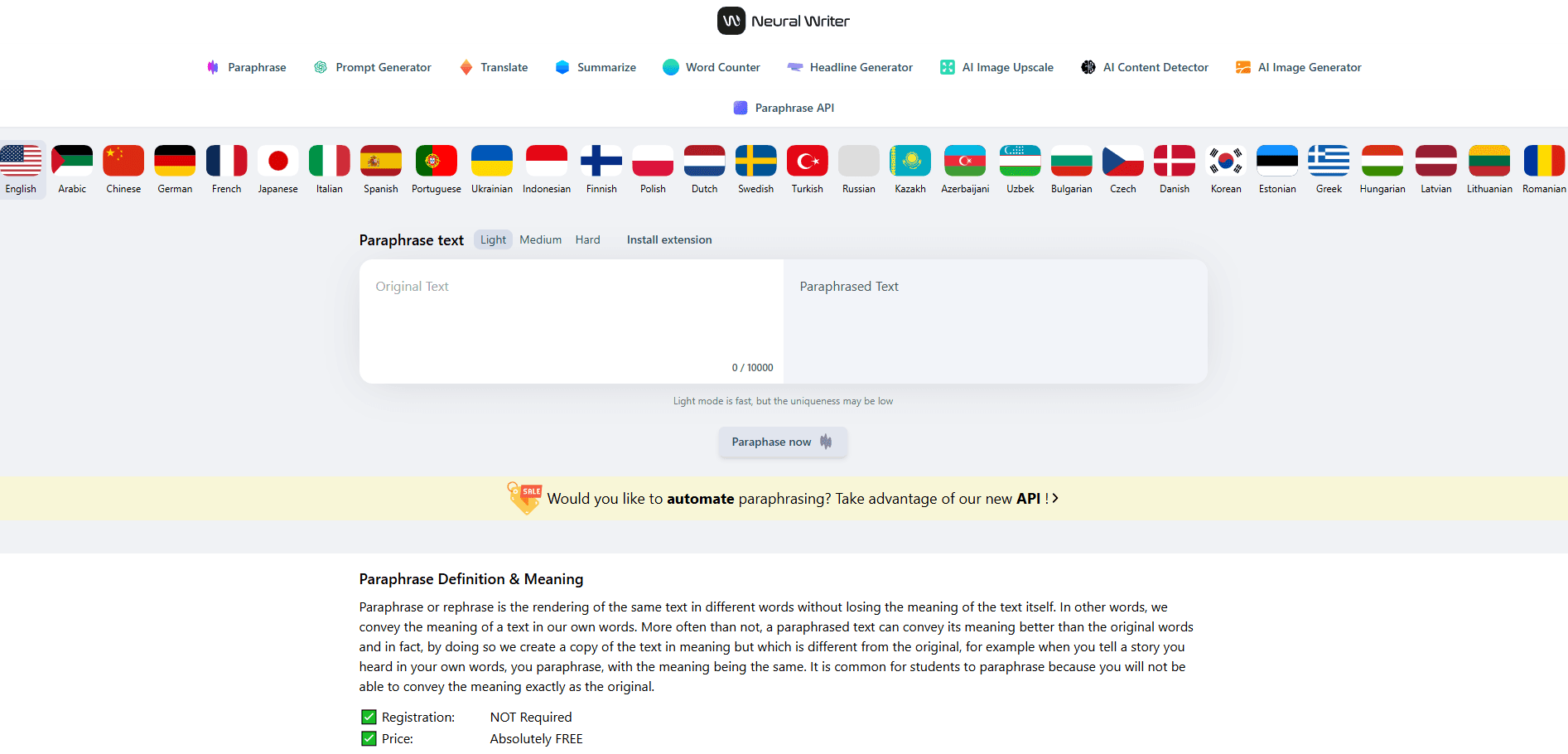
About Neural Writer
What Is Neural Writer
Neural Writer is an online paraphrasing tool built for anyone who needs to rewrite text and keep its meaning intact. Instead of swapping words for synonyms like older spinners, it reads a whole paragraph and rebuilds each sentence. The result reads naturally and holds up against plagiarism checks. For anyone weighing AI text rewriting against a basic word spinner, that's the difference.
The toolkit goes beyond rewriting. The same site hosts a prompt generator, a translator, a summarizer, and an AI content detector, which makes it a practical stop for students, bloggers, and content teams who move between tasks in one sitting. Everything runs in the browser, so nothing needs installing. You paste text, pick a mode, and go.
The catch is depth. Neural Writer is a convenience tool, not a document editor. It works on text you paste in, capped at 10,000 characters per run, and it won't manage projects, cite sources, or keep any history of what you've already processed, which becomes a real limitation once your workload grows past quick one-off rewrites.
Getting Started
- Open neuralwriter.com in any browser; there's no account to create.
- Paste your text into the input box, up to 10,000 characters.
- Pick one of the three AI modes based on how much the wording should change.
- Hit the paraphrase button and wait a moment for the rewritten output.
- Copy the result, or run it through the built-in detector to check it before you publish.
Product Information
A quick look at Neural Writer's pricing, supported platforms, and performance.
Best for
The users, tasks, and scenarios where this tool fits best.
Users
- Students
- Bloggers and content writers
- Non-native English speakers
Tasks
- Rewriting paragraphs to sound more natural
- Summarizing long articles
- Translating short passages
Scenarios
- Tightening an essay the night before a deadline
- Repurposing a blog post for a different audience
- Checking whether a draft reads as machine-written
Key features
Three AI Rewriting Modes
Neural Writer offers three distinct modes rather than one blunt rewriter. The Light mode is the fastest and pushes for speed, but the site itself warns that uniqueness may be lower. That trade-off matters when you need a quick pass versus a thorough rewrite, so pick based on how much the text needs to change.
10,000-Character Limit Per Run
Most free rewriters cut you off after a few hundred words. Neural Writer handles up to 10,000 characters in a single pass, which covers a full blog section or a short essay without forcing you to split the work into awkward pieces. For anything longer, you'll paste it in chunks and stitch the results together yourself.
30+ Language Support
The rewriter works across 30+ languages, so you can polish text in English, Chinese, Spanish, and more without switching tools. The translator sits alongside it, which makes the site useful when you're drafting in one language and publishing in another, and it saves the copy-paste dance between two browser windows. Speed matters here.
Built-In Summarizer and Translator
Two separate tools share the same workspace. The summarizer shortens long text before you rewrite it, and the translator moves content between languages. Having them together saves a tab and a login when you're working through a mixed-language project.
AI Content Detector (humanize AI text)
The site includes a detector that flags text as AI-generated or human-written. It's a helpful gut check before publishing. No detector is perfect. Treat the result as one signal, not a verdict.
Prompt Generator and Headline Tool
Alongside the core rewriter, Neural Writer offers a prompt generator and a headline generator. These are smaller add-ons, but they round out the toolkit for writers who plan content and want ideas before drafting.
Paraphrase API
The site lists a paraphrase API for developers who want to roll rewriting into their own apps. That pushes Neural Writer beyond a browser toy for teams that need it wired into a workflow.
Pros and cons
Pros
- Completely free with no sign-up, so there's no wall before you try it.
- Handles up to 10,000 characters in one pass, well above most free rewriters.
- Three rewriting modes let you dial the intensity up or down.
- Extras like the summarizer, translator, and AI detector live on the same site.
- A Chrome extension makes it available without leaving the page you're reading.
Cons
- The 10,000-character cap means long documents need to be split into chunks.
- No account or project history, so there's nothing saved between sessions.
- The site warns that Light mode may produce lower uniqueness, which limits the fast option.
- No built-in editor, so you copy text out to keep or format it.
Frequently asked questions
Yes. The paraphrasing tool runs at no cost and doesn't ask you to register. The site advertises itself as free with no fees, and there's no paid tier listed for the core rewriter.
Related content
Explore related tools, skills, and articles for Neural Writer.
Neural Writer Alternatives

Google EmbeddingGemma 2
Google DeepMind · Writing · Image · CodingGoogle EmbeddingGemma 2 is a 740M-parameter open model that turns text, code, images, audio, and video frames into vectors in one 768-dimension space, running on phones and laptops.

MePersona
MePersona, Inc. · Writing · Productivity · MarketingMePersona is an AI unified inbox for creators. It learns your voice, drafts replies to fan messages from 12 platforms, and sends only what you approve.

Fluence
Yay Software (Yannick Huchard) · Writing · Voice & Language · ProductivityFluence is an Android app that reads PDFs, EPUBs, Word files and web articles aloud, follows each sentence as it speaks, and answers questions about the text on the phone itself.