

NeuralSide
Nikuson · Other
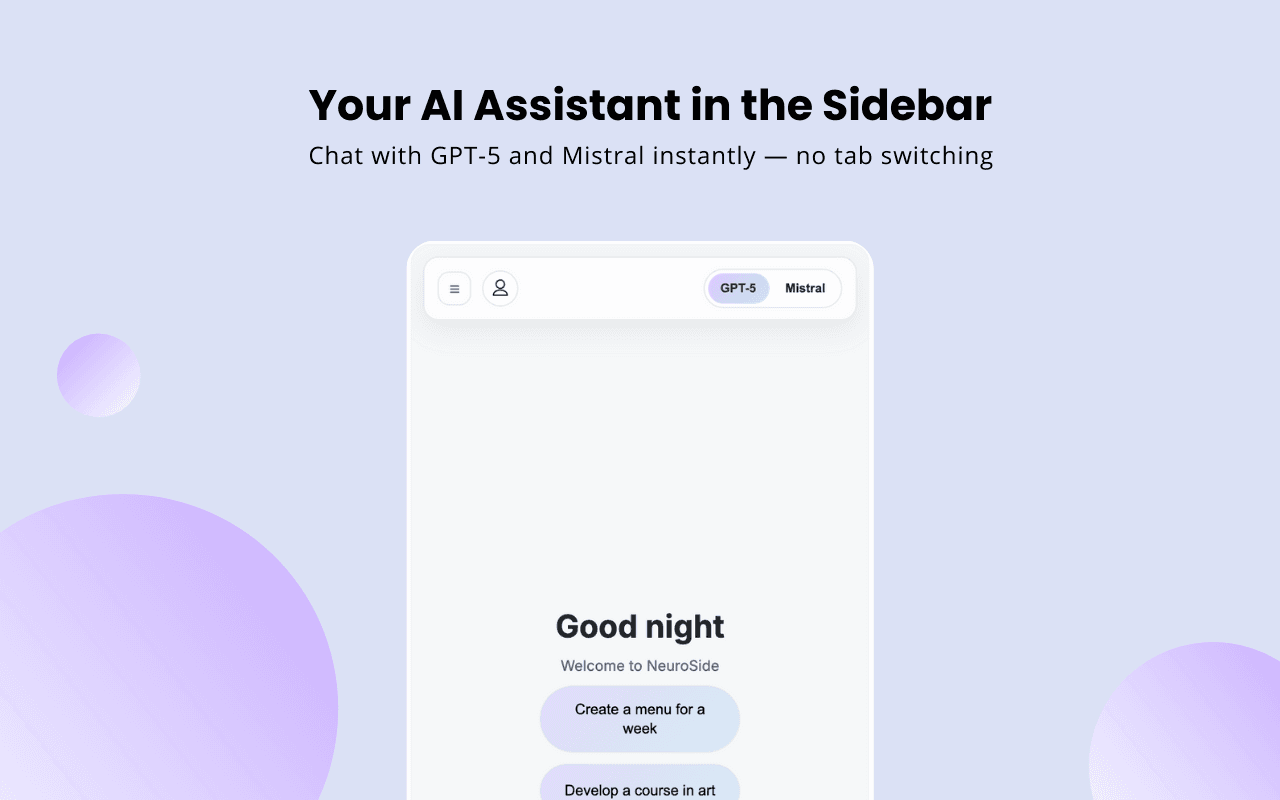
NeuralSide is a Chrome extension that docks GPT-5 and Mistral in your browser sidebar. You chat, write, code and generate images without switching tabs, and it's free to use.
About NeuralSide
What Is NeuralSide
NeuralSide is a browser extension that lives in Chrome's side panel. The idea is simple: instead of opening a new tab every time you want AI help, you keep a compact assistant next to whatever page you're on. It runs on GPT-5 and Mistral, so you get two different models to pick from without paying a subscription.
Developer Nikuson built it for people who lose focus jumping between a page and a separate AI tab. You click the sidebar, type your question, and the answer appears beside your work. It handles writing, code, translation and general questions, and it can also generate images from a text prompt.
The catch is that "free" here comes with limits. Image generation is capped at 10 per day, and the whole thing only runs in Chrome. There's no Firefox or Safari version, and the current build leans on third-party services (Pollinations AI for responses, Supabase for accounts) rather than its own models. If you need heavy daily image output or work outside Chrome, that matters.
Getting Started
- Open the Chrome Web Store listing and click "Add to Chrome."
- Click the NeuralSide icon to open the sidebar, or right-click any page and pick it from the menu.
- Pick GPT-5 or Mistral from the model selector.
- Type a prompt for writing, code, translation or a general question.
- For visuals, hit the button left of the input field to generate an image from your text.
Product Information
A quick look at NeuralSide's pricing, supported platforms, and performance.
Best for
The users, tasks, and scenarios where this tool fits best.
Users
- Students and researchers
- Writers and editors
- Developers
Tasks
- Quick writing and rewriting
- Coding help and debugging
- Reading and research
- Image generation
Scenarios
- Working through a long reading session
- Drafting on a deadline
- Comparing models on one task
Key features
Dual Model Access
NeuralSide runs on both GPT-5 and Mistral, and you switch between them from a dropdown. Testing one prompt against two models is useful when you want a second opinion on wording or a code fix. Most sidebar tools lock you into a single model or a paid tier.
Sidebar That Opens Anywhere
The assistant lives in Chrome's side panel, so it stays visible while you read, write or scroll. You can open it from the toolbar icon or a right-click menu on any page. The point is keeping AI within arm's reach instead of in a separate tab.
Image Generation
A button to the left of the input box turns a text description into an image. It's a bonus on top of the chat features rather than the main draw. The free allowance is 10 images per day, so it suits occasional use, not a production pipeline.
Writing and Editing Help
You can create, rewrite and improve text without leaving the page. That covers everything from tweaking an email to expanding a rough paragraph. Because it sits next to your draft, you copy less back and forth.
Code Assistant
Ask NeuralSide to write, explain or debug code, and it responds inside the sidebar. It's built for the small loops, like working out why a snippet fails or what a function does. It won't replace a full editor, but it saves a tab-switch.
Local Chat History
Your conversations and preferences are stored locally through Chrome's storage API. Account access uses OTP verification, and the developer says no actual passwords are kept. Responses are processed by third-party services, so chat content does leave your device while a request runs.
Pros and cons
Pros
- Free access to GPT-5 and Mistral with no subscription.
- Runs in Chrome's sidebar, so there's no tab-switching.
- Builds in image generation from text prompts.
- Chat history stays local, and accounts use OTP instead of passwords.
- Covers writing, coding, translation and general questions in one panel.
Cons
- Chrome only, with no Firefox or Safari build.
- Image generation is capped at 10 per day.
- No API, so you can't wire it into other apps.
- Answers rely on third-party services, which means chat content is processed off your device.
- No cloud sync yet, so history doesn't carry across devices.
Frequently asked questions
It's a Chrome extension that places an AI assistant in the browser sidebar. You use it to chat, write, code and generate images beside whatever page you're on.
Related content
Explore related tools, skills, and articles for NeuralSide.
NeuralSide Alternatives

Odyssey 3
Odyssey · OtherOdyssey-3 is Odyssey's foundation world model. It simulates physics in real time, turns a prompt into an interactive environment, and adapts to robots, cars and games.

JarvisCore
Prescott Data · Coding · Productivity · OtherJarvisCore is an open source Python runtime where AI agents work as equal peers on an agent mesh, claim tasks from a shared ledger, and reach external services through a zero-trust broker.
Clef
Cloudflare · Business · OtherClef is Cloudflare's open-source decision model for Workers AI. It returns calibrated probabilities for typed questions, not generated text, so agents can classify, route, and act fast.