

Neurooo
Neurooo · Writing
Neurooo is a web based AI translation tool covering 100+ languages, with selectable models, formal and informal tone control, and a DeepL compatible API for teams and translators.
About Neurooo
What Is Neurooo
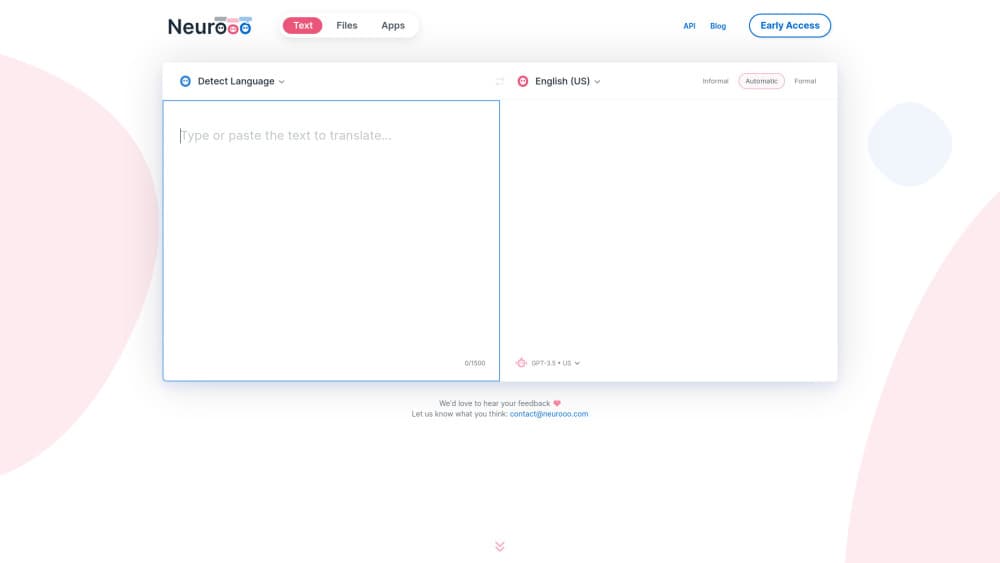
Neurooo is an online machine translation service built by a small European team. You can translate text online in the browser: paste a passage, pick a source and target language, and get a translation from a generalist AI model instead of a system trained only on parallel text. The default engine is GPT-4o mini, and paid users can switch to premium models from OpenAI, Anthropic, and DeepSeek.
The product is aimed at people who work in more than one language every day. Freelance translators use it for a first draft, support staff use it to answer customers abroad, and marketing teams use it to localize a shop or a blog. The pitch is quality on ordinary, messy text. Slang, idioms, and badly written source material are where older engines tend to fall apart, and that's the gap Neurooo goes after.
Limits matter here too. There's no file upload yet, so long documents have to go in as text, and Pro caps a single translation at 10,000 characters, even with unlimited monthly usage. Desktop apps sit on the roadmap, not in the product.
Getting Started
- Create a free account with Google or an email address.
- Paste your text and choose the source and target languages. Leave the source blank if you want automatic language detection.
- Add context in the context field when a sentence could read two ways, such as "online shop selling shovels".
- Pick a formal or informal tone where the target language needs one, then run the translation.
- Click any word in the output to see alternative wordings, or open "Write and Improve" to fix the source text before you translate it.
Product Information
A quick look at Neurooo's pricing, supported platforms, and performance.
Best for
The users, tasks, and scenarios where this tool fits best.
Users
- Freelance translators
- Ecommerce and SEO teams
- In house teams at multilingual companies
Tasks
- Translating customer emails with the right register
- Handling multilingual localization work for product pages and blog posts
- Cleaning up a rough source text before translation
- Wiring translation into a site or app
Scenarios
- A customer writes in French slang and the reply has to sound natural in English
- A small shop opens a storefront in a new European market
- A translator is editing a machine draft under a deadline
Key features
Model Choice Beyond a Single Engine
Neurooo doesn't lock you to one translation engine. The free plan runs on basic models, and Pro unlocks premium options including Claude Sonnet 4.5, Claude Haiku 4.5, and DeepSeek models alongside OpenAI's GPT-4o family. Different models suit different language pairs, so being able to switch mid project is more useful than a single fixed engine.
Context Field That Changes the Reading
A short context note tells the model what the text is about before it starts. That matters for sentences with two plausible readings, like a delivery message for a shop that sells shovels. The same source line becomes a joke in one context and a literal instruction in another, and the context field is how you steer it.
Idioms and Sloppy Source Text
Idioms are the classic failure case for machine translation, and Neurooo handles them by translating meaning rather than words. It also copes with source text that has typos, missing accents, or no punctuation, which is what most real emails look like. You get a clean target text even when the input was written in a hurry.
Formal and Informal Tone
One click sets the register of the output. French gets tu or vous, and other languages get their equivalent. This is a paid feature on several competing services, and here it's part of the standard tool, which makes it practical for customer facing work where the wrong register reads as rude.
Click to Swap Words and Phrases
Click a word or phrase in the translation and Neurooo shows alternatives with slightly different shades of meaning. Pick one and it replaces the text in place. It's a light editing layer rather than a full translation memory, and it's the feature working translators tend to use most.
Translation API with DeepL Compatibility
The translation API takes the same request format as DeepL and Google Translate, so switching is mostly a URL change. You choose an EU or US region for data handling, and a separate endpoint handles language detection. Billing runs on monthly usage with no commitment, and there's a free allowance to test with.
Pros and cons
Pros
- Idiom handling is noticeably better than word level engines, which cuts the editing time on colloquial text.
- The tone switch solves a real problem for customer emails, and it's included rather than sold as an add-on.
- Pro costs €6.99 per month, or €5.99 per month on yearly billing, with unlimited usage and no data stored.
- The free plan is genuinely usable for short texts, so you can judge quality before paying.
- API compatibility with DeepL and Google Translate means an existing integration can switch with minimal code changes.
Cons
- There's no file translation yet, so contracts, subtitles, and spreadsheets have to be split and pasted by hand.
- A single translation stops at 10,000 characters on Pro, which is short for a long article or a legal document.
- It runs in the browser only. No desktop app, mobile app, or browser extension is available today.
- The free plan stores data for 30 days for debugging and adds a clipboard watermark, so confidential text needs the paid plan.
Frequently asked questions
Neurooo is an AI translation tool that runs on generalist language models instead of a purpose built translation engine. You paste text in the browser, choose a language pair, and get a translation you can edit word by word.
Related content
Explore related tools, skills, and articles for Neurooo.
Neurooo Alternatives

Google EmbeddingGemma 2
Google DeepMind · Writing · Image · CodingGoogle EmbeddingGemma 2 is a 740M-parameter open model that turns text, code, images, audio, and video frames into vectors in one 768-dimension space, running on phones and laptops.

MePersona
MePersona, Inc. · Writing · Productivity · MarketingMePersona is an AI unified inbox for creators. It learns your voice, drafts replies to fan messages from 12 platforms, and sends only what you approve.

Fluence
Yay Software (Yannick Huchard) · Writing · Voice & Language · ProductivityFluence is an Android app that reads PDFs, EPUBs, Word files and web articles aloud, follows each sentence as it speaks, and answers questions about the text on the phone itself.