

Never Boring AI
Maxence Vroilant EI (SHFT) · Writing · Productivity · Marketing
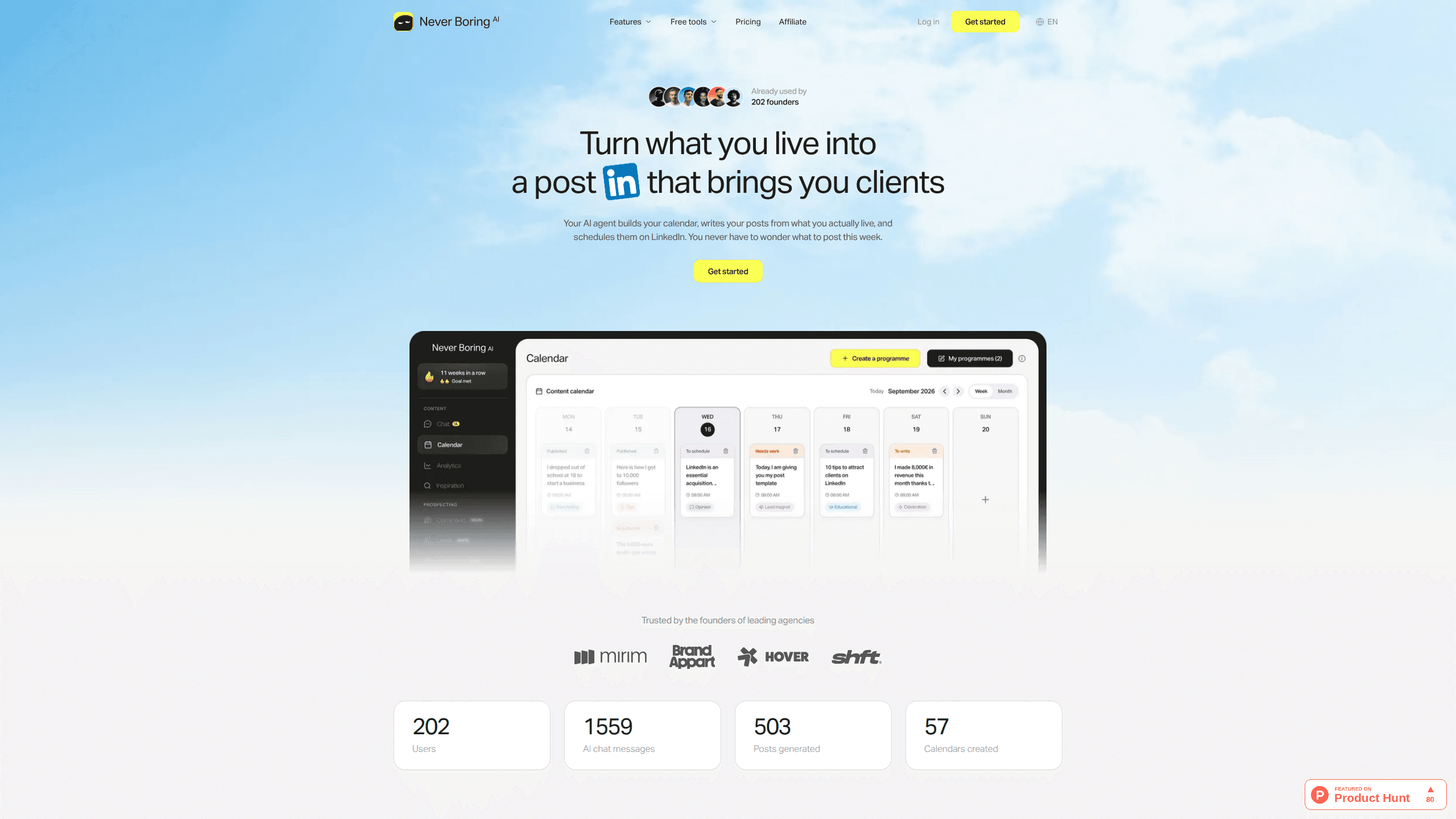
Never Boring AI is a LinkedIn AI agent that turns your week into a content calendar, writes posts from your real experience in your voice and publishes them for you.
About Never Boring AI
What Is Never Boring AI
Never Boring AI is a web app for people who sell through LinkedIn and run out of time to post. You tell the agent what your week looked like, which clients you met and what stuck with you. It turns that material into an editorial programme, drafts the posts, and schedules them on your profile.
The difference from a plain LinkedIn post generator sits in the memory. The agent keeps your anecdotes, your numbers and the phrases you actually use, then draws on them weeks later when a topic fits. Every edit you make teaches it something about your tone. After a month, the drafts start to sound like the person who hired it, not like a model asked to write about leadership.
Nothing goes live without your approval. You read each draft in a LinkedIn preview, change a sentence or the hook, then approve the date and time. Publishing can run automatically from your account, first comment included, or you can keep it manual and post yourself.
The scope is narrow on purpose. It covers LinkedIn only, it works from what you tell it, and it will not research your market or run outreach. A quiet input week produces thinner posts, and the Starter plan caps you at 15 posts and 100 agent messages a month.
Getting Started
- Create an account at neverboring.ai. No credit card is needed for the trial, which reads your LinkedIn profile and asks a short set of questions.
- Talk to the agent about your week: a client call, a launch, a problem you solved, a number that surprised you. Plain language is enough.
- Review the calendar it builds for the month, then open the first drafts and edit anything that does not sound like you.
- Approve each post, pick the day and time, and let the agent publish from your LinkedIn account with the first comment attached.
- Check views, followers and post performance in the analytics tab, then tell the agent what worked before the next calendar.
Product Information
A quick look at Never Boring AI's pricing, supported platforms, and performance.
Best for
The users, tasks, and scenarios where this tool fits best.
Users
- Solo founders
- Freelance consultants and coaches
- Small agency owners and designers
Tasks
- Weekly post drafting
- Turning client calls into content
- Keeping a posting rhythm
- Publishing with a first comment
- Checking what lands
Scenarios
- A week swallowed by delivery work
- A profile that went quiet for months
- Testing LinkedIn before hiring a ghostwriter
Key features
An editorial calendar that plans the month
The agent turns a conversation about your work into a programme with themes, angles and dates. You see the whole month at once and can move a post or drop one before a single word is written. On Starter you get one programme at a time, on Creator three. For anyone who has stared at an empty LinkedIn box on a Sunday night, the calendar is the feature that changes the habit.
Posts built from your own anecdotes
Never Boring AI keeps a memory of the stories you tell it: the difficult client, the launch that slipped, the number you did not expect. When it drafts, it reaches for that material instead of producing generic advice about leadership. The result reads like a founder describing a real week, which is the kind of post LinkedIn users still stop to read.
A voice that learns from your edits
Every rewrite is a signal. Change a hook, cut a paragraph, add a phrase you use in meetings, and the agent adjusts the next draft. This is why the tenth post usually needs less work than the first. The learning is gradual and it depends on you editing rather than accepting whatever appears.
Automatic publishing with the first comment
Once your LinkedIn account is connected, you choose a day and a time and the agent publishes from your profile. It can add the first comment at the same moment, which keeps links and extra context out of the main post. You can also leave publishing manual and keep the final click for yourself.
A LinkedIn MCP server for Claude, ChatGPT and Cursor
The MCP access plugs your calendar into an assistant you already use. You paste a server address, approve access on a consent screen, and then ask for a post in plain language. Claude, ChatGPT, Cursor, VS Code and Windsurf are supported. Nineteen actions cover reading posts, creating drafts, editing, scheduling, deleting and publishing. Creating or editing through MCP does not consume your monthly generation quota, and a daily publishing cap limits what a mistaken request can do.
LinkedIn analytics and comments in your voice
The analytics view reports views, followers and post performance without turning into a dashboard you need a course to read. On Creator, the agent also writes comments in your tone, which matters if you want conversations rather than one-way broadcasting. You still decide which posts deserve a comment.
Pros and cons
Pros
- The calendar solves the real bottleneck for most solo operators, which is deciding what to say each week.
- Drafts come from your own stories, so the output avoids the polished, interchangeable tone of generic LinkedIn automation.
- The approval step keeps you in control, and manual publishing remains available if you want the final click.
- MCP access lets you write inside Claude or ChatGPT and still land the result in a scheduled calendar.
- Pricing is clear, monthly, and cancellable, with EU hosting and GDPR terms stated on the site.
Cons
- LinkedIn is the only channel, so teams that also publish to X or a newsletter need another tool.
- Monthly limits are tight at the low end: 15 posts and 100 messages on Starter, 30 posts and 300 messages on Creator.
- Early drafts need editing, and the agent only improves if you take the time to correct them.
- There is no free plan, only a trial that is offered once per LinkedIn account.
Frequently asked questions
It builds a LinkedIn content calendar from your real work, writes the posts in your voice, and publishes them on a schedule you approve. You talk to it about your week, then review drafts before anything goes out.
Related content
Explore related tools, skills, and articles for Never Boring AI.
Never Boring AI Alternatives

Google EmbeddingGemma 2
Google DeepMind · Writing · Image · CodingGoogle EmbeddingGemma 2 is a 740M-parameter open model that turns text, code, images, audio, and video frames into vectors in one 768-dimension space, running on phones and laptops.

MePersona
MePersona, Inc. · Writing · Productivity · MarketingMePersona is an AI unified inbox for creators. It learns your voice, drafts replies to fan messages from 12 platforms, and sends only what you approve.

Fluence
Yay Software (Yannick Huchard) · Writing · Voice & Language · ProductivityFluence is an Android app that reads PDFs, EPUBs, Word files and web articles aloud, follows each sentence as it speaks, and answers questions about the text on the phone itself.