

Never lose your work again
Checkpoints · Coding
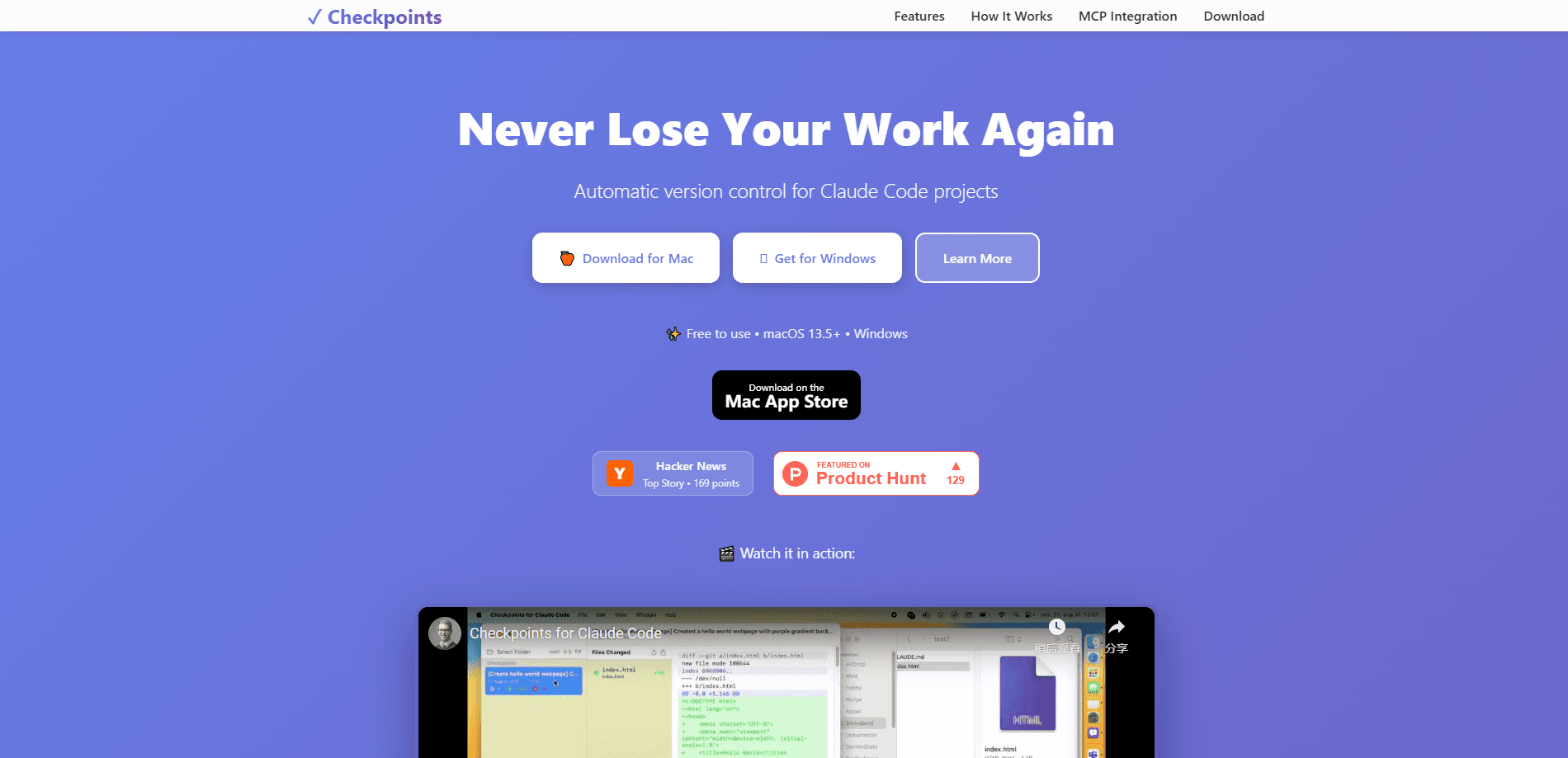
Checkpoints for Claude Code is a free desktop app that watches your project, saves automatic checkpoints as Claude Code works, and restores any earlier state in one click.
About Never lose your work again
What Is Checkpoints for Claude Code
Checkpoints for Claude Code is a safety net for people who let an AI agent edit their files. It sits on your machine, watches a project folder, and takes snapshots of the whole project as work moves along. When Claude Code finishes a task, the app records a checkpoint on its own. If the result is wrong, you jump back to where things still worked.
The problem it solves is specific. An AI agent can rewrite a dozen files in a minute, and one bad move can undo a day of steady progress. Git helps, but it only saves what you remembered to commit, and the agent's edits often land between commits. This app fills that gap by pointing at the folder itself, so nothing depends on a commit you forgot to make.
A few limits are worth knowing. It's built around Claude Code and Claude Desktop, so it's not a general backup tool for any project you own. It runs on macOS 13.5 and up, plus Windows, with no Linux build listed. Checkpoints live as full project copies on your disk, which can add up on large repositories.
Getting Started
- Download the app from the maker's site or the Mac App Store and install it.
- Open it and point the app at the project folder you want to protect.
- Work with Claude Code as usual. File changes get tracked without any setup.
- Let a checkpoint save when a task completes, or take one yourself before a risky edit.
- Open the diff viewer or restore any earlier checkpoint if something goes wrong.
Product Information
A quick look at Never lose your work again's pricing, supported platforms, and performance.
Best for
The users, tasks, and scenarios where this tool fits best.
Users
- Developers who let Claude Code edit real projects
- Solo builders who skip regular commits
- Teams testing risky refactors
- Newcomers to AI coding tools who worry about breaking things
Tasks
- Rolling back a broken edit
- Comparing two project states
- Snapshotting before a risky move
- Recovering from an accidental deletion
Scenarios
- Letting an agent refactor a large codebase
- Trying a new library on a real project
- Handing work between sessions
- Cleaning up after a messy run
Key features
Automatic change detection
The app watches your whole project folder and picks up file changes as they happen, with no setup beyond choosing the folder. That's the part that makes it usable with an agent that edits constantly, since you never have to remember to save a state yourself. Detection runs in the background while you keep working.
One-click checkpoints
Each checkpoint captures the full set of project files and their contents, not just the names. You can take one on demand before a risky change, or let the app take them as tasks finish. Snapshots are self-contained, so a restore doesn't depend on anything else still being intact.
Visual diff viewer
A built-in viewer lines up two checkpoints and marks what's added, changed and removed. This is where you decide whether an agent's edits are worth keeping before you move on. Seeing the change set first is what keeps a rollback from being a guess.
Restore to any earlier state
Any checkpoint can be restored in one click, which turns a mistake into a detour rather than a loss. It's built for the moment you'd rather rewind than repair. The value shows up most when an agent has touched many files and untangling them by hand would take longer than starting over.
Claude integration through MCP
The app connects to Claude Desktop through the Model Context Protocol and tracks task start and completion, creating checkpoints at key moments. Its MCP server starts on its own, so Claude Desktop links up when you open a project. Claude can also list checkpoints, view diffs and restore states through MCP commands.
Full project backup per checkpoint
Every checkpoint is a complete backup of all project files, not a partial record of changes. That matters when something goes wrong in a place you didn't expect, because the restore covers the whole project, not one file. The trade-off is disk space, and large repos will use more of it.
Pros and cons
Pros
- Free to use, with no subscription standing between you and a backup.
- Saves by watching the project folder, so you're covered even when you skip a commit.
- Restores any earlier state in one click, which makes a bad agent run cheap to undo.
- Connects to Claude Desktop through MCP and checkpoints automatically as tasks complete.
- The diff viewer shows exactly what changed before you decide to keep it.
Cons
- Built for Claude Code and Claude Desktop, so it's not a general-purpose backup tool for any project.
- No Linux build is listed, which leaves Linux developers looking elsewhere.
- Full project copies per checkpoint can eat disk space on large repositories.
- The company doesn't publish a public API, so custom or programmatic integration is unclear.
Frequently asked questions
It keeps snapshots of a project so you can undo AI edits that went wrong. The app watches your folder, saves checkpoints automatically as Claude Code finishes tasks, and restores any earlier state in one click when you need it.
Related content
Explore related tools, skills, and articles for Never lose your work again.
Never lose your work again Alternatives

Base Code
Base44 (Wix) · Coding · ProductivityBase Code is a shared cloud development environment from Base44. Teammates describe changes to an existing GitHub codebase in chat, preview them live and send them back as pull requests.

Google EmbeddingGemma 2
Google DeepMind · Writing · Image · CodingGoogle EmbeddingGemma 2 is a 740M-parameter open model that turns text, code, images, audio, and video frames into vectors in one 768-dimension space, running on phones and laptops.

GitGlow
GitGlow · Coding · ProductivityGitGlow is a local-first desktop Git client that lets independent developers review their own code and their AI agents' changes in one place before shipping.