

new.email by Resend
Resend · Writing · Coding
new.email by Resend is a developer-first email platform and developer email service for sending transactional and marketing email, receiving, and giving AI agents their own inbox.
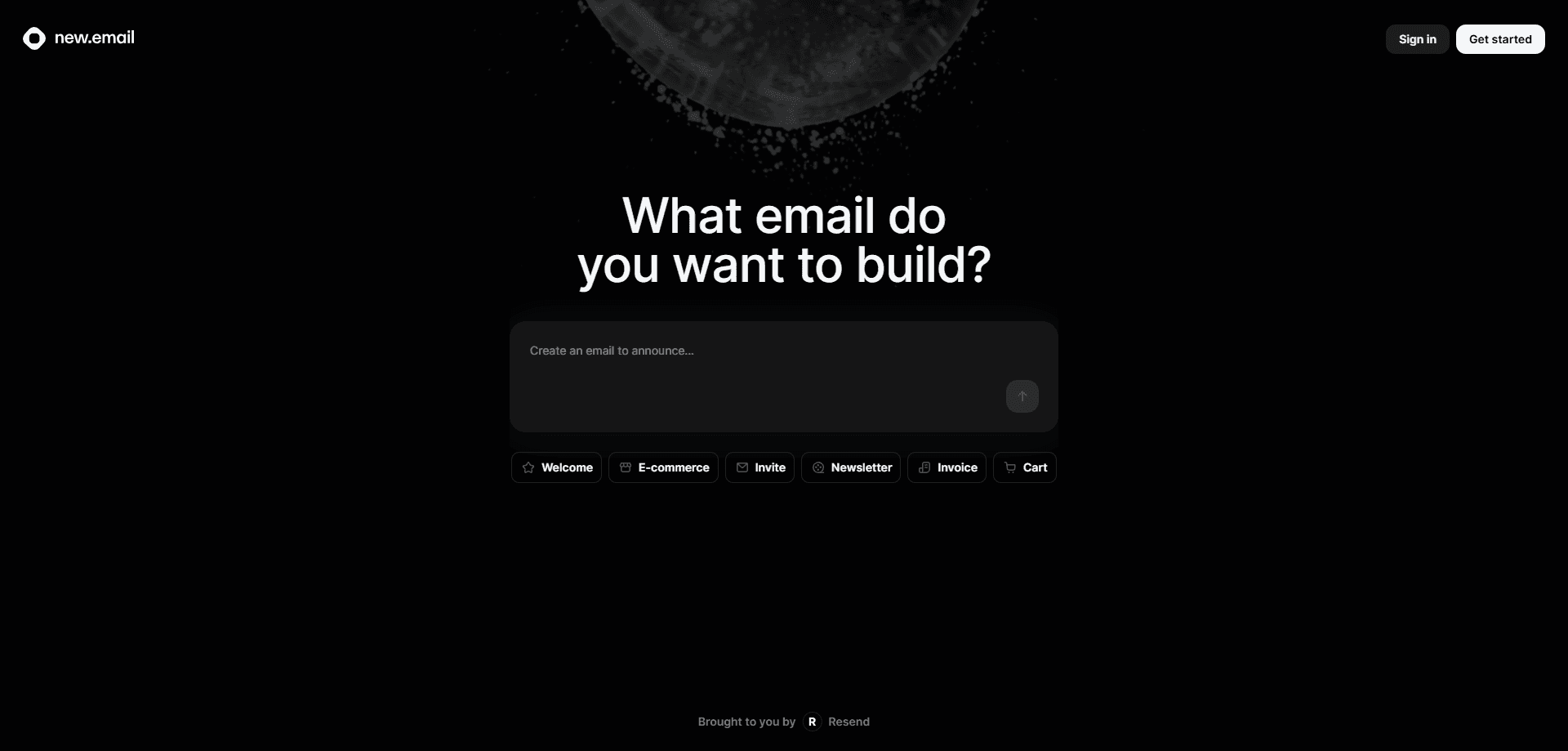
About new.email by Resend
What Is new.email by Resend
new.email by Resend is an email platform built for developers and product teams. Instead of wiring together an SMTP server and a pile of scripts, you call one REST API and let Resend handle the sending infrastructure, deliverability, and analytics. The product handles transactional email like password resets and receipts, marketing email like newsletters and broadcasts, and inbound email that your app can read and act on.
The pitch is speed without setup pain. You verify a domain, drop in an API key, and send your first email in minutes. Official SDKs cover Node.js, Python, PHP, Ruby, Go, Java, Laravel, Rust, and .NET, so most stacks have a native client. React Email lets you design templates as React components instead of hand-written HTML tables.
Two limits shape how you use it. The free plan caps you at 3,000 emails a month and 100 per day, which fits side projects but not growing products. And it's an API-first tool, so you need some coding ability to get real value. There's no drag-and-drop campaign builder aimed at non-technical marketers.
Getting Started
- Create a free account and add a sending domain you control
- Add the DNS records Resend gives you so SPF, DKIM, and DMARC pass
- Generate an API key and install the SDK for your language
- Send a test message through the /emails endpoint or the dashboard
- Point your app's notifications, receipts, or password resets at the API and watch delivery events in the dashboard
Product Information
A quick look at new.email by Resend's pricing, supported platforms, and performance.
Best for
The users, tasks, and scenarios where this tool fits best.
Users
- Backend and full-stack developers
- Startup and product teams
- AI agent builders
- Indie hackers and side-project owners
Tasks
- Sending transactional email
- Running marketing broadcasts
- Receiving inbound email
- Building reusable templates
Scenarios
- Launching a new app or SaaS product
- Scaling a growing user base
- Automating agent workflows
Key features
Transactional Email API
The core of the product is a REST endpoint that sends one message per request. You pass a sender, recipient, subject, and HTML or React body, and Resend routes it through verified infrastructure. Delivery, bounce, and complaint events come back through webhooks so your app can react. The value here is reliability: deliverability work like SPF, DKIM, and DMARC is handled for you once a domain is verified.
Marketing Email and Broadcasts
Resend separates marketing email from transactional sending. You build a contact list, organize it into segments, and send broadcasts to people who opted in. Broadcasts count against your contact limit rather than your email quota, so a smaller list can receive a lot of messaging without extra cost. It's a lighter setup than a full marketing suite, aimed at teams already sending through Resend's API.
React Email Templates
React Email lets developers write email templates as React components. You reuse components, keep templates in version control, and preview them locally instead of wrestling with nested HTML tables. Because templates live in code, a design change ships with the same deploy as the rest of your app.
Inbound Email
You can point a domain's MX records at Resend and receive email into your own system. A webhook fires on each incoming message with the parsed body and attachments, ready to store, classify, or answer. This is what makes agent inboxes possible, since an agent can read a message and reply without a human forwarding it.
Official SDKs and CLI
Resend maintains SDKs for Node.js, Python, PHP, Ruby, Go, Java, Laravel, Rust, and .NET, plus a command-line tool. You install the client for your language and send email with a few lines of code. The breadth matters because it avoids the glue code teams usually write for smaller providers.
Domain and Deliverability Management
The dashboard handles domain verification, API key rotation, webhooks, and delivery monitoring in one place. You can watch open and click events, trace a specific message, and manage sending reputation across regions. Multi-region sending and SOC 2 Type II compliance are included on every plan, which matters for teams with data residency or procurement requirements.
AI-Powered Email Tools
Resend adds AI features inside its editor. You can generate a full email, rewrite a passage, or draft an automation. A monthly credit allowance comes with each paid plan, and lighter tools like subject line suggestions and alt text generation don't spend credits at all. It's aimed at teams that want help drafting, not a full generative writing product.
Pros and cons
Pros
- Sends transactional, marketing, and inbound email through one API, so you don't stitch together multiple providers
- Official SDKs for nine languages plus a CLI cut setup time for most stacks
- Free plan covers 3,000 emails a month with no time limit, enough to test a real product
- React Email keeps templates in code, versioned alongside the rest of your app
- Deliverability basics like SPF, DKIM, DMARC, and multi-region sending work on every plan
Cons
- The free plan caps sending at 100 emails a day, which blocks anything past a side project
- It's API-first, so non-technical marketers can't build campaigns without developer help
- Marketing plans bill by contacts, so a large low-engagement list gets expensive
- No annual discount, since self-serve plans are monthly only
Frequently asked questions
It's a platform for sending and receiving email from code. Developers use it for transactional messages like receipts and password resets, marketing broadcasts, inbound email handling, and giving AI agents their own inbox.
Related content
Explore related tools, skills, and articles for new.email by Resend.
new.email by Resend Alternatives

Claude for Google Workspace
Anthropic · Writing · Productivity · BusinessClaude for Google Workspace puts Claude in a sidebar inside Google Docs, Sheets, and Slides, where it reads the file you have open and edits it in place.

Claude Haiku 5.5
Anthropic · Writing · Coding · ChatbotClaude Haiku 5.5 is Anthropic's fastest and cheapest small model, built for high volume tasks at $0.10 per million input tokens with a 1M token context window.

NoteWorthy
Suman Hansada · Writing · Productivity · AI AssistantNoteWorthy is a notes app for iPhone, iPad and Mac that writes titles, tidies formatting, summarizes long notes and files each one with on-device AI. No account, no upload, no network requests.