

NexaLibre
NexaLibre · Coding
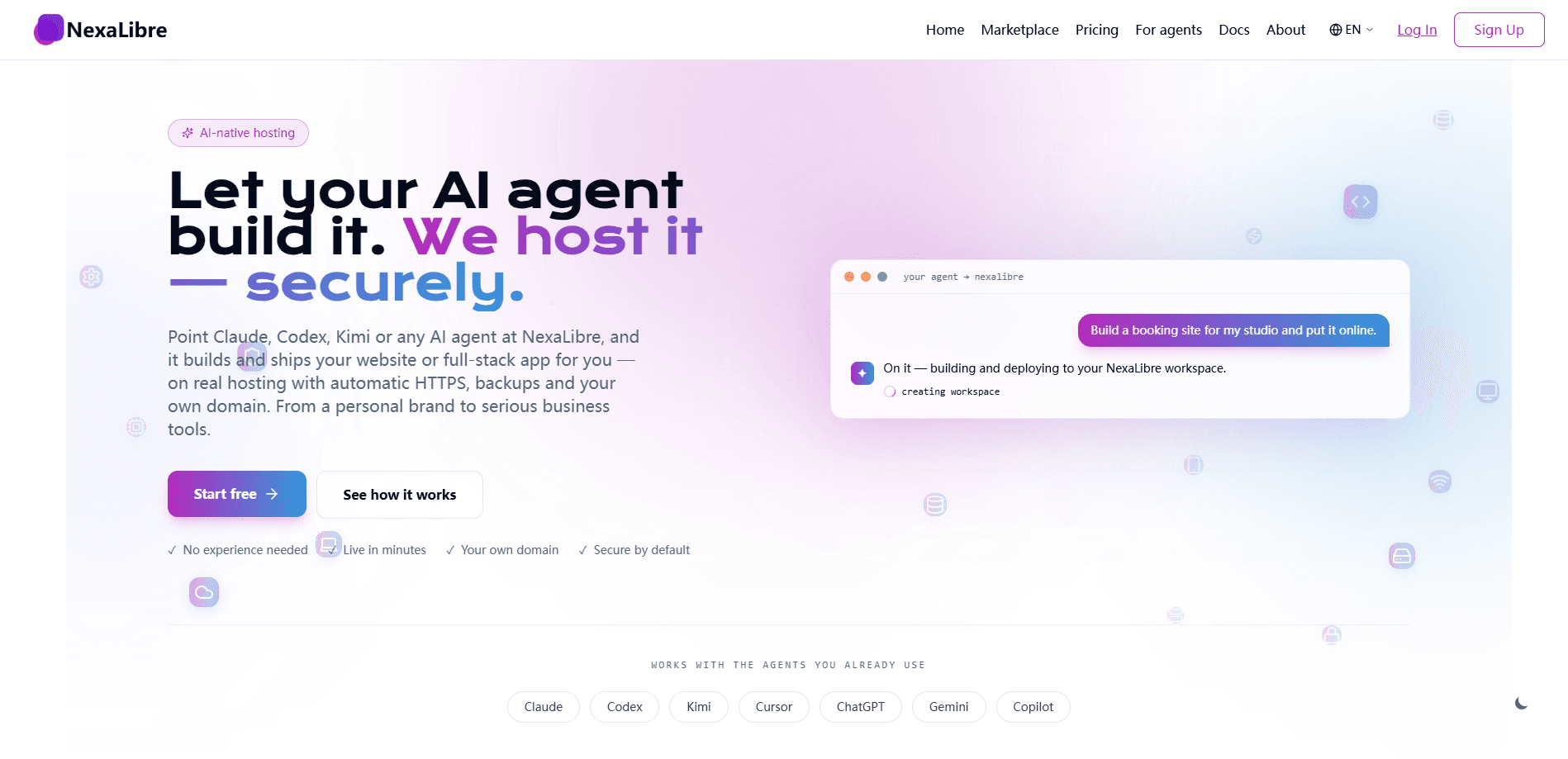
NexaLibre is an AI-native hosting platform built for people who want working software without wrestling with servers. You either pick a one-click install from its app library or let your AI agent build and ship the project, then NexaLibre handles the plumbing. Automatic HTTPS, backups, and custom domains come along for the ride, and the whole thing runs open-source websites and full-stack apps in minutes rather than days.
About NexaLibre
What Is NexaLibre
NexaLibre is a hosting service that assumes you'd rather describe what you want than configure it. Instead of a blank server and a wall of settings, you get two paths. The first is one-click app installs: you choose an open-source website or tool, and the platform brings it online. The second is agent-driven building, where your AI agent writes and deploys the code and NexaLibre gives it somewhere to live.
The point is speed. A hosted web app normally means buying a machine, wiring up a domain, sorting out certificates, and scheduling backups. That's a lot of setup. NexaLibre folds those chores into defaults, so the gap between "I have an idea" and "it's live at a URL" shrinks to minutes.
The trade-off is control. Because the platform manages most of the stack for you, teams that need fine-grained server tuning or unusual runtime setups will find the defaults get in the way, and that friction shows up the moment a project needs something the platform didn't plan for. It suits standard, well-behaved web apps far better than exotic ones.
Getting Started
- Sign up at nexalibre.com and connect the account or agent you'll deploy from.
- Pick a starting point: a one-click app install from the library, or hand the build to your AI agent.
- Point a custom domain at the project and let the platform issue HTTPS automatically.
- Review the default backup schedule and adjust it if you need tighter retention.
- Hit deploy, then check the live URL and confirm the app behaves the way you expect.
Product Information
A quick look at NexaLibre's pricing, supported platforms, and performance.
Best for
The users, tasks, and scenarios where this tool fits best.
Users
- Solo developers
- Small product teams
- AI-agent tinkerers
Tasks
- Launching an open-source website
- Shipping a full-stack app
- Running agent-generated projects
Scenarios
- Testing an idea over a weekend
- Handing an agent a deploy target
Key features
One-Click App Installs
NexaLibre's install library is the fastest way onto the platform. You pick an open-source website or app, and it comes up configured rather than raw. That matters because the fiddly part of self-hosting has never been the software itself, it's the setup around it.
AI-Agent Deployment
Agents build here. The platform is built around the idea that your AI agent does the work, which is what makes AI agent hosting feel different from a plain server. You describe the project, the agent produces the code, and NexaLibre provides the place to run it. This keeps generation and full-stack app deployment in one loop instead of two disconnected steps.
Automatic HTTPS
Every project gets its certificates handled without you touching a config file. For anyone who's spent an afternoon on renewals, that alone justifies the setup. Browsers see a secure connection from the first visit.
Backups by Default
Backups run without you scheduling them, which is the version most people actually want. You can still review and adjust the cadence, but the baseline protects you from the day you forget. Data loss from a missed cron job stops being a risk you carry around every time you push a change to production.
Custom Domains
You can point your own domain at a project and have it resolve cleanly. This matters if the app faces customers, since a real domain reads as legitimate and keeps URLs stable. What does that buy you? Trust. The plumbing stays out of your way.
Pros and cons
Pros
- Cuts the usual hosting chores down to defaults, so first deploys happen in minutes.
- Combines one-click installs with agent-driven building, covering both ready-made and custom projects.
- Handles HTTPS, backups, and custom domains without separate configuration.
- Targets standard open-source sites and full-stack apps, which is most of what people actually deploy.
Cons
- Because so much is managed for you, fine-grained server control is limited, which frustrates teams with unusual runtime needs.
- The managed approach means you inherit the platform's choices rather than setting every knob yourself.
- Pricing and plan details aren't clearly published, so you'll need to check the site before committing.
Frequently asked questions
It hosts open-source websites and full-stack apps, either through one-click installs or by running projects your AI agent builds. You get deployment, HTTPS, backups, and custom domains managed together rather than assembled piece by piece.
Related content
Explore related tools, skills, and articles for NexaLibre.
NexaLibre Alternatives
Forefront
Forefront · CodingForefront is a web platform for building with open-source AI. It lets you fine-tune leading open-source language models on your own data, evaluate how they perform, and run them through an API or export them to host yourself. Developers who want the convenience of a closed-source platform but insist on owning their models and data are the target audience here.

Startkit
StartKit.AI · CodingStartkit is a boilerplate for building AI SaaS and AI wrapper products. Think of it as an AI startup boilerplate with the boring parts already wired up: authentication, Stripe and Lemon Squeezy payments, usage limits, transactional email, and an AI API starter that talks to OpenAI, Anthropic, Groq, or Llama. You clone the repo, set your price, and start on the part of your product that people actually pay for. It's Next.js under React and Tailwind, so most of the boilerplate code already feels familiar.
Testim
Tricentis · CodingTestim is an AI-powered test automation platform for building and running end-to-end tests across web, mobile, and Salesforce applications. It leans on machine learning to keep tests stable when an interface changes, so teams spend less time fixing broken selectors. Not bad for an automated testing tool you can start using today. You create tests by recording actions in a browser, then optionally add JavaScript when you need more control. It's a solid pick for busy QA teams.