

NexaSDK for Mobile
Nexa AI (acquired by Qualcomm) · Coding · Other
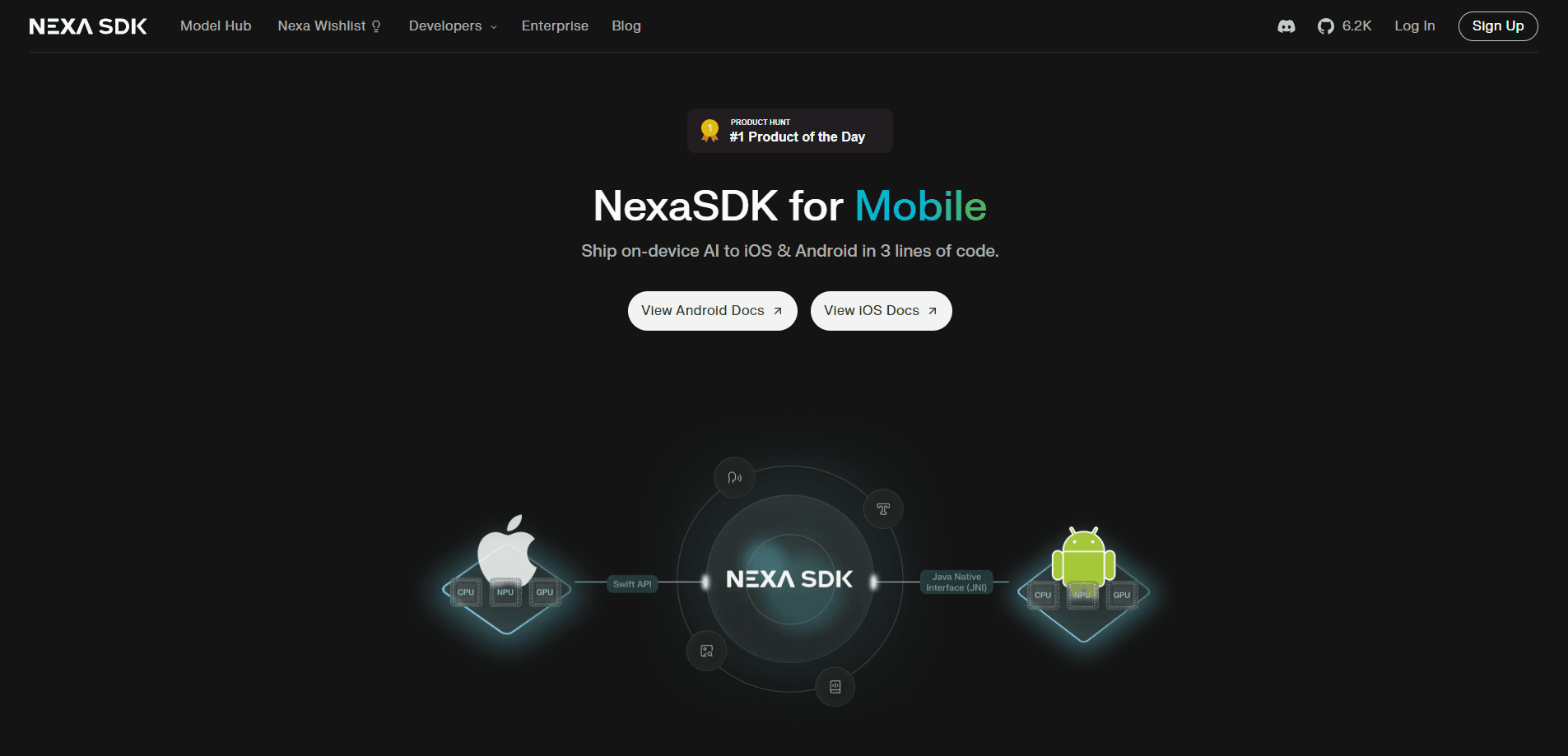
NexaSDK for Mobile is a development kit that runs AI models directly on a phone instead of a cloud server. It handles text, image, and audio models across NPU, GPU, and CPU hardware on Android and iOS, so apps can answer prompts, transcribe speech, or read images without a network round trip. The SDK is free and open source, which makes it a practical starting point for teams that want on-device AI inference without building a runtime from scratch.
About NexaSDK for Mobile
What Is NexaSDK for Mobile
NexaSDK for Mobile is an on-device AI inference SDK from Nexa AI, a company that Qualcomm acquired in 2025. It gives app developers one runtime for local AI models, so they don't have to write separate acceleration code for each chip inside a phone.
The pitch is simple. Cloud AI is fast to build but slow to respond, needs a connection, and sends user data to someone else's server. Running the model on the device fixes all three, and the SDK handles the messy part: picking the right processor and keeping inferencing efficient. Less code, fewer surprises.
The main catch is hardware. The biggest performance wins come from the NPU, and those gains depend on having a recent Snapdragon chip with a supported precision format. On older or mid-range phones, the SDK falls back to CPU or GPU. Small models still work there. Large language models struggle with speed and battery drain. It's also a developer tool, so end users never touch it directly. They just feel whether an app responds quickly without eating their battery.
Getting Started
- Pull the SDK from the Nexa AI GitHub repository or install it through the platform package manager for your app.
- Pick a model format the runtime supports, such as GGUF, MLX, or Nexa AI's own .nexa format, and download a model that fits your phone's memory.
- Choose a compute engine for inference, NPU for speed and efficiency or CPU and GPU for wider device coverage.
- Wire the model into your app through the OpenAI-compatible API server that ships with the SDK.
- Test on a real device and watch memory and battery use before you ship, since desktop results don't carry over to phones.
Product Information
A quick look at NexaSDK for Mobile's pricing, supported platforms, and performance.
Best for
The users, tasks, and scenarios where this tool fits best.
Users
- Android and iOS developers
- Teams with privacy or offline requirements
- Prototypers
Tasks
- Running a small language model offline
- Voice transcription
- Image and vision tasks
- Function calling
Scenarios
- A note or chat app that keeps conversations on the device
- Field work with spotty signal
- Battery-sensitive features
Key features
One Runtime Across NPU, GPU, and CPU
The SDK runs models on whichever processor is available, and it leans on the NPU when the phone has one. That matters because the NPU is built for AI work. According to Nexa AI, a small Granite model hit 92 tokens per second on the NPU of a Snapdragon 8 Elite phone, against 40 tokens per second on the CPU, with up to 9 times better energy efficiency on the NPU. Lower power use on the same task is the difference between a feature you enable and one you leave off.
Multiple Model Formats
NexaSDK for Mobile reads GGUF, MLX, and Nexa AI's own .nexa format. The variety gives you room to pick a model that already exists in a format the runtime understands, rather than converting everything yourself. Quantized models are the practical choice on phones. Memory and storage are tight.
Text, Image, and Audio Coverage
The runtime handles more than text. It supports vision and audio models, so an app can read a photo, compare two images, or work with recorded audio in the same setup. For apps that mix modalities, that's one integration instead of several.
OpenAI-Compatible API Server
The SDK ships an API server that mirrors the OpenAI interface, including JSON schema function calling and streaming. If your code already talks to a cloud model, moving it to a local one is mostly a matter of pointing it at the on-device server. For teams weighing cloud versus on-device AI, that lowers the switching cost.
Hardware Acceleration on Snapdragon
The Qualcomm integration targets the Hexagon NPU, Adreno GPU, and Oryon CPU on Snapdragon platforms, with support for low-precision formats like INT4 and INT8. Developers pick the engine that fits the job instead of tuning for each device by hand. This is where Snapdragon NPU inference earns its keep on Android phones.
Day-One Model Support
New open models are added as they release, across the different hardware backends. If you're waiting on a fresh model to run locally, that timing matters, since a model that only runs in the cloud can't help an offline app.
Pros and cons
Pros
- Free and open source, so there's no license cost to try it.
- One runtime covers NPU, GPU, and CPU, which cuts device-specific work.
- Real efficiency gains on the NPU, with published numbers for speed and power.
- OpenAI-compatible server makes it easier to move existing cloud code to a local model.
- Handles text, image, and audio models in a single setup.
Cons
- The best performance needs a recent Snapdragon phone, so results vary a lot across devices and older phones fall back to slower CPU or GPU inference.
- Large models are limited by phone memory, and running a big model on the CPU drains battery and slows responses.
- It's a developer SDK, so there's no ready-made app for non-technical users to open and use.
Frequently asked questions
It runs AI models locally inside Android and iOS apps. Features like chat, transcription, and image reading work without sending data to a cloud server. Use it when you want fast responses, offline support, or more control over user data.
Related content
Explore related tools, skills, and articles for NexaSDK for Mobile.
NexaSDK for Mobile Alternatives
Forefront
Forefront · CodingForefront is a web platform for building with open-source AI. It lets you fine-tune leading open-source language models on your own data, evaluate how they perform, and run them through an API or export them to host yourself. Developers who want the convenience of a closed-source platform but insist on owning their models and data are the target audience here.

Startkit
StartKit.AI · CodingStartkit is a boilerplate for building AI SaaS and AI wrapper products. Think of it as an AI startup boilerplate with the boring parts already wired up: authentication, Stripe and Lemon Squeezy payments, usage limits, transactional email, and an AI API starter that talks to OpenAI, Anthropic, Groq, or Llama. You clone the repo, set your price, and start on the part of your product that people actually pay for. It's Next.js under React and Tailwind, so most of the boilerplate code already feels familiar.
Testim
Tricentis · CodingTestim is an AI-powered test automation platform for building and running end-to-end tests across web, mobile, and Salesforce applications. It leans on machine learning to keep tests stable when an interface changes, so teams spend less time fixing broken selectors. Not bad for an automated testing tool you can start using today. You create tests by recording actions in a browser, then optionally add JavaScript when you need more control. It's a solid pick for busy QA teams.