

NextReady
NextReady · Coding
NextReady is a discovery and news platform for AI apps, Skills, and MCP servers. It helps you find tools by task, compare models, and follow daily AI updates.
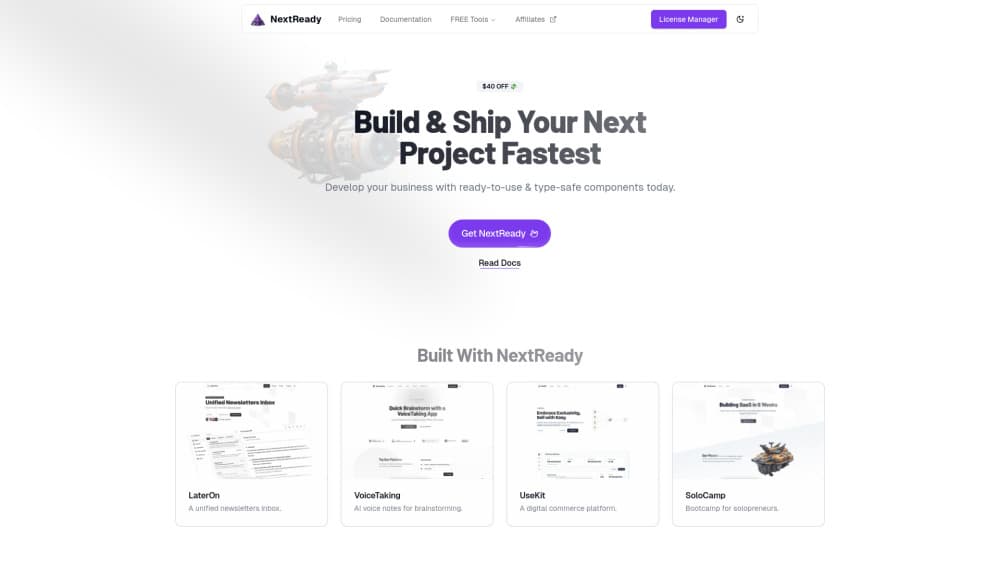
About NextReady
What Is NextReady
NextReady collects AI apps and Skills plus MCP servers in one place, then adds rankings and news on top. The point is simple: the AI market now moves faster than anyone can track by hand, and few people know which tool fits a given job. NextReady answers that question before you install anything.
The platform runs several connected sections. Find AI recommends tools for a task like writing, research, design, or coding. Rankings tracks how AI products and models move over time. Compare sets two tools or models side by side. Separate hubs list products, Skills, and MCP servers with details, download counts, and related items.
Its biggest limit is scope. Find AI shows editor-curated recommendations built on public data, so it does not run your prompt or test a tool live. The browsing experience is read-only, and the depth of any single listing depends on what the editorial team has assembled.
Getting Started
- Open the site and pick a section: Find AI, Rankings, Compare, Products, Skills, MCP, or News.
- In Find AI, choose the task you need, such as writing or coding, and read the top recommendations.
- For a specific tool, open its product page to check pricing, supported platforms, pros and cons, and alternatives.
- Use Compare to place two tools or models side by side, or check Rankings for current standings.
- If you build AI tools, submit a product or Skill through the Submit form for review.
Product Information
A quick look at NextReady's pricing, supported platforms, and performance.
Best for
The users, tasks, and scenarios where this tool fits best.
Users
- Everyday AI users
- Developers evaluating Skills and MCP servers
- Teams tracking the market
Tasks
- Picking a tool for a specific job
- Comparing two AI products
- Checking download and usage signals
Scenarios
- Early research before committing to a subscription
- Keeping up with AI releases
- Submitting your own product
Key features
Find AI
Find AI starts from the task, not the product. You pick something like writing, research, design, coding, or meetings, and the page returns a Top 3 plus further suggestions with fixed comparison points, an editor score, pros and cons, and a verdict. It suits people who know the job but not the tools. The catch is that recommendations come from preset templates and public data, so nothing runs live on your behalf.
Rankings
Rankings tracks AI products and models across categories such as AI chatbots, AI search, AI coding, image, and video, with China and global views. It shows weekly or monthly movement, so you can see who climbed and who slipped. The MVP leans on public leaderboards like LiveBench and Artificial Analysis, which keeps the data verifiable but also limits how often it refreshes.
Compare
Compare lets you set two AI tools or models against each other. The server keeps preset matchups on common questions, such as one chatbot versus another, and lays out recommendation conclusions, editor notes, pros and cons, and a verdict. Common matchups are ready to open. In this version, you cannot type a prompt and watch both models answer in real time.
Products Hub
The Products hub works as an AI app directory with search, categories, trending lists, and editor picks. Each product page covers what it does, pricing, supported platforms, traffic and download figures, ratings, pros and cons, alternatives, and any related Skills, MCP servers, or news. It works as a first stop before you commit to a tool.
Skills and MCP Hubs
NextReady runs separate hubs for Skill packages and MCP servers. The AI Skills hub lists the developer, a summary, view and download counts, the file tree, version history, install steps, and a ZIP download. MCP pages work like an MCP server directory: README, FAQ, GitHub link, tags, usage data, and setup notes. Developers get a place to publish work, and users get a way to inspect a package before installing it.
AI News
The news section groups AI updates with a hot list and a 24-hour and 7-day heat view, plus a category timeline. Each article keeps its source and publish time, and links to related news, products, and rankings. It is built for a quick scan rather than deep reading, and the links point you toward the relevant tool or leaderboard.
Submit and Launches
Creators can submit a product or Skill, then track it through a review flow of pending, reviewing, and approved or rejected. Approved items move to the Launches board, which shows new releases and product updates. There are paid promotion options for merchants, while ordinary browsing and submission stay open. For a direct AI tool comparison, open Compare or a product page and read the pros, cons, and alternatives side by side.
Pros and cons
Pros
- Brings apps, Skills, and MCP servers under one roof, so you look in a single place instead of three.
- Task-first recommendations give a shortlist fast, which helps when you know the job but not the tool.
- Product, Skill, and MCP pages pack practical detail such as pricing, platforms, file trees, and usage figures.
- Rankings and news run on published sources, so the numbers can be checked.
Cons
- Find AI does not run prompts or test tools live, so recommendations rest on editor judgment and public data rather than your own results.
- Browsing is read-only. You cannot save a comparison, follow a topic, or keep a personal list in this version.
- Coverage and refresh rates depend on the editorial team and the public leaderboards they draw from, so some listings lag.
Frequently asked questions
NextReady helps you find AI apps, Skills, and MCP servers and keep up with AI news. You use it to shortlist tools for a task, compare two options, and follow ranking changes, rather than to run AI models yourself.
Related content
Explore related tools, skills, and articles for NextReady.
NextReady Alternatives

Base Code
Base44 (Wix) · Coding · ProductivityBase Code is a shared cloud development environment from Base44. Teammates describe changes to an existing GitHub codebase in chat, preview them live and send them back as pull requests.

Google EmbeddingGemma 2
Google DeepMind · Writing · Image · CodingGoogle EmbeddingGemma 2 is a 740M-parameter open model that turns text, code, images, audio, and video frames into vectors in one 768-dimension space, running on phones and laptops.

GitGlow
GitGlow · Coding · ProductivityGitGlow is a local-first desktop Git client that lets independent developers review their own code and their AI agents' changes in one place before shipping.