

Nexty
weijunext · Coding
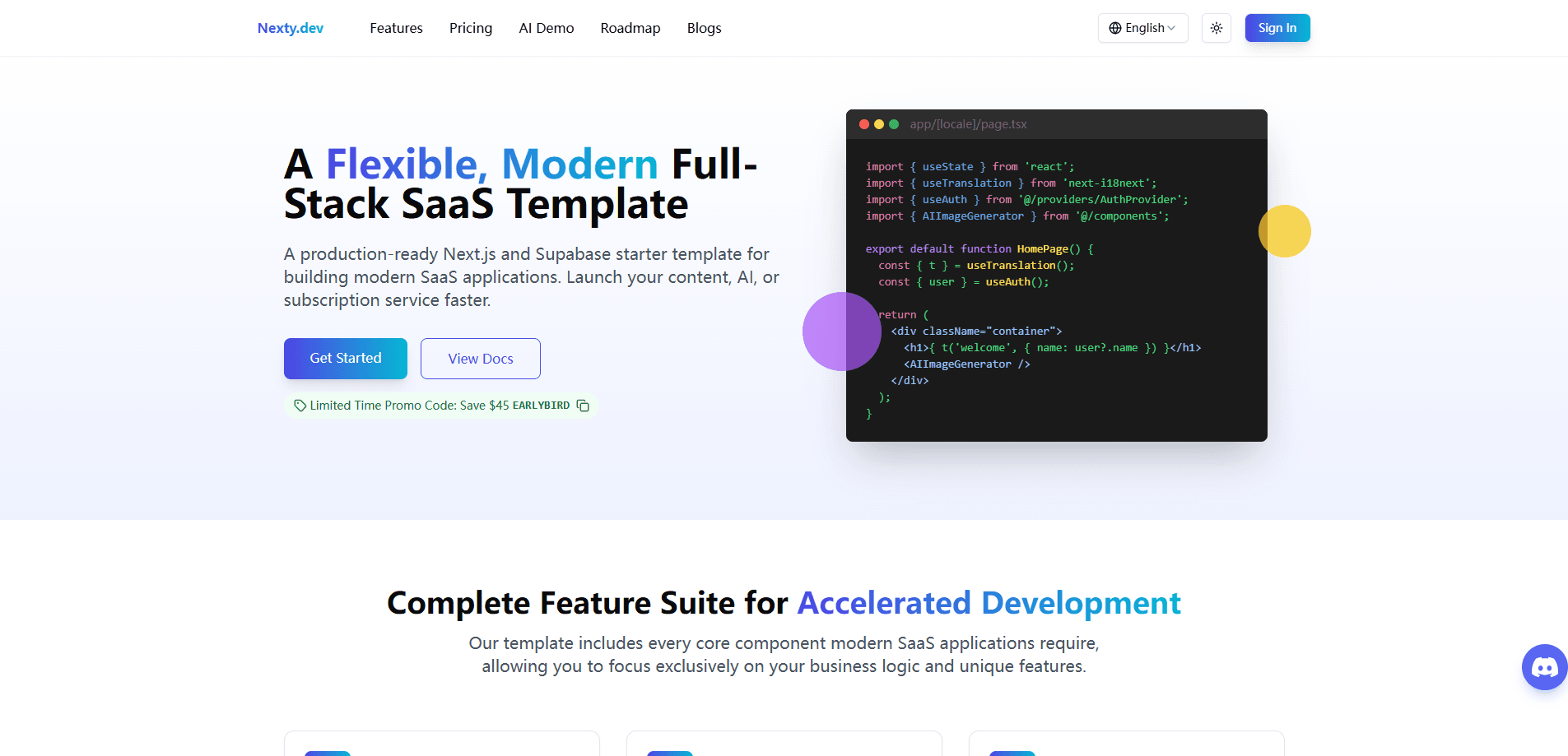
Nexty is a production-ready Next.js SaaS template and SaaS starter kit with authentication, Stripe, Creem, and PayPal payments, a CMS, and AI demos for fast launches.
About Nexty
What Is Nexty
Nexty is a Next.js SaaS boilerplate built by indie developer weijunext (Cheng Pu). A boilerplate is a starter codebase you clone and customize, and Nexty bundles the parts almost every SaaS product needs: sign-in, billing, email, content management, and AI tools.
The goal is simple. Instead of spending one to two months rebuilding login screens and checkout flows, you buy the template once and focus on the feature that makes your product different.
Nexty doesn't build your app for you, and it won't suit a team that needs a highly custom stack. It's a solid fit when your product follows a standard SaaS shape and you'd rather ship than wire up plumbing.
Getting Started
- Buy a lifetime license on nexty.dev and get access to the demo and the documentation.
- Clone the repository, then add your environment variables. A single DATABASE_URL entry configures the database.
- Connect your auth, payment, and AI provider keys. Better Auth handles sign-in, while Stripe, Creem, or PayPal handle checkout.
- Edit the landing page text and images, then set up pricing plans from the admin dashboard.
- Deploy to Vercel, Cloudflare Workers, Dokploy, or Coolify and start charging users.
Product Information
A quick look at Nexty's pricing, supported platforms, and performance.
Best for
The users, tasks, and scenarios where this tool fits best.
Users
- Indie developers
- Small startup teams
- Founders launching an AI product
Tasks
- Setting up subscriptions and one-time payments
- Building a paywalled content site
- Adding sign-in and user accounts
Scenarios
- Validating a SaaS idea on a tight deadline
- Launching an AI image or chat tool
- Going global without extra work
Key features
Multiple Payment Providers in One Setup
Nexty connects Stripe, Creem, and PayPal at once, covering monthly plans, yearly plans, one-time purchases, and usage-based billing. A built-in credit system tracks grants and spending, which fits AI tools that charge by consumption. You manage pricing cards from the admin dashboard instead of editing JSON files by hand.
Authentication and User Management
Better Auth handles sign-in through Google, GitHub, email OTP, and Magic Link. Cloudflare Turnstile blocks bot registrations, and built-in IP and user rate limiting catch suspicious login attempts. Email alias detection also cuts down on free-tier abuse from throwaway addresses.
AI Integration Toolkit
The template ships with demos for chat, text-to-image, image-to-image, and video generation, plus streaming support. The AI SDK works with GPT, Claude, Gemini, DeepSeek, Grok, OpenRouter, and Replicate, so you can swap providers without rewriting your code.
CMS With Paywall and AI Translation
The CMS goes past basic blogging. You set content as public, logged-in only, or subscriber-only, and protect it behind a paywall. Built-in AI translation helps you publish the same content in several languages, and a duplicate feature speeds up repetitive production work.
File Storage on Cloudflare R2
An admin dashboard manages uploads, deletions, and file organization, while Cloudflare R2 stores files with automatic CDN distribution. Drag-and-drop uploads and previews keep the experience simple for whoever runs your backend.
Visual Pricing Management
You edit pricing plans in a dashboard and pull live data from Stripe, Creem, and PayPal with one click. A real-time preview shows pricing cards exactly as users will see them, and multi-language support lets you store localized pricing content.
Pros and cons
Pros
- Ships with authentication, three payment providers, a CMS, and AI demos, so most of your SaaS groundwork is already done.
- One-time payment with lifetime updates, which avoids an ongoing subscription for the template itself.
- Visual pricing management pulls data straight from your payment providers, cutting the risk of mismatched billing data.
- Built-in internationalization and AI translation make a multilingual launch practical from day one.
- Flexible deployment covers Vercel, Cloudflare Workers, Dokploy, and Coolify rather than locking you to one host.
Cons
- It's a paid template with no free tier, so you pay upfront before you've written your own code.
- You need working knowledge of Next.js and JavaScript to customize it, which makes it a poor fit for non-coders.
- The stack ties you to specific services like Supabase, Resend, and Cloudflare, so swapping providers takes real effort.
- Recent versions target Next.js 16, so an older project may need updates to match.
Frequently asked questions
Nexty is a Next.js SaaS boilerplate, which means it's a ready-made codebase you clone and adapt. It bundles authentication, payments, a CMS, email, file storage, and AI demos so you start from a working app instead of an empty folder.
Related content
Explore related tools, skills, and articles for Nexty.
Nexty Alternatives

Base Code
Base44 (Wix) · Coding · ProductivityBase Code is a shared cloud development environment from Base44. Teammates describe changes to an existing GitHub codebase in chat, preview them live and send them back as pull requests.

Google EmbeddingGemma 2
Google DeepMind · Writing · Image · CodingGoogle EmbeddingGemma 2 is a 740M-parameter open model that turns text, code, images, audio, and video frames into vectors in one 768-dimension space, running on phones and laptops.

GitGlow
GitGlow · Coding · ProductivityGitGlow is a local-first desktop Git client that lets independent developers review their own code and their AI agents' changes in one place before shipping.