

NexusAI
NexusAI · Other
NexusAI is a free, browser-based study platform that turns your courses into AI chat help, study guides, flashcards, and mind maps.
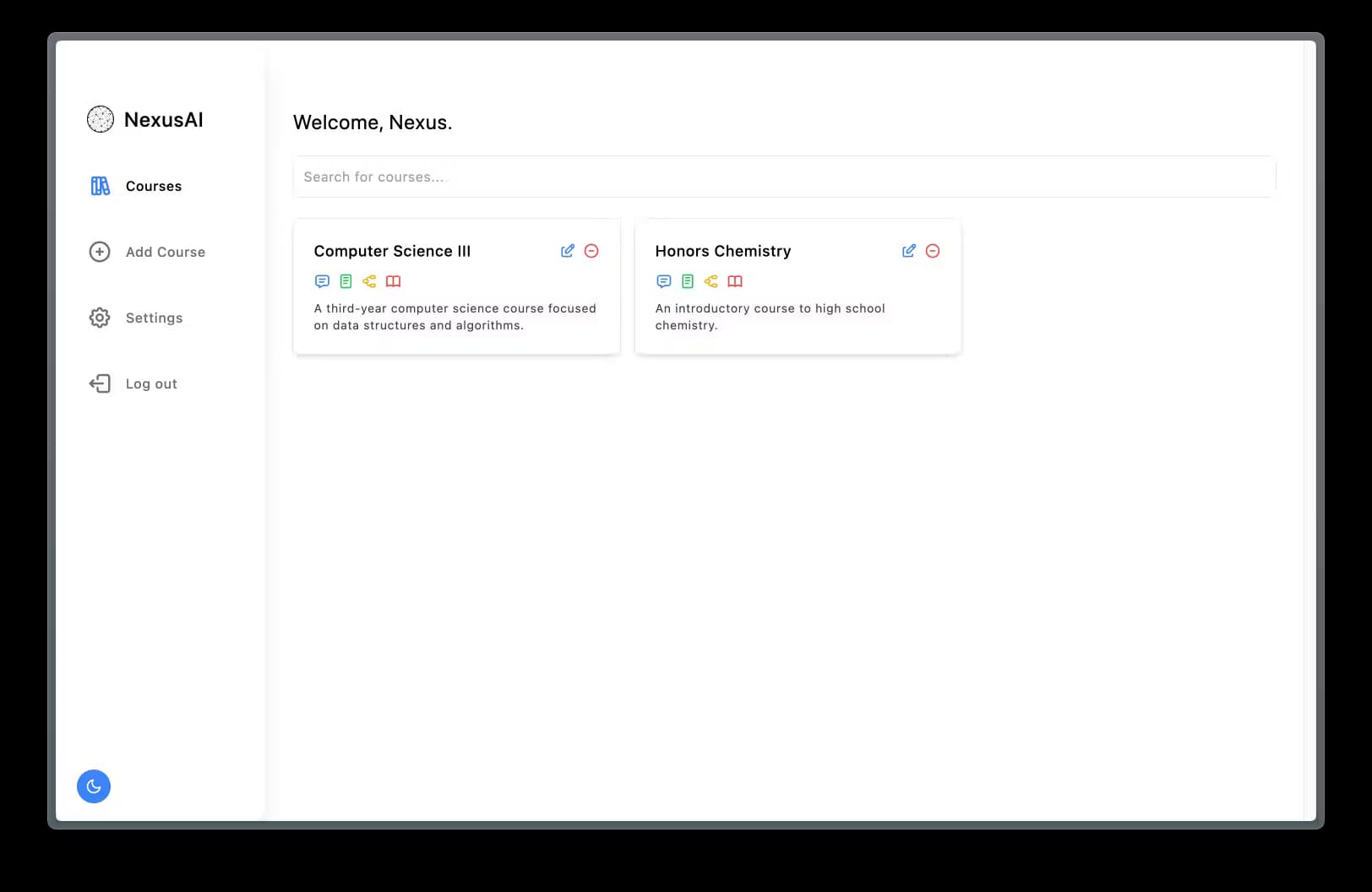
About NexusAI
What Is NexusAI
NexusAI is an AI study tool built by a student for other students. You sign in, add the courses you're enrolled in, and work through each one with a set of AI tools instead of scattering notes across half a dozen apps.
The pitch is simple: one place to organize your coursework and prep for exams. The app pairs a conversational assistant with structured study tools, so you can ask questions about a topic, then turn the answers into notes, guides, or cards you can review later.
The catch is that NexusAI lives entirely in the browser and leans on an account plus AI backend calls. There's no offline mode, and as a small, independent project it doesn't carry the track record of a large commercial study suite. Its quality rides on how well the underlying model handles your subject.
Getting Started
- Open the NexusAI site and create an account with your email, or sign in if you already have one.
- Add a course by giving it a name and a short description.
- Open that course and start a conversation with the AI assistant about your material.
- Turn what you learn into notes, a study guide, a mind map, or a flashcard set.
- Review the saved tools before a test or an exam.
Product Information
A quick look at NexusAI's pricing, supported platforms, and performance.
Best for
The users, tasks, and scenarios where this tool fits best.
Users
- Students
- Independent learners
- Note takers who want structure
Tasks
- Turning a course into a study plan
- Making flashcards before a test
- Mapping a topic visually
- Drafting and tagging notes
Scenarios
- Exam week cramming
- Working through a textbook on your own
- Group study prep
Key features
Course-Based Organization
Everything in NexusAI hangs off a course. You add the classes you're taking, then attach notes, guides, maps, and cards to each one. That structure keeps a busy semester from turning into a single messy folder.
Conversational AI Help
The assistant answers questions in a chat window and streams replies as they're written. You can ask it to walk through a topic, then hand the result off to another tool so you don't retype it by hand.
Study Guides
The app turns your material into a study guide you can edit and save. It suits a quick review of a whole unit when you don't have time to reread every note.
Flashcards
Flashcards start as sets you create, tag, and fill card by card. They're meant for drilling terms and facts, and you can keep several sets per course for different exams.
Mind Maps
A node-and-edge canvas lets you arrange a topic as a visual map. You drag ideas around and connect them, which helps when you're trying to see how concepts relate rather than memorize them in isolation.
Notes and Tagging
You write notes in a rich text editor, tag them for later, and print the ones worth keeping on paper. Tags make it easy to pull up everything on one theme across a course.
AI-Assisted Study Plans
Beyond the chat, the assistant helps build a tailored plan for an upcoming test. Instead of a generic checklist, you get a schedule aimed at what you're actually being tested on.
Pros and cons
Pros
- Free to use, with no pricing page or paid tiers to trip over.
- Combines chat, notes, guides, maps, and cards so you don't juggle five separate tools.
- Course-based structure keeps a semester's material organized by class.
- Flashcards and mind maps are built in rather than bolted on as add-ons.
- Runs in the browser, so nothing to install and you can pick it up on any computer.
Cons
- No offline mode, so you need a connection and an account every time.
- No public API, which rules it out if you want to wire it into your own study setup.
- As a small independent project, its polish and support lag behind paid study suites.
- Output quality depends on the AI backend, so a weak answer means reworking it yourself.
Frequently asked questions
It's a study tool. You add your courses and use AI help, notes, study guides, mind maps, and flashcards to learn the material and prepare for exams.
Related content
Explore related tools, skills, and articles for NexusAI.
NexusAI Alternatives

Odyssey 3
Odyssey · OtherOdyssey-3 is Odyssey's foundation world model. It simulates physics in real time, turns a prompt into an interactive environment, and adapts to robots, cars and games.

JarvisCore
Prescott Data · Coding · Productivity · OtherJarvisCore is an open source Python runtime where AI agents work as equal peers on an agent mesh, claim tasks from a shared ledger, and reach external services through a zero-trust broker.
Clef
Cloudflare · Business · OtherClef is Cloudflare's open-source decision model for Workers AI. It returns calibrated probabilities for typed questions, not generated text, so agents can classify, route, and act fast.