

Nimbalyst Beta
Nimbalyst · Coding · Productivity
Nimbalyst Beta is a local-first visual workspace that puts Claude Code and Codex coding agents inside the same app where you write, design, and track work, so you never have to leave the page you're on. Instead of juggling a terminal, a markdown editor, a diagram tool, and a task tracker at the same time, you edit docs and review agent changes side by side in a single window. It works with an existing Claude Code or Codex subscription or API key, ships as an open-source desktop and iOS app, and stays free for individual users.
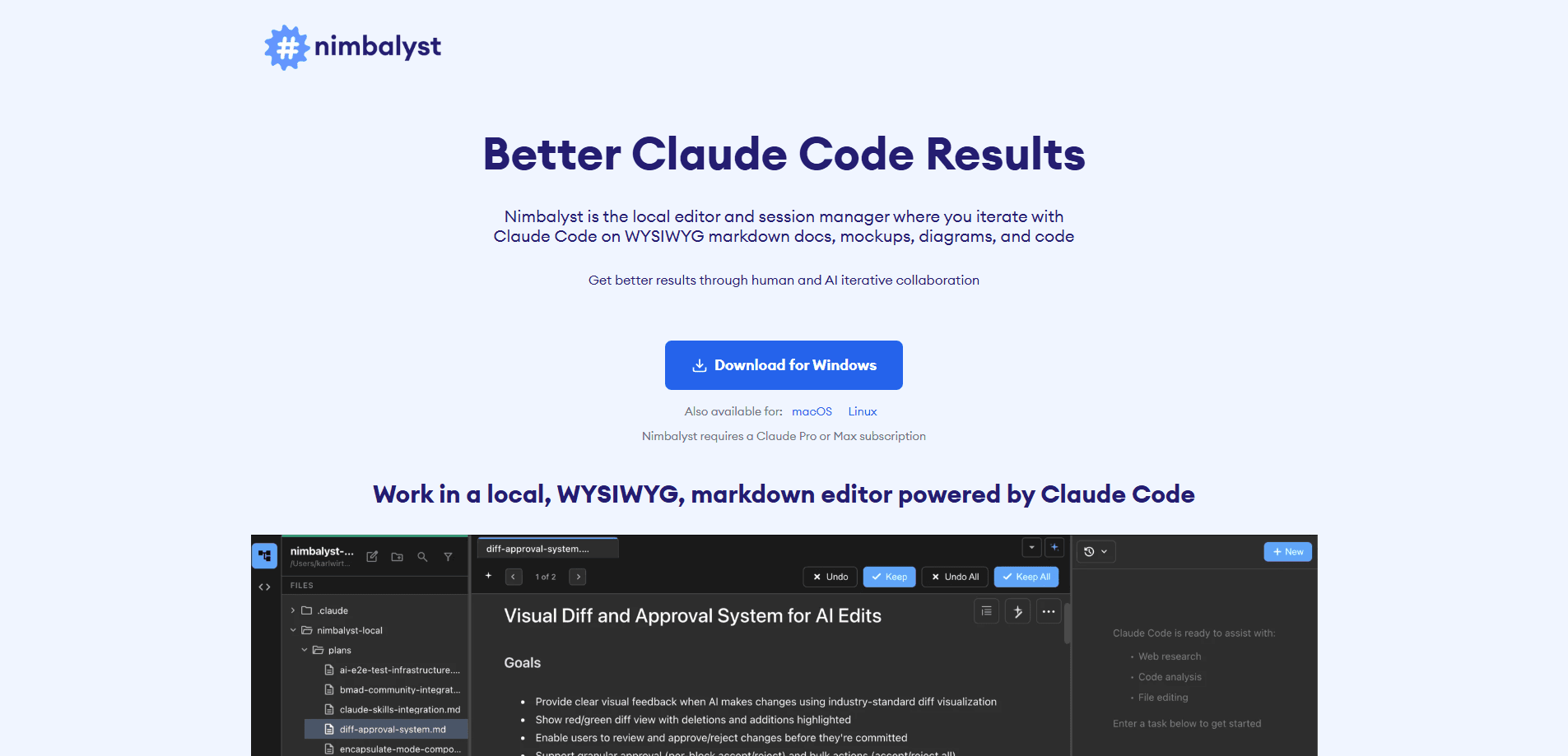
About Nimbalyst Beta
What Is Nimbalyst Beta
Nimbalyst is built for people who already use coding agents but hate bouncing between tools. The company positions it as the workspace where small, nimble teams work alongside their agents. Everything happens in one place: markdown docs, mockups, diagrams, data models, spreadsheets, sessions, and tasks.
The core idea is context. When Claude Code or Codex understands your full project structure, the related files, and the intent behind a task, the edits it proposes fit far better than they would in an isolated chat window. Nimbalyst shows you which files an agent reads or changes, then lets you approve, reject, or edit each update before it lands. You stay in control.
The catch is that you bring your own AI access. The app doesn't include a model subscription. You connect the Claude Code subscription, Codex subscription, or API key you already pay for. It runs locally on macOS, Windows, and Linux, with an iOS app for remote session and file management.
Getting Started
- Download the desktop app for macOS (Apple Silicon or Intel), Windows, or Linux from the official site.
- Open a project folder so the workspace can index your files and structure.
- Connect your Claude Code or Codex subscription, an Anthropic or OpenAI API key, or a local model through LM Studio.
- Start a session, ask the agent to edit a doc or build a mockup, and review the proposed changes.
- Track work on the built-in task board as sessions move from planning to complete.
Product Information
A quick look at Nimbalyst Beta's pricing, supported platforms, and performance.
Best for
The users, tasks, and scenarios where this tool fits best.
Users
- Product managers
- Developers
- Small teams
Tasks
- Writing and editing documentation
- Building visual mockups and diagrams
- Managing agent sessions
- Tracking bugs and ideas
Scenarios
- Adding a feature to an existing app
- Onboarding a teammate
- Reviewing a batch of agent edits
Key features
Side-by-Side Agent Editing
Nimbalyst shows the agent's proposed changes next to your original text, so you see exactly what will change before accepting it. You can approve, reject, or redirect the agent mid-task. Why does that matter? Because context stays intact when the agent reads your project structure and related files instead of just the open document.
WYSIWYG Markdown Editor
You edit markdown visually instead of raw syntax. Formatting, tables, and links render as you type, while the underlying files stay plain markdown sitting on your disk exactly where you expect them, so your docs keep working in git and any other editor you already use without any lock-in to a proprietary format.
Session Kanban and File Sidebar
The session manager runs agents in parallel and you organize them on a kanban board by phase: backlog, planning, implementing, complete. A sidebar lists every file a session reads or changes, and you can open them or manage git state from there. AI commits are built in.
Visual Editors for Non-Code Work
The workspace includes purpose-built editors for mockups, Excalidraw diagrams, mind maps, data models, slides, spreadsheets, and CSV files. You work across all of them without switching apps or reconfiguring your agent.
Integrated Task Management
Tasks live inside the workspace, not in a separate tracker. Agents read your backlog, pull context from related items, and update the board as they finish work, which means the ticket you see always reflects what the agent actually did on disk. Dragging an item updates what agents see, so there's no syncing and no stale tickets.
Multiplayer Collaboration (Teams)
On the Teams plan, teammates and their local agents edit the same shared docs, diagrams, and trackers with live cursors. You promote any local file to a shared one in a click and review its full change history. Team chat sits in the same workspace.
Open Source and Extension System
The desktop and iOS apps are MIT licensed, which means you can read the full source code, file issues, build your own extensions, or fork the whole thing and keep it running the way your team wants. An extension system lets you build custom visual editors, and those extensions inherit multiplayer support automatically.
Bring Your Own AI Access
Nimbalyst connects to the Claude Code or Codex subscription you already have, an Anthropic or OpenAI API key, or local models through LM Studio. It supports an MCP server for additional tooling, so you shape the environment around the models you trust.
Pros and cons
Pros
- Free for individual users with no feature limits or trial period.
- Open-source desktop and iOS apps under an MIT license.
- Works with your existing Claude Code, Codex, or API key setup instead of charging for model access.
- One workspace for docs, mockups, diagrams, and tasks cuts constant app switching.
- Parallel sessions and a file edits sidebar keep agent changes reviewable.
Cons
- You need to bring your own paid AI access, so it adds nothing on its own without a subscription or API key.
- The Teams plan is in beta, so collaboration features may shift before general release.
- Running many parallel agents on a large project can strain your local machine, and there's no managed cloud option outside Enterprise.
- No Google Play listing, so mobile use is limited to the iOS app for session and file management.
Frequently asked questions
It's a desktop workspace that wraps Claude Code and Codex agents in visual editors for markdown, mockups, diagrams, and tasks. You write and design in one place while agents read your project context, and you review each change before it lands.
Related content
Explore related tools, skills, and articles for Nimbalyst Beta.
Nimbalyst Beta Alternatives
Forefront
Forefront · CodingForefront is a web platform for building with open-source AI. It lets you fine-tune leading open-source language models on your own data, evaluate how they perform, and run them through an API or export them to host yourself. Developers who want the convenience of a closed-source platform but insist on owning their models and data are the target audience here.

Startkit
StartKit.AI · CodingStartkit is a boilerplate for building AI SaaS and AI wrapper products. Think of it as an AI startup boilerplate with the boring parts already wired up: authentication, Stripe and Lemon Squeezy payments, usage limits, transactional email, and an AI API starter that talks to OpenAI, Anthropic, Groq, or Llama. You clone the repo, set your price, and start on the part of your product that people actually pay for. It's Next.js under React and Tailwind, so most of the boilerplate code already feels familiar.
Testim
Tricentis · CodingTestim is an AI-powered test automation platform for building and running end-to-end tests across web, mobile, and Salesforce applications. It leans on machine learning to keep tests stable when an interface changes, so teams spend less time fixing broken selectors. Not bad for an automated testing tool you can start using today. You create tests by recording actions in a browser, then optionally add JavaScript when you need more control. It's a solid pick for busy QA teams.