
Nimply
Nimply · Writing · Productivity · Marketing
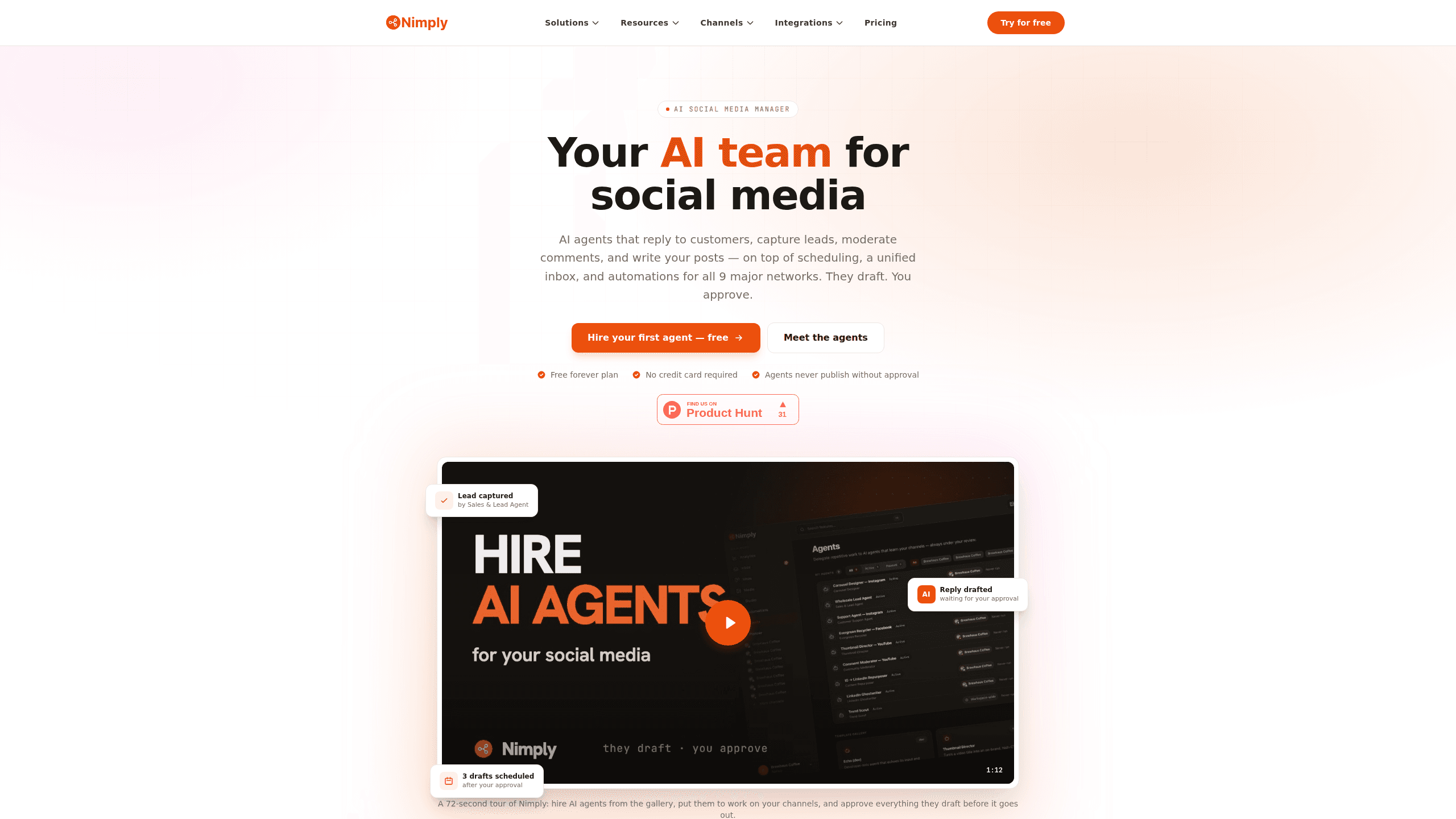
Nimply is an AI social media manager that hires agents to draft replies, posts and designs while you approve them, with scheduling and a shared inbox built in.
About Nimply
What Is Nimply
Nimply is a social media platform where the work is split between you and a gallery of AI agents for social media. Each agent handles one job. One answers support messages, another watches for buyers in your DMs, a third hides spam, and others write LinkedIn posts, build carousels, or cut long videos into captioned shorts. You describe your business, your tone, and the topics an agent should stay away from, then pick draft mode or auto mode.
Underneath the agents sits a normal social tool. A calendar covers Facebook, Instagram, X, LinkedIn, TikTok, YouTube, Pinterest, Threads and Telegram, and the unified inbox sorts DMs, comments and mentions by sentiment, intent and priority as they arrive. There is a composer with an AI assistant beside it, a design studio for images and thumbnails, a node-based automation canvas, and analytics that explain what changed instead of only charting it.
The pricing model is flat per workspace rather than per channel, and the AI features are part of every paid plan. Three limits matter before you sign up. Agent work runs on credits, where a caption costs about 1 to 3 credits and an AI image about 42, and unused credits expire each month. WhatsApp Business works as an inbox-only channel, so you can answer chats there but not publish. Nothing goes live without approval unless you deliberately switch an agent to auto mode.
Getting Started
- Create a free workspace at nimply.io. No credit card is needed, and the free plan keeps working after the trial period that paid plans use.
- Connect your accounts through each network's official login. You can attach more than one account per platform, and the plan caps how many channels you get.
- Open the agent gallery and hire your first specialist. Answer the setup questions about your business, voice and boundaries, then choose whether it drafts or replies on its own.
- Review drafts in the approval queue or the calendar, edit anything that sounds off, and schedule it for a slot you pick.
- Add an automation once the basics run. A new comment can trigger an AI classification step, a branch, an agent run, or a Slack alert, and test mode lets you watch the flow before it touches real conversations.
Product Information
A quick look at Nimply's pricing, supported platforms, and performance.
Best for
The users, tasks, and scenarios where this tool fits best.
Users
- Creators and solopreneurs
- Small business owners
- Agencies and in-house social teams
Tasks
- Clearing a backlog of DMs and comments
- Keeping a posting calendar full
- Turning one asset into several posts
Scenarios
- A one-person business that cannot justify a virtual assistant
- A local shop losing leads in Instagram DMs
- An agency onboarding a new client
Key features
Seventeen agents with one job each
The gallery covers customer support, sales and lead capture, community moderation, LinkedIn ghostwriting, design, video clips, content repurposing and trend scouting. You hire one at a time and describe the role in plain language. Each agent keeps a run history, so you can see what it read, what it drafted, and why it skipped a message.
Approval-first drafting
Agents work in draft mode by default. Posts and replies wait in a queue until someone approves them, and a single click pauses an agent for one conversation. When a teammate answers a thread, the agent stands down on its own, which keeps a person in charge of anything sensitive.
Unified inbox with AI triage
DMs, comments and mentions from the connected networks land in one shared inbox. Nimply classifies each item by sentiment, intent and priority on arrival, so angry customers and buying questions surface first. Assignments, internal notes and saved replies are built in, and every channel is opt-in rather than on by default.
Scheduling across nine networks
The calendar handles Facebook, Instagram, X, LinkedIn, TikTok, YouTube, Pinterest, Threads and Telegram, with several accounts per platform on most plans. You write a post once, adjust it for each network, and choose a time. Kanban boards hold ideas that are not ready for a date yet, and platform-native previews show the post as followers will see it.
AI content studio
A writing assistant sits beside the composer and suggests captions and hooks while you type. The studio generates images, thumbnails and carousels without leaving the app, and you can drop the result straight into a draft. Media limits depend on the plan, ranging from 1 GB of storage on the free tier to 200 GB on Agency.
Automations on a visual canvas
Workflows for social media automation start from a new comment, a conversation, a post event or a schedule. From there you can classify with AI, branch on the result, run an agent, send a DM by keyword, create a draft, or ping Slack and Telegram. A test mode and run history are included, and automations never publish directly, so a broken branch cannot post to your account.
Analytics with written takeaways
Cross-channel reporting covers reach, engagement and posting times, and Nimply adds a short written summary of what moved and what to try next. The difference from a plain dashboard is the recommendation, which points at a specific format, time slot or network instead of leaving you to interpret the chart.
Public API, MCP server and app connectors
Every plan includes API and MCP access, plus connectors for Zapier, n8n and Make. That opens the door to pulling analytics into a warehouse, triggering a workflow from an internal tool, or letting an outside assistant read the calendar. The API is documented publicly, and the mobile apps for iOS and Android handle approvals on the go.
Pros and cons
Pros
- One subscription covers agents, scheduling, inbox, studio, automations and analytics, which replaces three or four separate tools for most small teams.
- Draft mode with per-conversation pause makes it practical to let AI touch customer messages without handing over the account.
- Flat pricing with a generous channel count on paid plans, so adding a fifth network does not trigger a new line item.
- The free plan is usable, with 3 channels, 100 credits a month and 10 scheduled posts, and it does not expire.
- Credit costs appear before a run, which makes budgeting for AI work predictable.
Cons
- Credits expire monthly and image generation burns them fast at roughly 42 credits per picture, so design-heavy accounts need credit packs.
- X is capped lower than other networks, at 3 channels on Creator and 10 on Agency, which hurts brands that run several X accounts.
- Agents need real context about your business before drafts read well, and the first week produces corrections rather than finished copy.
- Prices on the pricing page assume annual billing. Paying monthly costs around 20% more, and the 7-day trial applies to paid plans only.
Frequently asked questions
It runs social media with a mix of AI agents and standard scheduling tools. Agents draft replies, posts and designs, the calendar publishes to nine networks, and the inbox collects DMs and comments in one place. You approve what goes out.
Related content
Explore related tools, skills, and articles for Nimply.
Nimply Alternatives

Google EmbeddingGemma 2
Google DeepMind · Writing · Image · CodingGoogle EmbeddingGemma 2 is a 740M-parameter open model that turns text, code, images, audio, and video frames into vectors in one 768-dimension space, running on phones and laptops.

MePersona
MePersona, Inc. · Writing · Productivity · MarketingMePersona is an AI unified inbox for creators. It learns your voice, drafts replies to fan messages from 12 platforms, and sends only what you approve.

Fluence
Yay Software (Yannick Huchard) · Writing · Voice & Language · ProductivityFluence is an Android app that reads PDFs, EPUBs, Word files and web articles aloud, follows each sentence as it speaks, and answers questions about the text on the phone itself.