
NinjaChat - Ultimate AI Chatbot Platform
Bloon · Other · Chatbot
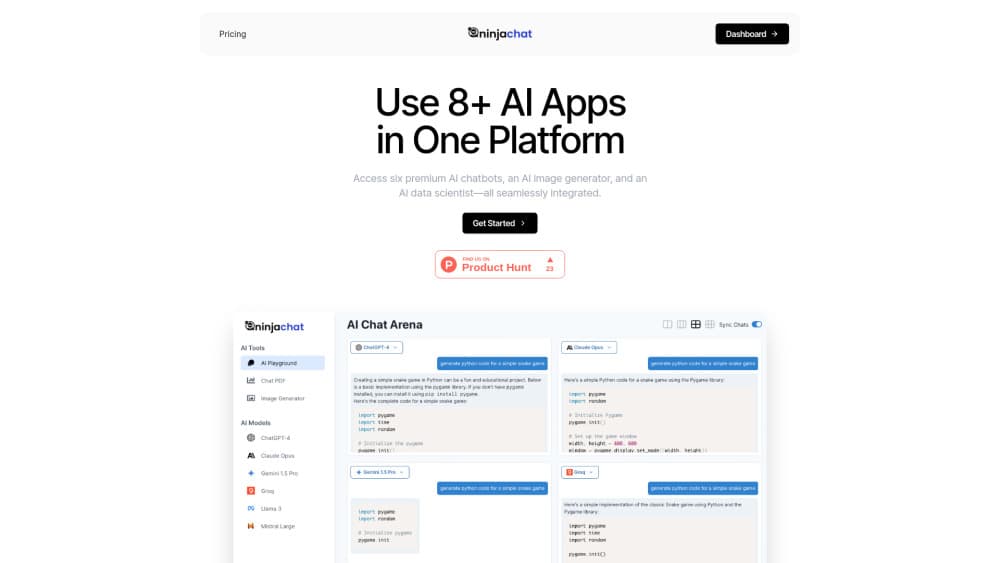
NinjaChat is an all-in-one AI chatbot platform that puts 77 chat, image, and video models behind one subscription, so you can switch models mid-chat and compare answers.
About NinjaChat - Ultimate AI Chatbot Platform
What Is NinjaChat
NinjaChat is a subscription app that bundles the leading AI models into a single workspace. The catalog covers 54 chat models, 12 image models, and 11 video models, including GPT-5.6, Claude Opus 5, Gemini 3.1 Pro, Grok 4.6, Kimi K3, Veo 3.1, and Seedance 2.0. One login gets you every one of them.
The problem it solves is subscription sprawl. A writer who wants Claude for long drafts, GPT for quick reasoning, and Veo for a launch clip would normally pay three vendors. NinjaChat sells one plan with a shared pool of messages, image credits, and video credits. Bloon, the company behind it, says the platform has passed 790,000 users.
The tradeoff is credit math. Every plan caps chat messages, image credits, and video credits per month, and video burns through them fastest. Heavy video work on the $11 Starter plan runs out quickly, so the cheaper tiers suit chat first and generation second. There is no free plan, only a 3-day trial on the mobile apps.
Getting Started
- Open ninjachat.ai or install the iOS or Android app, then sign in with Google, Discord, or email. Your history syncs across web and mobile.
- Pick a plan. Starter costs $11 per month, Pro $24, and Expert $36, and every model is available on all three.
- Choose a model from the picker at the top of the chat, or send one prompt to several models and compare the answers side by side.
- Add files to a project if the task needs context, then upload PDFs, spreadsheets, or voice memos and ask questions against them.
- Export or copy the output, or keep the thread open and switch models when a different one handles the next step better.
Product Information
A quick look at NinjaChat - Ultimate AI Chatbot Platform's pricing, supported platforms, and performance.
Best for
The users, tasks, and scenarios where this tool fits best.
Users
- Freelancers who bill clients for writing, research, or design
- Small teams without an AI budget line
- iPhone and Android users who want a single AI app
Tasks
- Comparing model output on the same prompt
- Research with sources
- Image and video drafts
- Document Q&A
Scenarios
- A launch week where you need copy, key art, and a 15 second teaser
- Everyday office work with mixed inputs
- Testing before you commit
Key features
77 Models In One Subscription
The catalog splits into 54 chat models, 12 image models, and 11 video models, and every plan unlocks all of them. That range of multiple AI models matters when a task needs a specific strength, such as Claude for long documents or Kimi for agentic coding. You don't buy a separate seat per vendor.
Switch Models Mid-Conversation
You can change the model inside a live thread and keep the history intact. A common pattern is to draft with a fast model, then hand the same thread to a stronger reasoning model for the final pass. The context stays, so you don't restate the brief.
Side-By-Side Answer Comparison
Model Council sends one prompt to several models and returns the answers together. It's the fastest way to see where GPT, Claude, and Gemini disagree on tone or facts. You pick the response you want and continue from there.
Live Web Search With Citations
AI web search pulls current pages and cites each source in the answer. For news, prices, or anything that changed this month, that beats a model relying on training data. The citations also make claims easier to check before you publish.
Projects With File Context
Projects hold PDFs, spreadsheets, Google Drive files, images, and voice memos, and every chat inside the project can read them. Upload a contract and a summary sheet, then ask for the clauses that differ. Files stay attached, so follow-up questions don't need a re-upload.
Image And Video Generation
The Studio side works as an AI image generator and an AI video generator, with models such as Nano Banana Pro, Flux, Imagen 4, Veo 3.1, Seedance 2.0, and Kling 2.6. Image credits and video credits come from separate pools, which keeps a thumbnail run from eating your clip budget. Outputs land in the same workspace as your chats.
Voice Mode And A Developer API
Voice mode answers out loud in several voices and languages, which is handy for hands-free drafting. On the developer side, the NinjaChat API bills per request instead of per token, and each response reports its own cost. A router and MCP support let you wire the same models into your own tools.
Pros and cons
Pros
- One subscription replaces several vendor plans, and the $11 entry price is low for this many models.
- Switching models inside a thread keeps context, so comparisons don't require pasting the same prompt again.
- Web search returns cited sources, which speeds up research and fact checking.
- The API uses per-request pricing with the cost printed in each response, so budgets are easy to track.
Cons
- There's no free plan. The 3-day mobile trial auto-renews, so you need to cancel before it ends.
- Credits run out fast on video, and the Starter plan's 10 video credits won't cover regular clip production.
- Message caps apply across all models, so a heavy chat month can hit the ceiling before the billing date.
Frequently asked questions
NinjaChat is used to chat with many AI models from one account, compare their answers, generate images and short videos, and run web research with citations. It suits people who want several models without several subscriptions.
Related content
Explore related tools, skills, and articles for NinjaChat - Ultimate AI Chatbot Platform.
NinjaChat - Ultimate AI Chatbot Platform Alternatives

JarvisCore
Prescott Data · Coding · Productivity · OtherJarvisCore is an open source Python runtime where AI agents work as equal peers on an agent mesh, claim tasks from a shared ledger, and reach external services through a zero-trust broker.
Clef
Cloudflare · Business · OtherClef is Cloudflare's open-source decision model for Workers AI. It returns calibrated probabilities for typed questions, not generated text, so agents can classify, route, and act fast.

iFixAi
iFixAi · Business · OtheriFixAi is an open-source auditor for AI agents. It runs your agent through a simulation of your business, grades every reply, and returns an A to F scorecard backed by evidence.