

NinjaColoring
NinjaColoring · Writing · Image
NinjaColoring turns a text prompt, a photo, or a name into a printable coloring page, with a free trial and simple credit packs.
About NinjaColoring
What Is NinjaColoring
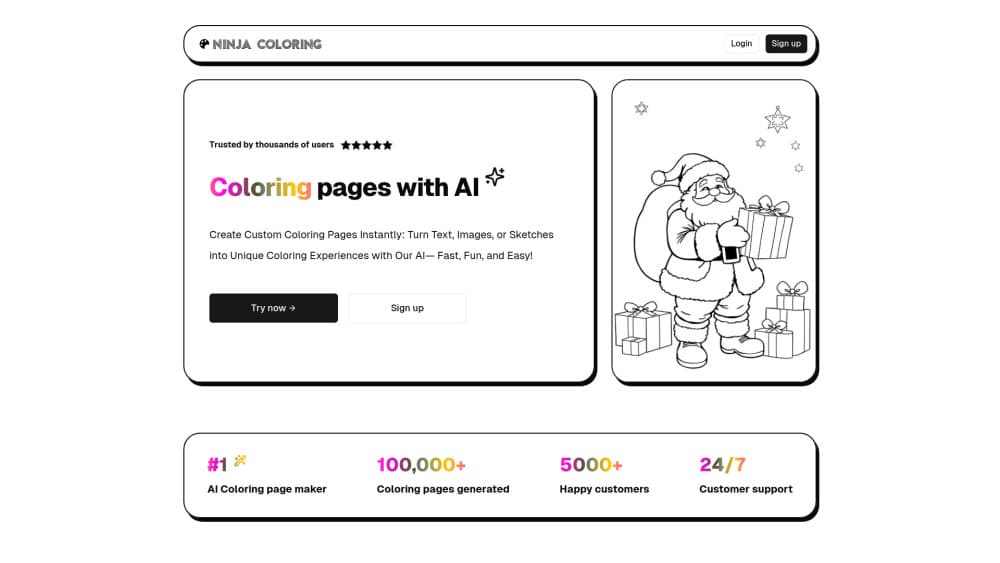
NinjaColoring is an AI coloring page generator that builds custom printable coloring sheets. Instead of browsing a fixed library, you describe what you want, and the tool draws it as black-and-white line art you can print and color. The same engine handles three inputs: a written prompt, a photo you upload, and a name or short word.
It runs in the browser, so there is nothing to install. You sign up, type a description, wait a few seconds, and print. The site also suggests related ideas after each generation, which keeps a session moving when you are out of concepts.
The limits matter. A new account covers three images, and real use means buying credits. The tool lives online, so a connection is required, and a vague prompt leads to a weak page.
Getting Started
- Create a free account. A new user gets three free images to test the generator.
- Pick a mode: describe a scene in plain words, upload a photo, or enter a name.
- Click Create and wait a few seconds while the tool renders the line art.
- Download the page and print it as many times as you like.
- Review the related ideas the tool suggests if you want another page.
Product Information
A quick look at NinjaColoring's pricing, supported platforms, and performance.
Best for
The users, tasks, and scenarios where this tool fits best.
Users
- Parents
- Teachers and homeschoolers
- Adult hobbyists
Tasks
- Creating a page from text
- Converting a photo
- Making name art
Scenarios
- A rainy afternoon at home
- A classroom activity
- A personal gift
Key features
Text to coloring page generation
The core mode takes a written prompt and returns a coloring sheet. You describe the idea in plain words rather than writing a complex prompt, and the tool interprets it. There are no sliders or layer panels, and nothing to install beyond a browser. A penguin playing the guitar or a pirate ship on lava both work as inputs.
Photo to coloring page
You upload a photo and the tool converts it into line art. A pet, a portrait, or a holiday shot becomes a cartoon-style page a child can color. The point is to print a page built from a real memory rather than a generic template.
Name coloring pages
The name mode turns a first name or a short word into decorated lettering. Outputs include graffiti styles, bubble letters, and seasonal looks such as a Halloween treatment. Each result is generated fresh, so the same name can come back in a different design.
Related idea suggestions
After a generation, the tool recommends related concepts to keep a session going. When a user runs out of prompts, the suggestions offer a next step, which matters for a parent trying to entertain a child for more than one page.
Credit packs with one-time payment
Access runs on image credits, sold in one-time packs rather than subscriptions. The Starter pack is $8.99 for 100 credits, the Artist pack is $29.95 for 1,000 credits, and the Professional pack is $120 for 1,000 credits plus commercial use. Credits stay valid for a year.
Secure checkout through Stripe
Payments are processed by Stripe, so card details are handled by the payment provider rather than stored on the site. Every purchase is a single payment, and there are no recurring charges to track.
Pros and cons
Pros
- Three input modes: text, photo, and name all feed the same generator.
- Free trial: a new account covers three images before any payment.
- No subscription: credit packs are one-time payments with a year of validity.
- Nothing to install: the tool runs in the browser.
- Commercial option: the Professional pack allows commercial use of the images.
Cons
- Credit-based cost: after three free images, every page costs a credit.
- Browser only: there is no app or offline mode, so a connection is required.
- Prompt sensitivity: a vague description produces a weak page, and results vary run to run.
- No bulk export: pages are downloaded one at a time.
Frequently asked questions
NinjaColoring creates printable coloring pages from three inputs: a written description, a photo, or a name. You pick a mode, provide the input, and the tool returns line art ready to print and color.
Related content
Explore related tools, skills, and articles for NinjaColoring.
NinjaColoring Alternatives

Emailwritr
Emailwritr · Writing · MarketingEmailwritr is an AI email copywriting tool built for affiliates, course creators, and online businesses that want more revenue from the list they already own. Instead of blank pages or generic chatbot prompts, this AI email writer generates welcome sequences, launch campaigns, cart recovery emails, and promo series from frameworks modeled on well-known direct-response copywriters. You connect your autoresponder, answer a few questions about your offer, and it writes the copy for you.

Swms
Swms AI · Writing · Productivity · BusinessSwms is an AI safety compliance tool that turns a plain description of a job into ready-to-use safety documents. Describe your project, trade, and known hazards, and it writes a safe work method statement, job hazard analysis, safe work procedure, RAMS, or safety data sheet in seconds. It also ships with Oscar, a chat assistant that answers workplace safety questions in any language. Teams in construction, mining, transport, and warehousing use it to cut the paperwork that usually eats into a workday.

Prosp
Prosp · Writing · Voice & Language · MarketingProsp is an AI LinkedIn outreach tool built for agencies and sales teams, and it writes the message and the voice note in your own voice for each prospect so they actually reply. You connect your accounts, find leads, and let the AI draft and send personalized messages at scale, all from one inbox. It's built for people running outbound at volume. That's the whole pitch. Every touchpoint still has to feel human.