

NitoAI
AIRUCA Inc. · Other · Chatbot
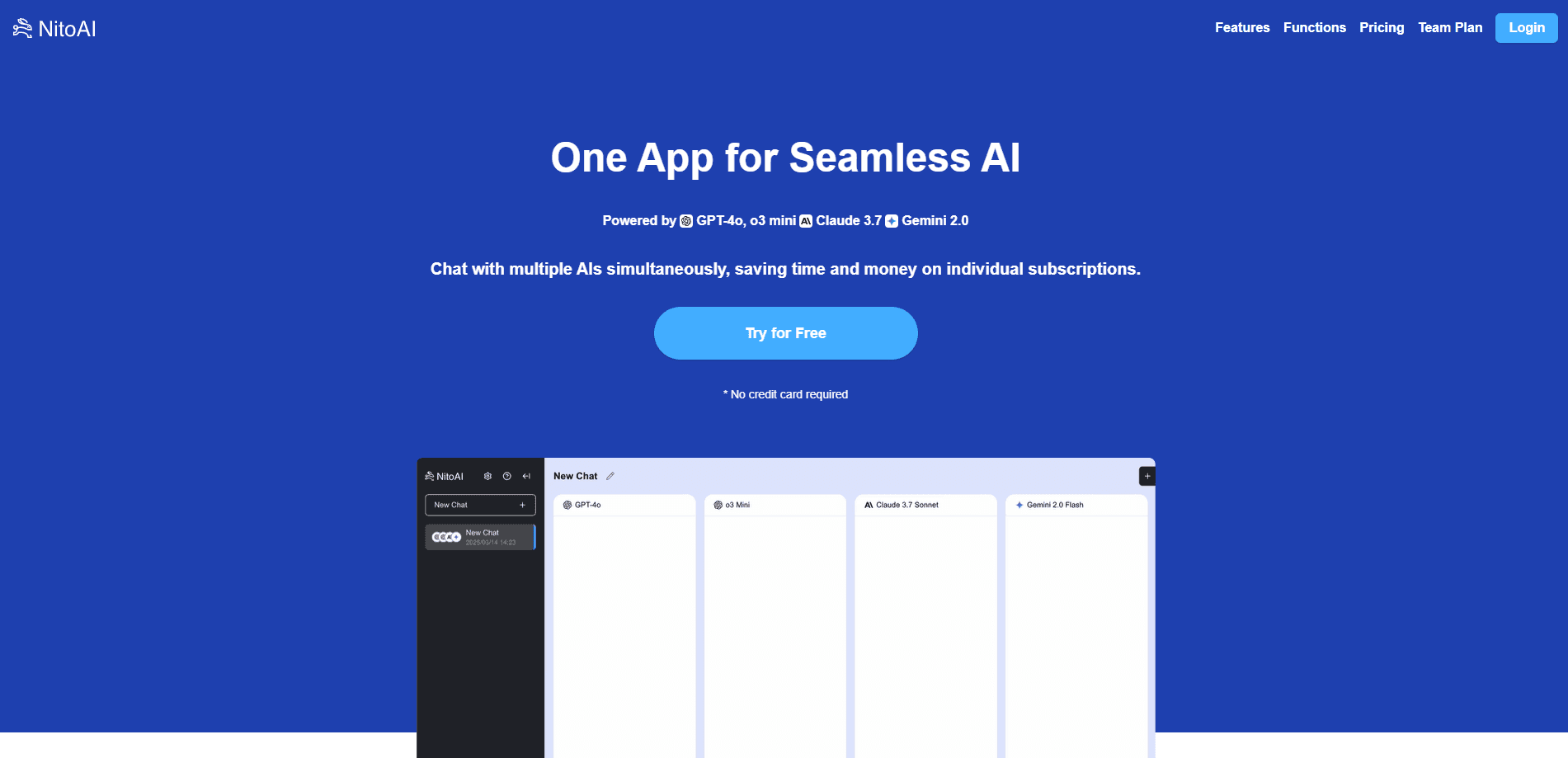
NitoAI is an all-in-one AI workspace from AIRUCA that chats with multiple AIs like GPT, Claude, and Gemini in one window, compares their answers, and generates images and video.
About NitoAI
What Is NitoAI
NitoAI is a web-based AI workspace built by AIRUCA Inc., a Tokyo software company that released the service on October 23, 2025. The core idea is simple. Instead of paying for ChatGPT, Claude, and Gemini one by one, you open a single app and send one prompt to several of them at once, a workflow now called chat with multiple AIs.
The product targets business writing as much as casual chat. You can draft reports, summarize long documents, and build presentation material from the same window, then switch to the built-in AI image generator or AI video generator when a task needs visuals. Because every request runs through official model APIs, your input is not used to train those models, which matters if you handle client or internal data.
The main limits are worth knowing up front. The interface and support are centered on Japanese and English, the image and video tools run on a separate credit system, and the newest flagship models are reserved for paid tiers. It is a convenience layer over other companies' models, so its quality ceiling is set by those providers.
Getting Started
- Open nitoai.app and create an account with an email address. No credit card is needed for the free tier.
- Pick the models you want to compare from the model list, such as GPT-5, Claude, or Gemini.
- Type one prompt and send it. Each selected model answers in its own panel so you can read them side by side.
- Switch to image or video generation when you need visuals, choosing a model like Gemini or GPT-image and spending credits per render.
- Save, export, or share the conversation, or invite teammates if you're on a team plan.
Product Information
A quick look at NitoAI's pricing, supported platforms, and performance.
Best for
The users, tasks, and scenarios where this tool fits best.
Users
- Freelancers and consultants
- Small business owners
- Students and researchers
Tasks
- Drafting business documents
- Summarizing long material
- Marketing visuals
Scenarios
- Daily writing backlog
- Early project research
Key features
One prompt, several models at once
NitoAI sends a single question to multiple engines and shows every reply in its own panel. You read the answers side by side instead of copying text between browser tabs. It's the fastest form of multi-model AI chat, and the quickest way to see where GPT, Claude, and Gemini disagree.
Unlimited standard model use
The paid plan removes the monthly cap on standard models such as GPT-3.5 turbo and Claude 3.5 Haiku, so you can work all day without watching a counter. Newer flagship models sit on higher tiers, and the free plan caps you at 30 uses per month.
AI image and video generation
Beyond chat, NitoAI generates images and video from text. Supported image models include Google Gemini (Nano Banana), OpenAI GPT-image, and BytePlus Seedream, with BytePlus Seedance for video. You can also edit an existing image or build a new one from a reference.
Team workspace and shared history
A team plan adds billing and member management, per-person usage views, and shared prompts and history. Everyone works from the same shortcuts, which keeps tone and templates consistent across a small team.
Prompt shortcuts and code preview
Save your go-to prompts and launch them with one click, which cuts the typing on repeating jobs. HTML and Mermaid output renders in a live preview, so you can check a chart or a small page before you paste it anywhere.
Chat export and mobile access
You can export a conversation log to move it into another tool, and sign in from a phone browser to pick up the same chats. Sharing a single thread with a colleague takes one action.
Pros and cons
Pros
- One subscription covers GPT, Claude, and Gemini, which is cheaper than paying each provider separately.
- Side-by-side answers make it easier to catch a model that's guessing.
- Requests run through official APIs, so your text isn't used as training data.
- Image and video generation live in the same app as text work, which removes a tool switch.
- Team plan adds shared prompts, history, and per-member usage tracking.
Cons
- No public API of its own, so you can't wire NitoAI into your own apps or scripts.
- Interface and support focus on Japanese and English, which limits other markets.
- Image and video generation runs on credits, so heavy visual work costs extra beyond the subscription.
- The newest models are gated behind higher tiers, and the free plan caps at 30 uses a month.
Frequently asked questions
NitoAI is used to chat with several AI models from one window and to generate images and video from text. People lean on it for business writing, document summaries, and marketing visuals without paying for each AI separately.
Related content
Explore related tools, skills, and articles for NitoAI.
NitoAI Alternatives

Odyssey 3
Odyssey · OtherOdyssey-3 is Odyssey's foundation world model. It simulates physics in real time, turns a prompt into an interactive environment, and adapts to robots, cars and games.

JarvisCore
Prescott Data · Coding · Productivity · OtherJarvisCore is an open source Python runtime where AI agents work as equal peers on an agent mesh, claim tasks from a shared ledger, and reach external services through a zero-trust broker.
Clef
Cloudflare · Business · OtherClef is Cloudflare's open-source decision model for Workers AI. It returns calibrated probabilities for typed questions, not generated text, so agents can classify, route, and act fast.