
Nixmac
Nixmac · Coding
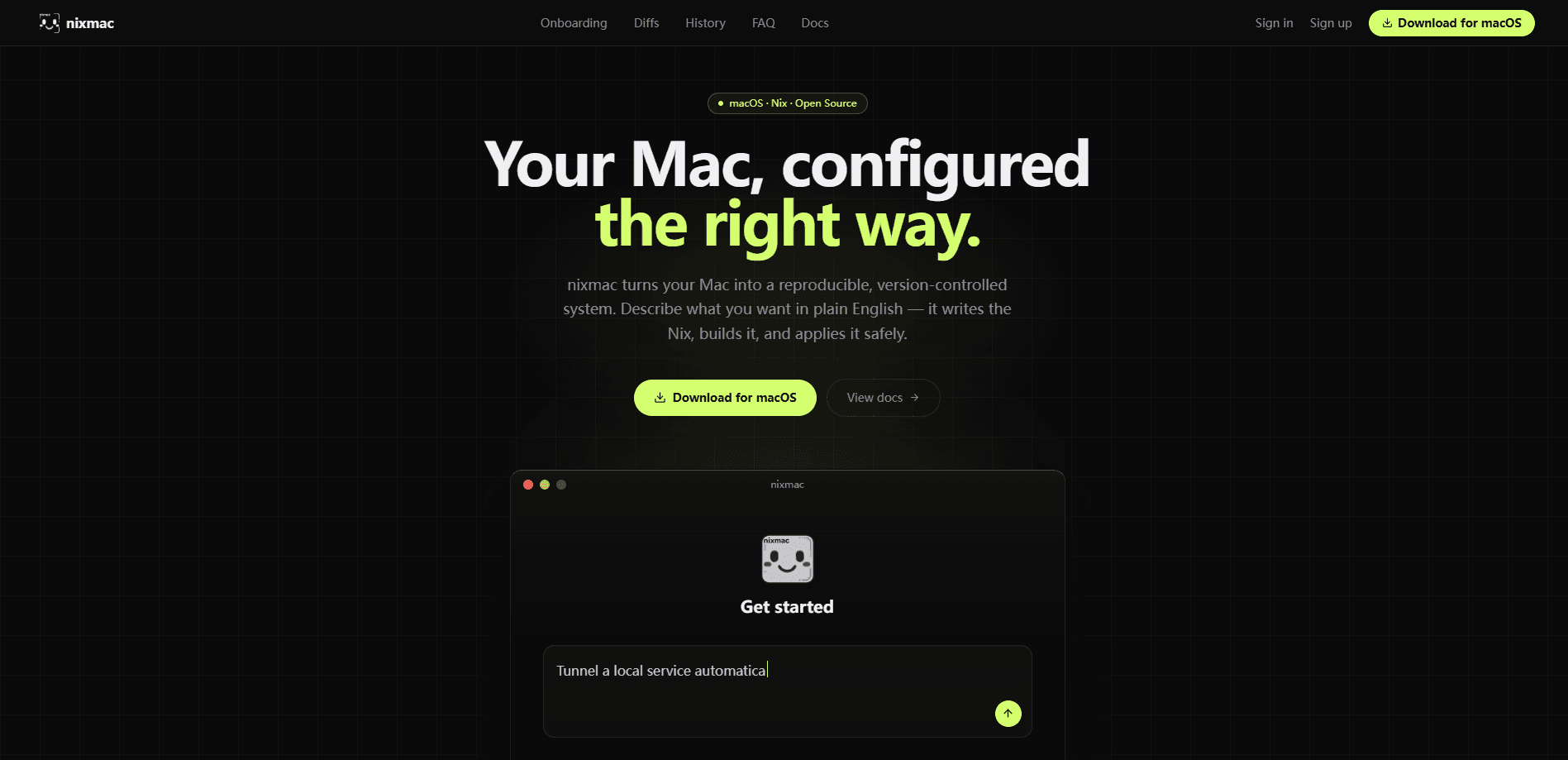
Nixmac is an AI-powered macOS configuration manager built on nix-darwin. It turns your Mac into a reproducible, version-controlled system: you describe what you want in plain English, Nixmac generates the matching Nix code, shows you the diff, and applies the change only after you approve it. Atomic rebuilds and Mac rollback commands mean a bad edit never leaves you with a broken machine. If you've ever spent an afternoon clicking through System Settings, this is the tool that writes those clicks down as code instead. Clicks become commits.
About Nixmac
What Is Nixmac
Nixmac is a desktop app that sits between you and nix-darwin, the Nix-based system that manages macOS declaratively. Instead of hand-writing Nix expressions, you type what you want in normal language, like "make the Dock auto-hide" or "install these packages," and Nixmac produces the corresponding configuration. Everything lands in a Git-tracked file, so your Mac's setup becomes something you can review, share, and restore.
The real value shows up when something goes wrong. What happens when a change breaks your machine? You just switch back. Because every change lands as a discrete, recorded revision that sits in your Git history, you can inspect exactly which setting or package shifted, trace it back to the request that caused it, and undo it, which turns what could have been a weekend of reinstalling into a two-minute fix. That's a different model from tweaking settings by hand, where the state you broke is the state you're stuck with.
The main catch is that it's macOS only, and it leans on the Nix and nix-darwin toolchain under the hood. You don't need to read Nix to use it, but grabbing familiar with the underlying rebuild step helps when a change fails. Think of it as a friendly layer over a sharp tool.
Getting Started
- Install Nix on your Mac if it isn't already there, since nix-darwin runs on top of it.
- Install Nixmac and let it initialize a configuration store for your machine.
- Describe your first change in plain English, for example hiding the Dock or setting a keyboard shortcut.
- Review the generated Nix diff, then apply it with an atomic rebuild.
- If anything looks off, roll back to the previous revision in one step.
Product Information
A quick look at Nixmac's pricing, supported platforms, and performance.
Best for
The users, tasks, and scenarios where this tool fits best.
Users
- Developers who already use Nix or nix-darwin
- Mac power users who reinstall often
- People who fear breaking their system
Tasks
- Expressing system preferences in plain English
- Reviewing changes before they land
- Recovering a working setup after a bad change
- Keeping multiple Macs consistent
Scenarios
- Setting up a fresh Mac in minutes
- Handing your environment to a teammate
- Auditing what changed
- Testing risky settings safely
Key features
Plain-English to Nix Translation
Nixmac takes a request written the way you'd say it out loud and turns it into valid nix-darwin Mac setup code. You don't need to memorize Nix syntax or module options. The output stays in standard, idiomatic nix-darwin configuration rather than some proprietary format, so anything you pick up here carries over cleanly if you later decide to edit the file by hand or hand the repo to a teammate who prefers working in Nix directly.
Diff Review Before Apply
Every change arrives as a diff you read before it touches your system. Nothing applies silently. You see exactly which settings, packages, or files move, which matters when a request is vague, so a misphrased instruction becomes a visible mistake instead of an applied one. You catch it early.
Atomic Rebuilds
Changes build as a single unit and switch over in one step. If a build fails partway, your Mac stays on the last working configuration rather than landing in a half-applied state. That's the core promise of the declarative Mac configuration model, and Nixmac keeps it intact for users who never write Nix themselves. No half-broken machines.
One-Command Rollback
Because each rebuild is a recorded generation, reverting is a single command or click. You pick the previous revision and switch back. For anyone who's bricked a config and faced a reinstall, this is the feature that changes the risk calculation on experimenting. That matters.
Version-Controlled System State
Your configuration lives in Git, so you get branches, commits, and history for your machine's setup. Tag a known-good state before a big change. Compare revisions. Share the repo with another Mac. Treating system configuration as a repo is what makes the rest of the workflow reproducible, and the history doubles as a record of every change you've made.
Reproducible Mac Setup
The same configuration produces the same result on any Mac you apply it to. New hardware stops being a from-scratch reconfiguration project; you point Nixmac at the config and let it rebuild. What used to take an evening now takes minutes. This is the payoff for teams or anyone juggling more than one machine, and it's the clearest reason to adopt an AI macOS configuration tool at all.
Pros and cons
Pros
- Removes the need to learn Nix syntax to get a declarative macOS setup.
- Diff review and atomic rebuilds make changes safe to try.
- Git-backed configuration makes your setup shareable and portable across machines.
- Rollback to a previous generation is quick, which lowers the cost of mistakes.
Cons
- It's macOS only, so Windows and Linux users have nothing to gain.
- It depends on the Nix toolchain, and a first-time Nix install adds setup steps before you see any benefit.
- Pricing details weren't confirmed from official sources at the time of writing, so check the site before planning a purchase.
Frequently asked questions
It converts plain-English descriptions of system changes into nix-darwin configuration, shows you the diff, and applies approved changes with atomic rebuilds. In short, it manages macOS as version-controlled code.
Related content
Explore related tools, skills, and articles for Nixmac.
Nixmac Alternatives
Forefront
Forefront · CodingForefront is a web platform for building with open-source AI. It lets you fine-tune leading open-source language models on your own data, evaluate how they perform, and run them through an API or export them to host yourself. Developers who want the convenience of a closed-source platform but insist on owning their models and data are the target audience here.

Startkit
StartKit.AI · CodingStartkit is a boilerplate for building AI SaaS and AI wrapper products. Think of it as an AI startup boilerplate with the boring parts already wired up: authentication, Stripe and Lemon Squeezy payments, usage limits, transactional email, and an AI API starter that talks to OpenAI, Anthropic, Groq, or Llama. You clone the repo, set your price, and start on the part of your product that people actually pay for. It's Next.js under React and Tailwind, so most of the boilerplate code already feels familiar.
Testim
Tricentis · CodingTestim is an AI-powered test automation platform for building and running end-to-end tests across web, mobile, and Salesforce applications. It leans on machine learning to keep tests stable when an interface changes, so teams spend less time fixing broken selectors. Not bad for an automated testing tool you can start using today. You create tests by recording actions in a browser, then optionally add JavaScript when you need more control. It's a solid pick for busy QA teams.