
nlsh
Junaid Mahmood · Coding · Other
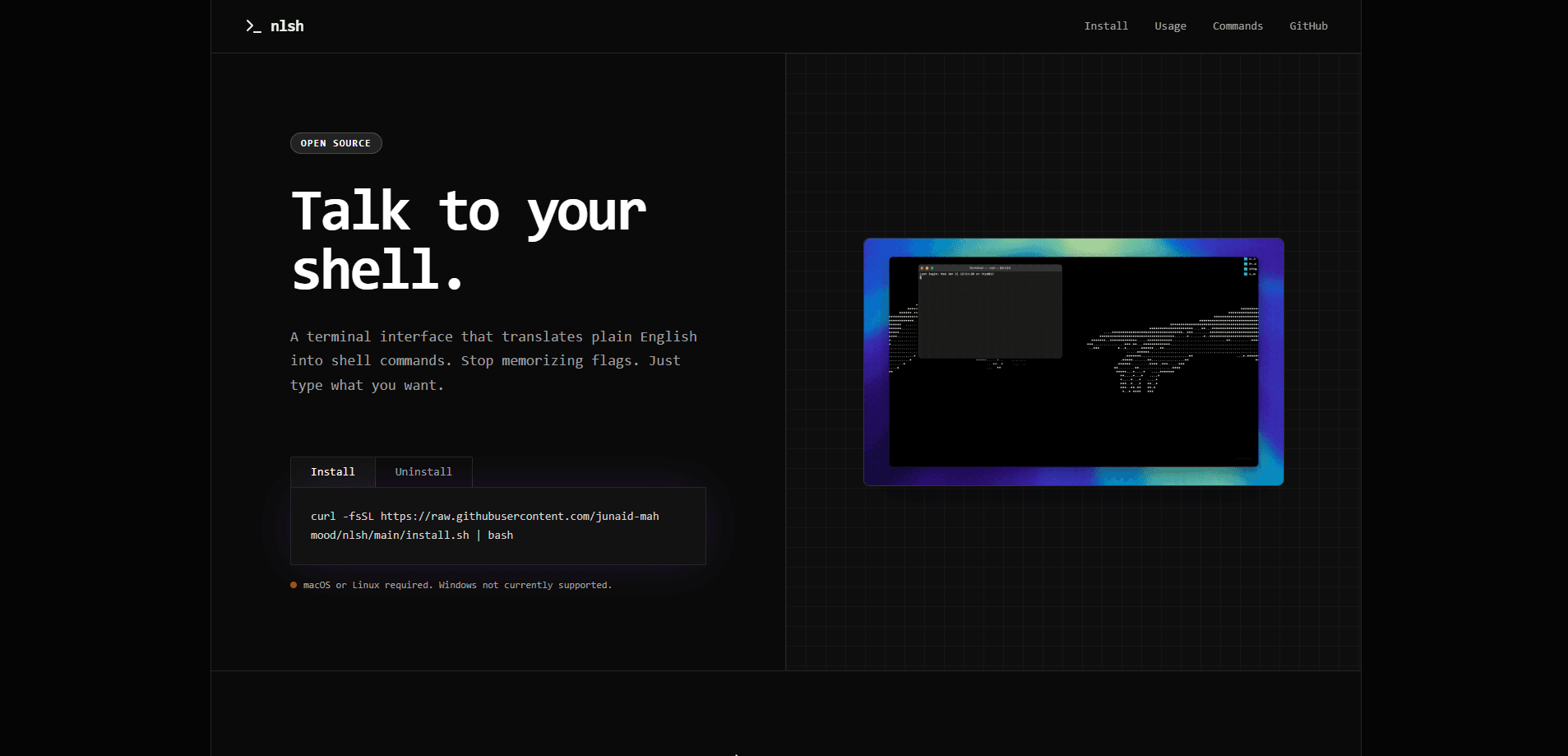
nlsh is an open source command line tool that translates plain English into working shell commands. Instead of memorizing flags and syntax, you describe the task and nlsh figures out the right command for your terminal. It runs on macOS and Linux, needs Python 3.8 or newer, and connects to the AI provider you pick, so you keep control of your own API key and history.
About nlsh
What Is nlsh
nlsh is a Natural Language Shell. You type something like "list all python files" and it hands back find . -name "*.py", ready to run. The project exists because most people forget shell syntax the moment they actually need it, and digging through search results for the right flag wastes time you could spend on the real problem. nlsh sits between you and bash, turning intent into a command.
It's built for anyone who lives in a terminal but doesn't want a computer science degree to use it. Beginners get a gentle on-ramp; experienced developers get a faster way through commands they half-remember. The tool is open source and runs locally, so nothing leaves your machine except the prompt you send to the AI provider. That last part matters if you work with sensitive files.
The biggest limits are platform and provider support. Windows isn't supported, and the built-in API configuration currently works with Gemini. You also need your own API key, since nlsh doesn't bundle an account or a hosted backend. Still, for a free tool that does one job well, that's a short list of caveats.
Getting Started
- Confirm you're on macOS or Linux with Python 3.8 or newer installed.
- Install it with the one-line script:
curl -fsSL https://raw.githubusercontent.com/junaid-mahmood/nlsh/main/install.sh | bash. - Start the session by typing
nlshin your terminal. - Set your LLM provider API key with the
!apicommand. - Describe what you want in plain English, then review the suggested command before you run it.
Type !help to see the full command list, !cmd to run a raw shell command directly, or Ctrl+D to exit.
Product Information
A quick look at nlsh's pricing, supported platforms, and performance.
Best for
The users, tasks, and scenarios where this tool fits best.
Users
- Terminal beginners who freeze up at a blank prompt and need plain English translated into real commands.
- Experienced developers who know a command exists but can't recall the exact flags, and want a fast shortcut.
Tasks
- Turning a task like "kill the process on port 3000" into `lsof -t -i
- Writing git commits, counting lines, or finding files by describing the goal instead of the syntax.
Scenarios
- Working on a remote Linux server over SSH where you can't lean on a GUI and every lookup costs you momentum.
- Learning bash on a personal Mac, where a wrong guess is cheap because you review the command before running it.
Key features
Plain English to Shell Commands
The core of nlsh is translation. You describe a job in everyday words, and it returns the bash command that does it, plus a short explanation of what each part means. It covers common tasks like listing files, staging git changes, and checking disk usage. No more tab-switching to a search engine mid-task.
Understands Intent, Not Just Keywords
Ask it to "commit with message fixed bug" and it maps your wording to git commit -m "fixed bug". The intent matters more than the exact phrasing, so you don't have to learn a query language just to talk to your own computer.
Runs Locally With Your Own Key
nlsh runs on your machine and only sends your prompts to the AI provider you configure. There's no account to create and no server collecting your command history. The !api command lets you swap the API key securely. Want to know where your data goes? It goes to your provider, and nowhere else.
Raw Command Escape Hatch
The !cmd command runs a shell command directly, skipping the natural language step. It's there for the times you already know exactly what you want and don't need help, letting you mix normal terminal work with the assistant in one session. Sometimes you just want to type it yourself.
Open Source and Free
The whole project is open source on GitHub under the junaid-mahmood/nlsh repo. There's no paid tier, no usage cap, and no upsell. You pay only for the AI provider you connect, and only for the requests you actually send, which keeps the cost predictable if you use it lightly. Fork it, inspect it, or change it if the defaults don't suit how you work.
Pros and cons
Pros
- Turns vague intent into accurate shell commands, which cuts the time you spend searching for the right syntax.
- Free and open source, with no account, no subscription, and no locked features.
- Runs locally and keeps your history off any third-party server.
- Beginner friendly, because it explains the generated command instead of just handing you a cryptic string.
Cons
- Windows isn't supported, so it's a no-go if that's your only machine.
- The built-in API configuration currently supports Gemini only, which limits provider choice.
- It needs its own API key, so there's a setup step and small per-request cost before it works.
- You still have to review and run each command yourself, so it doesn't replace shell knowledge entirely.
Frequently asked questions
Yes. nlsh is free and open source, with no paid plans. You only pay your AI provider for the API calls you make, and many providers offer a free tier that covers light use.
Related content
Explore related tools, skills, and articles for nlsh.
nlsh Alternatives
Forefront
Forefront · CodingForefront is a web platform for building with open-source AI. It lets you fine-tune leading open-source language models on your own data, evaluate how they perform, and run them through an API or export them to host yourself. Developers who want the convenience of a closed-source platform but insist on owning their models and data are the target audience here.

Startkit
StartKit.AI · CodingStartkit is a boilerplate for building AI SaaS and AI wrapper products. Think of it as an AI startup boilerplate with the boring parts already wired up: authentication, Stripe and Lemon Squeezy payments, usage limits, transactional email, and an AI API starter that talks to OpenAI, Anthropic, Groq, or Llama. You clone the repo, set your price, and start on the part of your product that people actually pay for. It's Next.js under React and Tailwind, so most of the boilerplate code already feels familiar.
Testim
Tricentis · CodingTestim is an AI-powered test automation platform for building and running end-to-end tests across web, mobile, and Salesforce applications. It leans on machine learning to keep tests stable when an interface changes, so teams spend less time fixing broken selectors. Not bad for an automated testing tool you can start using today. You create tests by recording actions in a browser, then optionally add JavaScript when you need more control. It's a solid pick for busy QA teams.