

Notation
Kristian Gaylord · Coding · Leaning
Notation is a free, open source command line tool that publishes a folder of Markdown files to Notion. You write docs in your repo, run one command, and Notion serves them with search and AI.
About Notation
What Is Notation
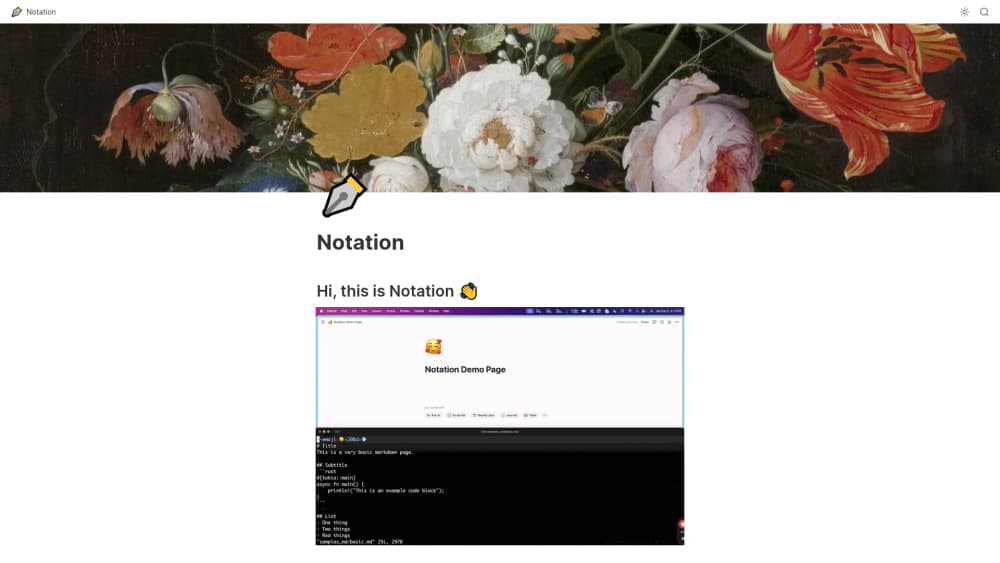
Notation is a small command line tool that takes a directory of Markdown files and pushes it into a Notion page. The repository is written in Rust and released under GPL-3.0. One command, notation ship --src, reads your docs folder and rebuilds the page tree inside Notion.
The idea is docs as code: documentation belongs with the code it describes. You edit .md files in the same pull request as the feature, reviewers see the diff, and CI can run the publish step. Nobody logs into a separate docs service after a merge.
Two constraints shape how you use it. Notion is the only destination, so the publish target is always a Notion page you own. And the sync runs one way, from Markdown into Notion, which means the repo stays the source of truth and edits typed inside Notion don't come back.
Getting Started
- Install the binary with the shell script from the project page. It writes the executable to
~/.notationand creates a starter config file next to it. - Create a Notion page that will hold the docs, and give it a name you can retype exactly in the config.
- Create an internal integration in Notion under Settings and members, then copy its secret. On the parent page, add that integration under Connections so it gets write access.
- Open
~/.notation/Notation.tomland fill in two values: the integrationsecretand theparent_pagetitle. - Run
notation ship --src /path/to/docsfrom the repo. Check the result in Notion, then share the page publicly or point a custom domain at it if you want a public site.
Product Information
A quick look at Notation's pricing, supported platforms, and performance.
Best for
The users, tasks, and scenarios where this tool fits best.
Users
- Backend and platform engineers
- Small product teams without a docs site
- Support, sales, and product staff
Tasks
- Publishing API references
- Updating onboarding guides
- Turning internal runbooks into a wiki
Scenarios
- You already pay for Notion and don't want a second documentation subscription. Notation adds the publishing step and nothing else.
- Your docs drifted because updating them meant visiting another tool. Moving the source into the repo removes that trip.
- You want docs reviewed like code. Because the source files are plain text in version control, the normal pull request flow covers them.
Key features
Publish a docs folder with one command
notation ship --src walks your source directory and writes every file into the configured Notion parent page. There's no build step and no generated site to deploy, so the gap between merging a change and seeing it live is one command.
Your folder tree becomes the page tree
Directories turn into subpages and subdirectories into subsubpages, so the structure you see in your editor is the structure readers see in Notion. Renaming a folder renames the corresponding page on the next publish, which keeps navigation predictable as docs grow.
intro.md for the parent page
A file named intro.md at the root of the docs folder writes its content straight onto the parent page instead of creating a child page. That gives the section a landing page with real text, links, and context rather than an empty container with a list of children.
Per-page title and emoji flags
Two flags at the top of a Markdown file, --title and --emoji, set the Notion page name and icon. A file called setup.md can appear as "Getting Started" with a rocket icon, so filenames stay machine friendly while the published titles read well.
Internal wiki or public website
The same publish target can stay private inside your workspace, or you can share the Notion page as a public site. If you want a custom domain, the official docs point to Super as a front end, which is how notation.so itself is served.
Notion search, AI, and formatting for free
Once the content lands in Notion, you inherit its search index, AI answers, table of contents, and block formatting. Search across a large set of Markdown documentation is a hard problem, and this approach outsources it instead of building a search box.
Pros and cons
Pros
- Free and open source under GPL-3.0, with no seats, tiers, or per-page limits to track.
- Documentation stays in the repository, so code review, branching, and CI apply to it without extra setup.
- Setup is short: install the binary, create a Notion integration, and fill in two config values.
- Readers work in Notion, which means search, comments, and AI answers come with the tool most teams already have open.
- The output looks hand-built in Notion, so non-technical readers can't tell the pages were generated from Markdown.
Cons
- Sync runs one way. Anything edited inside Notion is overwritten the next time you publish, so the repo has to stay the only place people write.
- Images need a public URL because local files aren't uploaded. You host the asset somewhere else and paste the link.
- Every user needs a Notion account, a host page, and an internal integration token, which is three places to get wrong before the first successful run.
- The project is small and its last commit dates from August 2024. A breaking change in the Notion API would need someone to patch the binary, and Windows isn't supported by the install script.
Frequently asked questions
It lets you publish Markdown to Notion in bulk. You keep .md files in a code repository, run notation ship, and the files appear as a page tree inside a Notion page you choose.
Related content
Explore related tools, skills, and articles for Notation.
Notation Alternatives

Base Code
Base44 (Wix) · Coding · ProductivityBase Code is a shared cloud development environment from Base44. Teammates describe changes to an existing GitHub codebase in chat, preview them live and send them back as pull requests.

Google EmbeddingGemma 2
Google DeepMind · Writing · Image · CodingGoogle EmbeddingGemma 2 is a 740M-parameter open model that turns text, code, images, audio, and video frames into vectors in one 768-dimension space, running on phones and laptops.

GitGlow
GitGlow · Coding · ProductivityGitGlow is a local-first desktop Git client that lets independent developers review their own code and their AI agents' changes in one place before shipping.